Kalleboston
Members
-
Joined
-
Last visited
Everything posted by Kalleboston
-
-
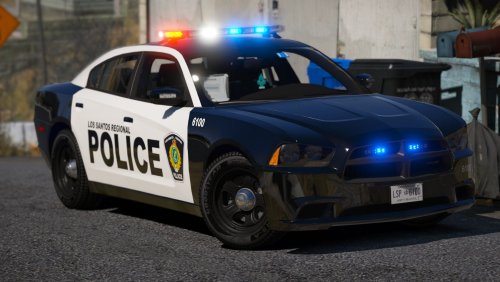 Dude, you have some issues with your els. It can’t be problems with the 4-5 car packs you have asked the same question in. Do you copy the VCF files that come with each pack? Got scripthook? Got ELS?
- 22 comments
- 17 reviews
-
I couldn’t decipher all of those plugins and issue from your log. How did you arrest the ped exactly? I’ve had the same issue as you when I used arrest manager. But it’s not in your list. 😫
-
It is, if you provide more info.
-
-
 I had a call on US Route 1 regarding a dog in a hot car. I got there, released the dog. The dog walked around the car, opened the drivers door, sat down and drove off. It looked so funny! Thanks for the laugh and the great plugin! I was so surprised I didn’t have time to record the incident 😁
- 1,034 comments
- 65 reviews
-
-

- 1
-
-
Tjena. Have you tried to start the game without your mods folder? Try to rename it _mods and start from there.
-
@Iceknight i can really recommend one of these packs that replaces some audio files with silent ones. It gives you extra space for another siren for example. I was able told to add CHP+fbi thanks to this. Sorry for hijacking the thread but it can also be beneficial for the OP.
-
@Khaozz I had that problem too until I stopped using Arrest manager. So now I only use Stop the ped and haven’t got any problem since. I got the tips from this forum. You might wanna try that.
-
-
@pettelord Nice! With x64: Do the same thing. But instead of a file you now copy a folder to /mods.
-
It’s in the root folder.
-
@pettelord Nice! You can just start in edit mode to open up x64e.rpf and openiv will ask you if you’d like to copy it to your mods folder. Click yes and voila - you have a x64e.rpf in your mods folder. Be careful not to do any changes to your original x64e file.
-
-
-
 Nice stuff! 👍🏻
 -
-
Hi, welcome to the internets.
-
Nice! Then all you need to do is add them in duty_selection.xml I believe.
-
You need to add them in openiv and also get a new gameconfig that supports extra vehicles. Have you done that?
-
Well you can change some sirens nowadays. I have different sirens for fbi, police, ambulance and I sacrificed Firetruk to give my CHP-cars their distinctive siren. All els of course.
-
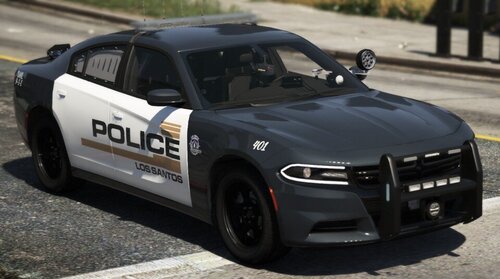 It’s a texture so you don’t need to worry about els or not. As long as it fits your vehicles you’re good to go.
- 17 comments
- 3 reviews
-
-
- 2
-
-
Well what’s the issue? Can you tell us?
-
 Sounds like you’re trying to use them with els? These are non-els. It can happen to anyone.
- 779 comments
- 187 reviews
-
Change the handlingid to something faster. There’s a list here: https://gta.fandom.com/wiki/Vehicle_ID_List Also change the audiogamehash to something funnier. 👍🏻
-
Police smart radio works fine with 0.4.3 FYI, no worries. @lawenforcementjoker 👍🏻