


Kalleboston
Members
-
Joined
-
Last visited
Everything posted by Kalleboston
-
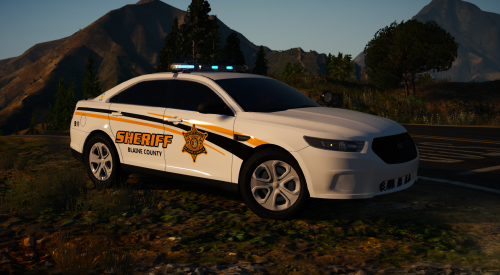 @kilroy95 I remember when we had a discussion about this skin. Your pack is sooo much better than mine. Great job! It turned out really well.
- 30 comments
- 16 reviews
-
 Beautiful!@BlaineBug sorry man, it’s not my intention :D I mean this set. Change it to your color number.
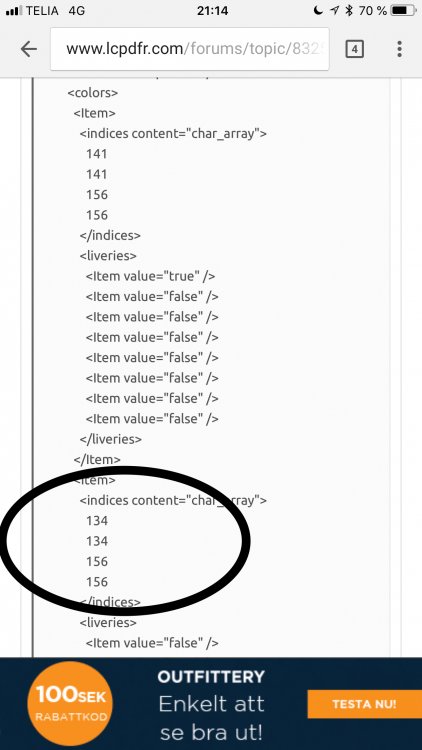 You should change the second set of numbers. Not the first set. And by set I mean the four lines of numbers. That works for me.I don’t remember the exact codes but it looks like this: 2 2 134 134 If I recall correctly the first two are the body color and the two others are for something else I don’t care about :)Try and change the second set of numbers. It always works for my unmarked vehicles. I want them to spawn as gray.I think this cvpi is really nice. It has a rambar and arjent lightbar. Just change the skin to one of your liking.Too bad. One thing I can also recommend is to check your custom vehicles. Are they 200,000 polygons? That can cause texture loss. It took me a while to collect cars made with LODS in mind. If a car is far away from you, you don’t want it to be in full detail. It sucks memory. It should look like a shoe box far away if you know what I mean. Good luck.That’s a tad high I suppose. Go to where you got the truck and ask for coordinates :)Try this plugin. It helps me to get rid off texture losses.
 It’s probably the windows tint. Change it in a trainer and/or in vehicle meta. There are plenty of threads covering the issue. Good luck!
- 283 comments
- 95 reviews
If you have added them to the vehicles.meta in mods\update\update.rpf\common\data\levels\gta5\vehicles.meta you have to do it again, since it's in update.rpf.Sounds like gta is getting its info from another vehicles.meta. Which one are you editing?It depends on what truck you've got. But looks like this should work: X=0.0Y=-1.1Z=1.3 That gameconfig was last updated feb 18 so I don’t think it works with the latest game version.
- 266 comments
- 36 reviews
I apologize. It's a vehicle pack for Gta4!Yea you can change the coordinates in the arrest manager .ini file. Go and search for coordinates for your tow truck first. They’re usually found in the comment section of the vehicle. Then change the numbers in the .ini.
It’s no big deal. Just google for it. Make sure it’s made for your game version and install it. You can do it in 5 minutes man 😁- 266 comments
- 36 reviews
-
-

- 1
-
You need to install a new gameconfig after every update. Check the manual, albo explains what to do after gta has updated. Good luck!- 266 comments
- 36 reviews
-
-
- 1
-



