


Reddington
Members
-
Joined
Everything posted by Reddington
-
Those controls have always been binded to that. You have to hold d-pad down and then press A. It shouldn't start recording by just pressing A.
-
I'm actually surprised no one has done a minivan yet. Looking forward to that.
-
You're welcome. :)
-
Rename your mods folder to _mods and load in the game. Now try spawning the problem cars. If the cars spawn in fine, you might need to remake your mods folder, or try readding this LSPD pack and see if that fixes it.
-
This business didn't seem to understand the difference between armed police officer and armed civilian. The armed officer could very well save your life, so it's best not to throw a tantrum just because he has a gun. It's not like he was waving it around or showing it off, either.
-
Try deleting the whole folder for the LSPDpack. I assume you deleted only the dlc, but left the actual folder.
-
Enter doesn't work anymore, right? Double check GTA V's keybinds and see if that keybind was changed.
-
Thanks, I may take you up on that.
-
Don't hit yourself too hard. It took me quite a while to think 'maybe nothing is wrong with the actual vehicle meta entries'. :P You're welcome. I'm jealous of you being able to rewrite it. I understand the bare basics of the vehicles.meta, but not a lot.
-
At the very top of your vehicles.meta You forgot the closing bracket. <?xml version="1.0" encoding="UTF-8"?>
-
What portion of the meta did you edit around the time this started?
-
and you're putting them in the vehicles.rpf, correct? I'm not sure why deleting that dlc would've caused the vehicle slots to stop working entirely. Did you also remove the DLC from the dlclist?
-
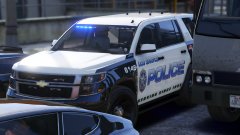 Sexy Tahoe and texture!
 -
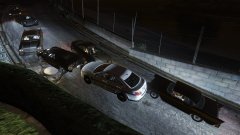
From the album: Red's LSPDFR chaos
-
Safer Chases isn't needed with LSPDFR+. LSPDFR makes the AI act a lot better. Sometimes they're still stupid, but not as often.
-
In the vehicles.meta, look for <audioNameHash> Change it to <audioNameHash>police</audioNameHash> You can choose between making the vehicle sound like police, police2, police 3, sheriff, sheiff2, fbi, and fbi2.
-
In GTS V's settings, make sure PostFx and shadow quality is set to high.
-
I haven't had this happem. It might not be bright enough.
-
Yep! Do note, however, for FBI2, you if you chose to use a Crown Victoria in the FBI2 slot, you'd need to change the handling id in the vehicles.meta, otherwise the vehicle's handling will be wonky.
-
You're welcome. :) POLICE4, FBI, and FBI2 can also go in patchday15. The snow cars I don't know, as I've never edited those. I'll have a look through OIV for you. [Edit] @budfroggy The snow cars should be located in x64e. However, you might be able to get away with putting them in the latest patchday. If that doesn't work, just copy over x64e to your mods folder.
-
You're not a pain, don't worry. In your main GTA V directory go to ELS \ pack_default. Now open the VCFs that are named of these cars. Once it's open, at the top you'll see light stage activation type. It should be set to "auto". You'll want to change it to "manual". Now you'll go through the different light stages. Do note, you need to do this for all the vehicles you want it on.
-
 Ah, okay, thanks. I wasn't sure if it had something to do with the animations.
- 560 comments
- 97 reviews
-
-
Unless the author states it, the only way to know is by checking the .yft and looking at "polygons". I think the higher the polygons the more taxing it'll be. Not entirely sure, as I'm not a modeler.
-
Have you tried using different cars? High poly cars will cause game memory errors.


