


Reddington
Members
-
Joined
Everything posted by Reddington
-
 This is definitely something with your vehicles.meta. I've installed his pack - both as replacement and standalone - without any issues. Try a different meta. :)
- 101 comments
- 49 reviews
-
Go to mods / update / update / common / data. Dlclist should be here. Extract it to your desktop and open it. Is Albo's dlcpack listed?
-
Unfortunately, that doesn't give me too much information. Where is this x64 located? Do you have mods / update / update?
-
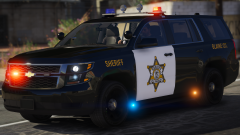 That style of light bar might take a while to get used to, but I do love how unique it is.
 -
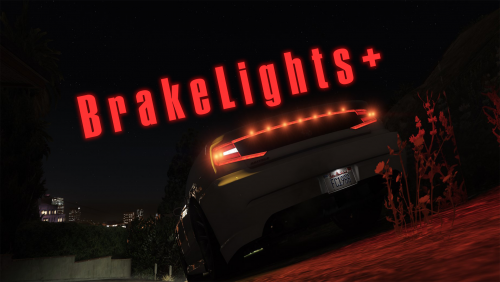 Which buttons are these? Right shoulder thumbpad buttons? [Edit] I see the problem. In your file description you list X as the turn signal modifier on controller. By default, you set it as LeftShoulder.
- 43 comments
- 13 reviews
-
Sounds like you're using ELS. If so, use J to turn on the lights. After hitting J three times when all the lights are on, press either G or 1-4 and you should have your siren. This topic has been moved to the appropriate forum. Please post in the correct location in the future.
-
@Alzar Are these still accurate? I just tried in game and it works on keyboard, and other controls work on my controller (including hazards), just not turn signals.
- 43 comments
- 13 reviews
-
In OpenIV, go to update / x64 / dlcpacks. From here, look through the various patchdays and grab the files (police, police2, police3, etc) that this pack erased over. Drag them onto your desktop. Now, go into mods / update / x64 / dlcpacks. You will need to look through each patchday and find the modded cars you added and delete them by pressing "edit mode" and right clicking the modded files. After you're done, click edit mode again to disable. After this, go into your very latest patchday, click "edit mode" so that it's enabled, and drop the vanilla files back in. Click edit mode again and you should be good. Ultimately, however, that pack installed quite a bit of custom files specific for that pack. It may come down to you needing to redo your mods folder. if there are other issues or you're having trouble figuring it out.
-
Thanks. Did this pack create a new DLCpack for the vehicles? If not, it should be as simple as grabbing the vanilla files from the vanilla update folder and pasting them over the replacement cars.
-
Can you name this pack for me, please? Staff currently have an issue where we cannot see embedded media. Unless it comes with an uninstaller, you have to either manually back up the files it replaced, or remake that section of the mods folder.
-
From the album: Red's LSPDFR chaos
-
This topic has been moved to the appropriate forum. Please post in the correct location in the future.
-
You're most welcome. :) I certainly try, lol.
-
I'M ALREAAAADY GONE
-
Oh please, you can't hide it. We know you rock out to Miley. :P
-
At least we got it figured out. :)
-
@Mags Please confirm. :P
-
You mean Franklin from GTA V, correct?
-
I personally love this one. https://www.gta5-mods.com/weapons/glock-17
-
This topic has been moved to the appropriate forum. Please post in the correct location in the future.
-
You already have a topic about this issue. Please don't create multiple topics on the same issue. If you feel this topic has been closed in error, please report this post.
-
Please do not hijack someone else's thread. It's better to create your own.
-
This topic has been moved to the appropriate forum. Please post in the correct location in the future.
-
Ha ha. Unfortunately, for models that have that rainbow thing, you'll be unable to view the texture. :( Your best bet would be to find a different model.
-
I'm not sure about the first image, but for the rainbow one, this is a common thing on some models. I don't know if the modeler did this, or if it's out of their control, but you aren't able to preview them properly in OpenIV, but in game they look just fine. Have you gone in game to see how they look?

