


Reddington
Members
-
Joined
Everything posted by Reddington
-
I think your brake lights are working perfectly. Unfortunately, there's not a difference between brake light brightness and light bar brightness, to my immediate knowledge, anyway. For the taxi brightness issue, click "edit mode" in OpenIV and open the Taxi.ytd. Look for the Taxi_Signs image. Replace that with the attached image.

-
Don't use patchday10, use your very latest patchday, patchday15, or whichever is the latest for you.
-
How exactly are you installing it?
-
You're welcome. :)
-
I just tested the Taurus, and unfortunately, you did something wrong along the way when installing. You installed the Impala.ytd as the Taurus.ytd. :) Go back to his download page and grab the .ytd for the Taurus and add that.
-
Something messed up along the way. That .ytd is for an Impala, not a Taurus. How did you install these?
-
It looks as thought the .ytd for that model was installed incorrectly, or not at all. Please go to where these files were installed and verify if they are present.
-
You're most welcome. :)
-
Not to be rude, but are you sure the lights just aren't part of night time's headlight/tail lights? During the night the headlights and tail lights are supposed to turn on. When you press the brake, the brake lights should become more prominent to notice the difference. If you press H two times, do the tail lights turn off?
-
You're welcome. :)
-
Go to the RagePluginHook Settings ---> Game settings ---> Command line switches check "Force Windowed mode" and "Force DirectX11" then save and launch. You can change back to full screen once in game.
-
Hi there. You said you pressed F5..was that a typo? F4 opens the Rage console. :)
-
Please type out the path you're taking to install these cars.
-
The gas wouldn't. :P
-
I'm positive it wasn't CHP. While they are technically state patrol in California, they'd have no authority in any other state (unless it was a special situation), let alone one so far away from Cali. Most likely. I hadn't even considered that.
-
Er...are you positive it was CHP? What did the car look like? As in, what colors did it have?
-
Good luck, let me know if you need another set of eyes. :)
-
No rush at all, I'm probably heading off soon as well. You're welcome. :)
-
Nope. ELS only adds the rear emergency lighting, it doesn't touch brake lights. You'd just look in the INIs to see if it says anything about brake light. Please check the INIs for all three mods, if you can't find anything, please attach the INIs for BetterEMS and PeterU, and I'll have a look for you.
-
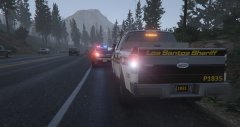 Which truck is this? The Ford F150 CVE?
 -
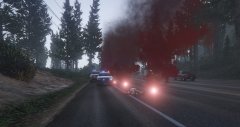 It might not be possible, but it'd be nice if we could cover the body with a sheet like they would in real life.
 -
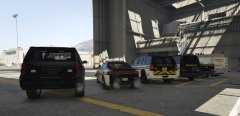 Love the chevrons on the 'hoe.
 -
To my immediate knowledge, none of those should affect your tail lights, except ELS, of course. Double check the .INIs of PeterUCallouts and see if it has anything about it. Are you using Basic Vehicle Actions, or Brakelight+?
-
Make sure you're right on the AI's butt. It's kinda picky about distance.
-
Did the vehicle just keep driving straight, or veer off course? If so, open the ELS INI, look for "ELSTrafCTRL", disable it.


