


Reddington
Members
-
Joined
Everything posted by Reddington
-
This topic has been moved to the appropriate forum. Please post in the correct location in the future.
-
This topic has been moved to the appropriate forum. Please post in the correct location in the future.
-
Delete the SDK folder and run this. http://www.lcpdfr.com/files/file/9755-lspdfr-troubleshooter-by-albo1125/
-
The vehiclelayouts.meta seems to be quite delicate, lol.
-
Changing controller keybinds for ELS is not available at the moment. D-PadLeft is already a mapped ELS key, it turns on your light stages. "B" on controller is your manual siren.
-
1:52 That is your typical LSPDFR patrol in a nutshell. Absolute chaos. I didn't think anything could make LSPDFR even more crazy than it already was. Apparently, this tops everything else.
-
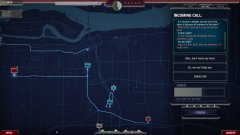
From the album: Random Games
Copy and paste the image link in a new tab to see the full view of it. -
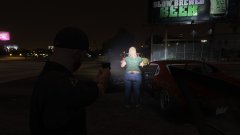
From the album: Red's LSPDFR chaos
-
I'd of imagined people would prefer the ai acting normal and not flipping out. We all know how they act normally, which is completely like idiots. :P
-
You're welcome.
-
You're welcome...and hi. :P
-
This is still going on? I remember when I first heard about it a while back. It's 100% wrong to discriminate and refuse service based off something so stupid. If they were hiring a potential employee, I could agree with denying them for any reason, but when you become a business, a place where people shop at, you don't get to pick and choose your customers. You suck it up and serve whomever. Employees don't get to pick who they serve. Teachers don't get to pick their students. Discrimination is one of, if not the worst thing that we deal with in the world, and it'll never end.
-
This is spot on.
-
That's probably what's causing it. Please try replacing it with the vanilla version.
-
Just chiming in for a sec to ask, did you edit the vehiclelayouts.meta at all? If not then you're right, vehicle issue. XD
-
-
I'm sorry, but if you're not able to understand what I'm saying, this is going to be a lot more difficult. Please take screenshots of your main GTA V directory.
-
Yes they do. This may vary by state and/or country, but most business owners can kick anyone out they please, serving them and/or prohibit them from coming onto the grounds There was a case a while back there an establishment refused to serve a police officer some type of food or something along those lines. I could go to a small mom and pop restaurant that is religious and views tattoos as dirty/shameful, and they could refuse to serve me. Nothing could be done about it. No law is being broken on their end, because it is their right to say "we don't want you here." Does it suck? 100%
-
Please provide a screenshot of your GTA V directory.
-
You're using a mods folder, right? Take your mods folder out of your directory and launch the game. After you get in game, exit out and put your mods folder back.
-
Hi there. I think you forgot to include the screenshots of your directory. :)
-
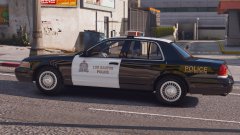 That is one unique light bar. I look forward to trying it.
 -
I'm still on an older game and Rage version, the new EUP isn't compatible. :P
-
Modding can sometimes be a pain, lol. I haven't installed/used the new EUP, so can't offer anything there, unfortunately.
-
Rename your mods folder to _mods and give it a try. If it doesn't do that, NVR is probably the issue.


