


Reddington
Members
-
Joined
Everything posted by Reddington
-
-
12ng isn't the latest patchday unless you're on an older version of GTA. Either 14 or 15 should be your latest.
-
Make sure you using this path: mods \ update \ x64 \ dlcpacks \ latest patchday with a vehicles.rpf,
-
I understand both sides. On one side, you don't want your patients/customers scared. Most people have never seen a gun in real life, and have no idea how to properly act around one, even if they aren't directly beside it. On the other side, HE IS A COP!! This is ridiculously stupid. Dangerous situations can happen in a blink of an eye. What if something happened to where he needed his gun, but was without it because of stupidity? Common sense doesn't seem to exist anymore.
-
In OpenIV, go to ASI Manager and uninstall ASI Loader and OpenIV.ASI, then click install again to reinstall them. Next, restart your PC, and try loading into the game again and see if that works. If it still not working, please post the ASI log and ELS log files.
-
On top of that, your driving is always going to be worse than the AI's. I advise picking up a Thrustmaster GPX Xbox 360 controller. It's reliable, lasts a long time, and has a good grip to it.
-
Check out this topic. It is a bit outdated, but a majority of those mods are still around. Police Smart Radio is definitely a must.
-
I have removed the orange tips on mine, and always will. The orange tip makes them look so ugly. The problem is that a lot of idiots don't take the proper precautions to make sure no one sees the weapon or is able to mistake it as being real. If you're just a collector of Airsoft guns, who cares if you remove the orange tip. You're not waving it around outside. The people who play Airsoft and remove the orange tip are usually the ones that get called in because they carry it out in public to their car, from their car, etc, and don't wait until they get onto the actual Airsoft field.
-
So you'll just go back to what you normally do when bored. :P
-
Orange tips are required in a lot of US sates (if not all? ) for actual toy guns (such as the ones you buy for little kids) and Airsoft guns to easily help law enforcement and the general public identify them as "toys" (even though that isn't the correct term for Airsoft), and not real guns. Though, you can still buy flash hiders that cover the orange tip.
-
Unfortunately, I'm not technical with the internals of computers, so I can't offer you any insight there as to your rig. You'll have to wait for someone who knows about that and can ask.
-
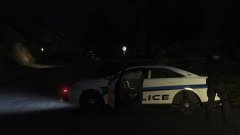
From the album: Red's LSPDFR chaos
-
The only thing you could really try is removing some of your callouts, and/or renaming the mods folder to _mods. This will stop the mods folder from being used and will help you be able to troubleshoot if the mods folder is the problem.
-
If you installed any graphics mods, your computer might not be able to handle it. There's also a chance if you have any scripts in the scripts folder, one or all of them is causing the issue. Since this happens once in a while, it's hard to determine the actual cause of it. Lag can really be caused by anything, though, when playing modded GTA, frame loss is to be expected. When the game becomes slow as molasses, have you noticed anything that reoccurs? Such as where your location is in the game, or what is going on at the time.
-
If you launch the game via the GTA 5.exe or via Steam, is the game still slow and laggy?
-
Make sure all background programs on your computer are closed, as with other programs such as a browser. Open task manager, go to processes, and set GTA V's priority to high.
-
I'm positive we did nothing wrong. I installed all his cars in the exact same spot and all work except the Taurus. Did you install his pack when it first released, or after he released an update?
-
Yes, try temporarily removing your plugins and trying.
-
You cannot downgrade Rage. Your only option would be to update.
-
I owe you an apology. Every single file in the download except the Taurus works flawlessly. We'll need to inform T0y of this issue, as hes's the only one who can fix it.
-
You're welcome.
-
Unfortunately, I don't have or know of a fix for the snow issue. :( You're welcome.
-
Give me a little bit, please. I'll go install all these cars and double check.
-
I second that about it being a good idea for them to have vests. In this day and age, a vest makes all the difference.
-
I can assure you, the file is flawless in the rar. :) I think somewhere during the process you unintentionally switched the files.



