


Reddington
Members
-
Joined
Everything posted by Reddington
-
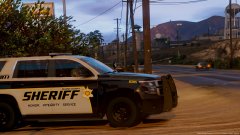 Please do!
 -
That I'm not sure of, as I've never experienced that issue. However, if you can move it around everywhere except the left side, it might be an issue with screen resolution.
-
Thanks, my hearing is garbage. >_>
-
-
You're missing ScriptHookV, which is required for ELS to work - http://www.dev-c.com/gtav/scripthookv
-
No, it's an XML that was modified to work for non-ELS vehicles. Just rename the XML to whatever slot your vehicle is in. :) VCF for non ELS.xml
-
Please post screenshots of your main GTA V directory as well as the ELS folder and pack_default folder. This topic has been moved to the appropriate forum. Please post in the correct location in the future.
-
@Iggy Fresh Can you link to the textures, please? Youtube's subtitles says the guy's name is Mako Fictitious, but when I search I don't get any results.
-
It does matter. The VCF XML is required for ELS vehicles. If it didn't come with one, it sounds like it isn't an ELS vehicle. Now, if you really like this car and still want to use it, I can give you an ELS VCF that will work for the car, you just won't have the same functionality. All you'll have is the basic lights and siren.
-
You can try looking on Google, but I did a while back and didn't find one. I think only marked Expeditions have been made.
-
You're most welcome. :)
-
I'm looking forward to this! If you guys need any testers, please add my name to the list!
-
Please check out my guide for this - https://www.lcpdfr.com/forums/topic/69079-how-to-step-by-step-instructions-for-installing-add-on-standalone-cars/
-
There's an Expedition in TheHurk's CHP pack, and there's at least two others I believe that are ELS and a few for non ELS. Here's some - https://www.gta5-mods.com/search/expedition I don't believe any unmarked Expeditions have been made yet.
-
In the meta there is a section for vehicle flags. Just add a new flag FLAG_HAS_LIVERY Also, in the meta is <requiredExtras /> If you want to force an extra, do this <requiredExtras>EXTRA_12</requiredExtras>
-
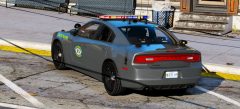 Texture is gorgeous! I love the lights.
 -
Hey Candice, Just to clarify, was this meant for GTA V or GTA IV?
-
Make sure the ELS VCF is in the pack_default folder.
-
You're welcome. :)
-
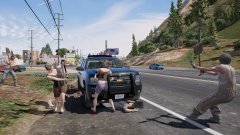 Not sure. The ones I arrested were oddly pissed that I ran over the people they were fighting with. lol
 -
From the album: Red's LSPDFR chaos
-
Please again do what Lundy originally recommended with uninstalling and reinstalling ASILoader and OpenIV.asi, except this time, after you reinstall, restart your computer. This has always fixed it for everyone having this issue, myself included.
-
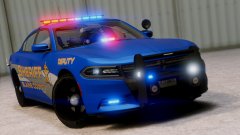 One gray police cruiser coming up!
 -
Also please take one of your ELS folder, the pack_default folder, and link to the vehicles you're trying to use. I'm about to log off for the night, but I'll get back with you tomorrow.
-
Woops, my apologies, I mixed you and Tomfoolerly up. Please post a screenshot of your GTA V directory.


