


Reddington
Members
-
Joined
Everything posted by Reddington
-
You're welcome!
-
I like to keep issues that others are experiencing separate from yours unless it's a unique situation. You and Jeff probably have vastly different PC specs. That said, because you still get lag on non-modded, it could be something with GTA, or it could be something you added such as a .asi plugin, a script, graphics or a vehicle. How many modded vehicles do you have?
-
I want you to test it for me, please. I'm trying to figure out if it's your modded game causing lag or the game in general. So please do as I instructed. :)
-
There are some tow mods, but not the type you're wanting. There is no currently made tow script/mod that has police request you or give you assignments. There is Tonya's repo and Simeon's repo. Mainly, with tow patrols, it's all roleplay. Some Youtubers will set up scenarios and "happen" to drive by them on camera.
-
Try launching GTA V via Steam or via the GTA5.exe and load into single player. Are the frames still bad? This topic has been moved to the appropriate forum. Please post in the correct location in the future.
-
You can go into the vehicles.meta for police3 and change who drives it from cop to sheriff. Do note, if you call for backup and police3 responds, it will be an LSPD officer driving it because your backup.xml dictates this. This topic has been moved to the appropriate forum. Please post in the correct location in the future.
-
*Hovers over ban button* :P I actually didn't know you had an account here. Figured you were trapped on Steam. :P Thanks man.
-
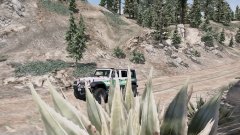
From the album: Red's LSPDFR chaos
-
You're welcome.
-
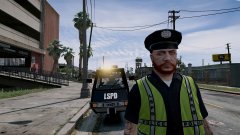 You know me too well.
 -
 A reason doesn't have to be given for picture ratings, and it's anonymous who rates it.
 -
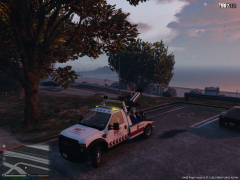 There are, but I don't know how good or bad they are. There is Tonya's repo mod that you can make work as a tow mod. Primarily, you have to roleplay it if you want to do a tow patrol/tow job.
 -
You're welcome, glad you got it sorted. :)
-
Your topic has been moved to LCPDFR Support Requests. Please post in the correct location in the future.
-
Go into the vehicle meta, find the line for that vehicle, and look for "diffusetint". Change that to 0x00FFFFFF
-
Do you have advancedhookv.dll in your main GTA directory? This topic has been moved to the appropriate forum. Please post in the correct location in the future.
-
-
Scroll lock is on your keyboard. Look for Scr Lk Your topic has been moved to GTA V Support, this is not LSPDFR related. Please post in the correct location in the future.
-
From the album: Red's LSPDFR chaos
-
From the album: Red's LSPDFR chaos
-
You can't get it. Unless you're still on an older version of GTA, I can't think of a single reason you'd need an older RPH. If you're on a new GTA version, mixing new GTA + old Rage won't work. If you're still on an older version of GTA and accidentally lost your Rage, unfortunately your only option is just to update. Older Rage versions are unavailable.
-
Assuming this is a vehicle you replace in a default slot (police, police2, sheriff, sheriff2, etc), you'll want to navigate in OpenIV to mods-->update-->x64-->dlcpacks-->mpchristmas2-->dlc-->common-->data. Now you'll see carvariations.meta. Drag this to your desktop and open it. Next, copy-paste this carvariations line into carvariations. You need to rename modelName to whatever your vehicle slot name is!
-
Please stick to one topic and one section for this. If you'd rather your other thread be in the GTA V development requests, please report the post and request it. If you feel this topic has been closed in error, please report this post.
-
 Foggy weather.
 -
You're welcome, good luck!


