


Reddington
Members
-
Joined
Everything posted by Reddington
-
-
This topic has been moved to the appropriate forum. Please post in the correct location in the future.
-
Sounds like the weapons.awc exceeded the sound limit. Try reverting back to the vanilla sounds. This topic has been moved to the appropriate forum. Please post in the correct location in the future.
-
From what I understand, you can't use ELS on FiveM anyhow. Like I said, there is a huge variety of cars to choose from. They may not be new-new like ELS cars, but they are still good.
-
I don't think you can convert ELS to non ELS. If you want non-ELS models, there are plenty on this site and GTA 5 mods. Also, just so you're aware, if the VCF is configured properly, non specific ELS cars will work with ELS, you just won't have the same functionality in terms of light customization.
-
This topic has been moved to the appropriate forum. Please post in the correct location in the future.
-
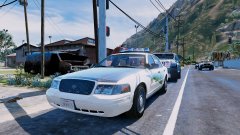 Jedahdiah's WIP Crown Vic.
 -
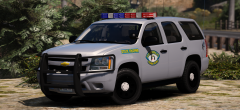 Love, love, love the design and the lightbar!
 -
Sorry, we do not allow any form of clan recruitment, which includes asking for one. If you feel this topic has been closed in error, please report this post.
-
In OpenIV go to mods-->update-->update-->x64-->data. Extract carvariations to your desktop and open it. Now find the line for this vehicle and change sirensetting to 13. Save your edited work. Now click "edit mode" in OpenIV and drag and drop the edited carvariations back to where you got it from, then click edit mode again. Now go in game and see if the issue persists.
-
There's only one NYPD pack, and that's Walter's. I'd try asking him. :) Did you edit your carvariations, though?
-
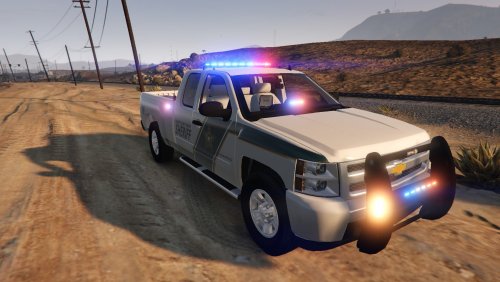 @72will Since the rear doors open up, is this considered a four door, for transporting subjects, or no?
- 32 comments
- 9 reviews
-
-

- 1
-
-
I don't know exactly what would be causing this, as I don't use that pack. Is it only with NYPD vehicles this happens?
-
This topic has been moved to the appropriate forum. Please post in the correct location in the future.
-
This topic has been moved to the appropriate forum. Please post in the correct location in the future.
-
From the album: Red's LSPDFR chaos
-
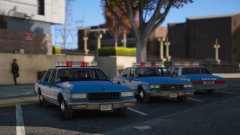 Good luck getting him to stop eating Will long enough to do that.
 -
What cars are you currently using in your FBI and FBI2? This topic has been moved to the appropriate forum. Please post in the correct location in the future.
-
Classic cars are amazing, but not classic police cars. Classic police cars are just so basic and boring.
-
Please read the lower left of the dialogue box. You're on an outdated Rage. Download 0.57 here - http://ragepluginhook.net/Downloads.aspx
-
What model did you recently add or edit?
-
From the album: Red's LSPDFR chaos
-
The rotators + reflection sare the only reason I used the car. I prefer more lights and a more modern look.
-
You don't say. I don't care for classics at all, but these do look nice.
-
This topic has been moved to the appropriate forum. Please post in the correct location in the future.


