


Reddington
Members
-
Joined
Everything posted by Reddington
-
From the album: Red's LSPDFR chaos
-
From the album: Red's LSPDFR chaos
-
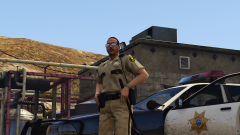 Whatever you think looks best. :) I personally just prefer a tazer since we always use one during patrols. Otherwise, where do we pull the tazer from? our rectum? lol
 -
I REALLY like this! Awesome job. One minor thing, have you considered adding a tazer to it?
-
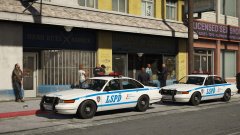 I second this. Blue looks nice, but the way the design is, black might be better.
 -
You're welcome.
-
Rockstar must've added that in a recent update, because it's not there for me. Does that carvariations contain all the vehicles, like police, riot, sheriff, pranger, etc?
-
This time AmbientEmergency was the cause. Considering both of these mods spawned in vehicles, I'm going to say there's an issue with the vehicle you replaced. Make sure you installed the replacement vehicle in the newest patchday.
-
Or to protect another person. There have been plenty of case where officers have drawn their guns when their life wasn't in danger at all, but someone else's was.
-
Did you change anything at all with the vehicles, such as changing textures? Your topic has been moved to GTA V Support, this is not LSPDFR related. Please post in the correct location in the future.
-
 I look forward to using this! It looks amazing.
 -
No they aren't. I think you're mixing up carcols and carvariations.
-
This topic has been moved to the appropriate forum. Please post in the correct location in the future.
-
![Heli edition [WIP]](//s3-gallery.int-cdn.lcpdfrusercontent.com/monthly_2017_10/small.20171013215341_1.jpg.2eb00f19c889e8f1e25040df4e2c43e9.jpg) I'd double check and make sure it actually says that. I use a Charger in my PRANGER slot with 10 liveries, can change them all. If you need further help with this, it'd be better if you made a topic in modding info & discussion. :)
I'd double check and make sure it actually says that. I use a Charger in my PRANGER slot with 10 liveries, can change them all. If you need further help with this, it'd be better if you made a topic in modding info & discussion. :) -
Check the vehicles.meta, make sure it has FLAG_HAS_LIVERY
-
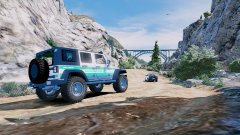
From the album: Red's LSPDFR chaos
-
The problem seems to be with Automatic Roadblocks. Try removing it, please.
-
I have split your post into its own thread. Did you edit the vehiclelayouts.meta? If so, revert it back to the vanilla.
-
I'm not sure. I think the old EUP was removed.
-
If you deleted two item tags, there is a chance you deleted a needed one. The only way to tell is if you try going in game. I did notice one problem at the end of the FBI line. <Item> <Name>Standard White</Name> <Value value="100" /> </Item> </Probabilities> </plateProbabilities> <lightSettings value="1" /> <sirenSettings value="1" /> There is no closing item tag. Right underneath sirensettings add </Item> It should look like this </plateProbabilities> <lightSettings value="1" /> <sirenSettings value="1" /> </Item>
-
This topic has been moved to the appropriate forum. Please post in the correct location in the future.
-
You use OpenIV. Go into mods-->update-->x64-->dlcpacks-->mpchristmas2-->dlc-->common-->data. Extract carvariations to your desktop, then open it. Add the new line either right above the first carvariation entry you see, or in between other entries. Now click "edit mode" in OpenIV, drag and drop the edited carvariations in, click "edit mode" again and you're good. Note: You must use a mods folder.
-
Carvariations are hard coded into the game. You'd need to add a new line for the FBI in mpchristmas2's carvariations.
-
How many pictures were you trying to upload at once? This topic has been moved to the appropriate forum. Please post in the correct location in the future.
-
That's hawt. What Vic is this?


![Heli edition [WIP]](http://s3-gallery.int-cdn.lcpdfrusercontent.com/monthly_2017_10/small.20171013215341_1.jpg.2eb00f19c889e8f1e25040df4e2c43e9.jpg)
