


Reddington
Members
-
Joined
Everything posted by Reddington
-
This topic has been moved to the appropriate forum. Please post in the correct location in the future.
-
Well, Sam is too busy eating everything to even try working on it. :D Really, though, something like this takes time, especially since some people have a real life, full time job and do this as a hobby.
-
-
The file named POLICE is the VCF XML I was referring to. Those are the files that need to be in pack_default. All ELS vehicles will come with this file, however, the file name might be different. It'll correspond with whatever the vehicle file names are. I think you might be doing something wrong, to be honest. You can access the pack_default folder normally, look here: When you're on light stage 3, aka all lights are on, press G to turn on the sirens, or the 1-4 number keys.
-
-
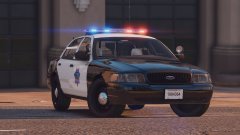 You're welcome! I know. :P I just prefer moar lights!
 -
This is a beautiful car! Personally, though, I prefer a bit more lights on the front and back. To me, just having a lightbar doesn't help with visibility.
-
Do me a favor, open the GTA V folder normally and check in the pack_default folder to see if the VCF is there. The VCF was supposed to be installed via the regular drag and drop method, not via OpenIV.
-
Do you have the ELS VCF file for the vehicle in the pack_default folder? and do you have ScriptHookV?
-
 Thank ye!
 -
To make things easier to find for those just getting into it, I've compiled a list of GTA V development tutorials. I'm more than likely going to miss some, as I don't want to look through 40 pages (sue me!), and there's probably other tutorials scattered around the forum, so if yours isn't here, please do PM me with the link and I'll update this. Please note, this is for development based tutorials, not tutorials on modding the game. Carmodders, importance of Lods (this is not a tutorial, but is just as important) Create a firetruck from scratch How to make your uniform insignias look realistic in Paint.net HQ Mirrors Make your own textures | How to make GTA V police skins using Gimp Thero's tutorials #1 template making, #2 LODs "quick way", #3 GTA 4 to 5, #4 Setup lightbar for ELS ZModeler 3 Tutorial #1: Import, export and the basics! | ZModeler 3 Tutorial #2: Basics of GTA V Lighting | ZModeler 3 Tutorial #3: Converting parts & lights from GTA 4 to GTA 5 ELS | ZModeler 3 Tutorial #4: How to make LODs for GTA V vehicles Zmodeler3/GTAV Vehicle Light IDs
-
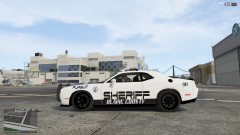 Absolutely love the texture!
 -
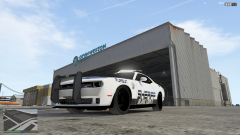 This looks amazing! However, the ram bar looks a little off. I don't know, the size and shape don't look right, in my opinion.
 -
Install the dlcpack, go into it with OpenIV, extract the Defender files, rename them, and delete the dlcpack.
-
.png.9c223c63da3206b8ae45cf8226c760cb.png) Please do not promote your Youtube in the gallery.
Please do not promote your Youtube in the gallery. -
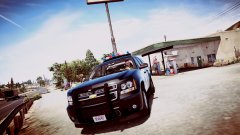
From the album: Red's LSPDFR chaos
-
From the album: Red's LSPDFR chaos
-
This topic has been moved to the appropriate forum. Please post in the correct location in the future.
-
This topic has been moved to the appropriate forum. Please post in the correct location in the future.
-
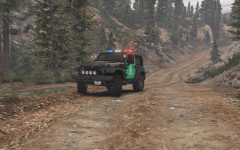 Dark green would work. Maybe switch the colors? Make the doors black and the rest of it green, see if that's better. :)
 -
I also recommend changing the keybinding for the ELS menu. I have no clue what Cain was thinking when he made it the pause button. Open the ELS INI and change TogInfoPanl to 85. Now CTRL U will open it.
-
I get what you were going for with the livery, but I don't think the black fits. The green I'm fine with, maybe a different shade and make it full green?
-
You're welcome. :) Do you also have the latest ScriptHookV?
-
It's not shown, but do you also have ELS.asi and ELS INI? Also, please rename the "LSPDFR" folder in the main directory to lspdfr The lspdfr folder in the main directory should be lowercase, while the oe inside the Plugins folder should be all caps.
-
Glad to hear! :)


.png.9c223c63da3206b8ae45cf8226c760cb.png)

