


Reddington
Members
-
Joined
Everything posted by Reddington
-
Open the ELS INI and look for "MaxActiveVehs". Change this value to 50. Your topic has been moved to GTA V Support, this is not LSPDFR related. Please post in the correct location in the future.
-
It could be. Try removing it.
-
Like I said, this seems to be a bug that affects everyone. It could even be a GTA thing, not sure. Your only option is just to time skip ahead. It'd be easier if you used a trainer like Simple Trainer, where you can time skip an head, or back an hour.
-
Can you confirm, is it only during those listed hours? When it gets darker do your lights look better?
-
Just installing a vehicle in the mods folder shouldn't cause this. I install vehicles regularly as standalones and never have this. I'm sorry say, but you must've done something else
-
Try renaming your mods folder to _mods and load into the game. Does it work now?
-
Taken from the Rockstar support page, it indicates corrupt data, and is advised to verify integrity or reinstall. Did you install in the vanilla game files?
-
He means that at the times he listed is when it's only like that. I assume later in the night it looks better. I have this problem as well. It's like during the actual transition of day to night there's some type of bug that just makes the lights look horrible.
-
What does the exact error say? This topic has been moved to the appropriate forum. Please post in the correct location in the future.
-
 Pfffft, convenience, the easy way. I prefer making things more difficult and manually changing them. The idiot isn't wanting to admit he didn't check the options folder. At all.
- 147 comments
- 65 reviews
-
-

- 2
-
-
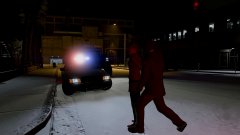
From the album: Red's LSPDFR chaos
-
This topic has been moved to the appropriate forum. Please post in the correct location in the future.
-
Could you please upload the screenshots via the forum's attachment system? Your images don't show, and my site protection software is listing your linked sites as maleware. You can find the attachment system in the reply box, "choose files".
-
This topic has been moved to the appropriate forum. Please post in the correct location in the future.
-
This topic has been moved to the appropriate forum. Please post in the correct location in the future.
-
I've noticed that. One example is a texture named Raydeon something. It has a shit ton of red/blue lights in it, but I don't think any of them are used.
- 147 comments
- 65 reviews
-
.......I'm an idiot. I didn't scroll the Micron texture up, so I didn't see it actually had lights on it. Thanks.
- 147 comments
- 65 reviews
-
@BradM I've begun the slow process of switching out your red/blue lights with all blue, and am currently doing the Explorer. The rear lights by the license plate are still red/blue, despite everything else being blue. I've looked through the .ytd, and I can't figure out why they are still red. Can you point me in the right direction, please?
- 147 comments
- 65 reviews
-
 mods / update / update / common / data / levels / gta 5
 -
If you used a mods folder, you can go into the vanilla files and get the sheriff vehicles. Or you should be able to go into previous patchdays to get the sheriff files. However, we cannot give you the files, as it's against Rockstar's terms of service and our guidelines. This topic has been moved to the appropriate forum. Please post in the correct location in the future.
-
Try reinstalling ELS and see if that helps with it.
-
Try something for me, please. Load into the game via GTA5.exe/Steam (whichever). Once in the game, get in an ELS vehicle and turn on the lights. Same thing? If yes, try getting into another emergency vehicle. Still the same thing? You're welcome. :) Thank you for the kind words.
-
Yes, but it won't work for you. SHV needs to be updated if all your other mods are. Your PC might not be able to handle ELS and its functionality. I would advise trying to get as much power as you can dedicated to GTA (via task manager). If that fails, your only option is just to not use ELS.
-
It may have a too high of a poly count. In the future, you don't need to delete things to test them, just drag it onto your desktop. That way it's not permanently gone. Is it just the one vehicle, or all?
-
All of my vehicles are ELS, and I've never had an issue of ELS causing lag. Chances are it's something else in your game.

