


Hullian111
Members
-
Joined
-
Last visited
Everything posted by Hullian111
-
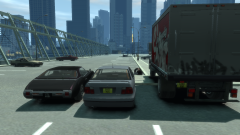
From the album: Hullian111's Gratuitous Misadventures
Yes, you heard that...or read that right, using the recently-released Random License Plate Mod, I am making British plate variations for most cars! It's still a WIP, but it's very close to completion, just need to sort out some specs I didn't realise I needed until the last minute. It's really fascinating how many pre-51 reg cars there are in GTA IV. Plates will include the AA00 AAA, A000 AAA, AAA 000A and even two instances of the AAA 000 plate format! Stay tuned for updates.© Hullian111
-
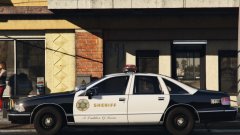
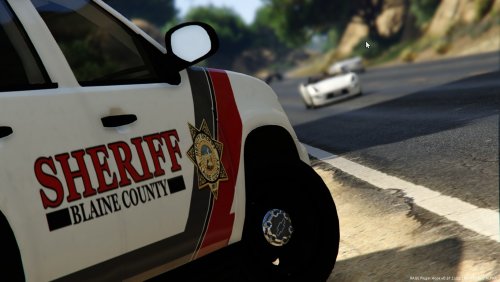
.thumb.png.171ceb3fac9ed766e15269b655550a7a.png) I see there's some California normies here. Let's just say that the author was making a fictional mish-mash of Illinois and California police forces. Yes, the author spelt it wrong. Yes, it's a little bland. Yes, e-mails are risky. Maybe do some work on it, claim it to be the San Andreas Highway Patrol, and I think you'll be good, rather than drawing the ire of the California normies.
I see there's some California normies here. Let's just say that the author was making a fictional mish-mash of Illinois and California police forces. Yes, the author spelt it wrong. Yes, it's a little bland. Yes, e-mails are risky. Maybe do some work on it, claim it to be the San Andreas Highway Patrol, and I think you'll be good, rather than drawing the ire of the California normies.- 6 comments
- 2 reviews
-
-

- 1
-
-
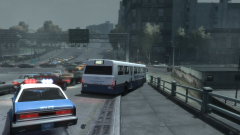
From the album: Hullian111's Gratuitous Misadventures
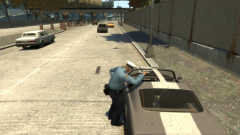
And of course, the inevitable. Someone hiring out a Dashound gets stuck on the Northwood Heights Bridge kerb when they tried to dodge the traffic mess. While an LCPD officer laughs away to himself, the driver looks like he's one false move away from a suspended license.© Hullian111
-
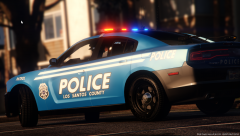 Yeah, I agree, maybe its because it looks so god damn satisfying to look at.
 -
*GASP!* Wow! One of my favourite games is getting remastered! And if you're asking about the Vive thing, it's for looking at blood-stained cigarette packets in the trash.
-
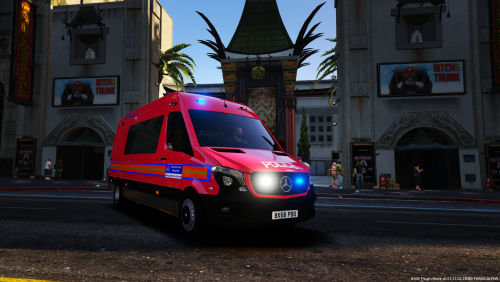 Quick question - are those chevrons supposed to be stretched like that?
 -
-
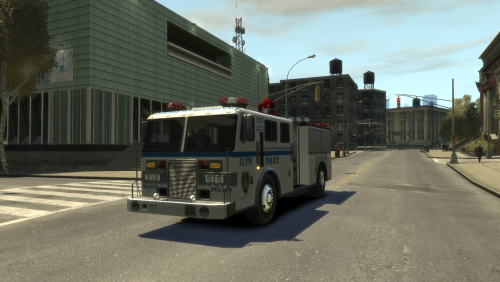 It's college time. Work may slow down from here on out. This actually was the product of a week of nightmares. Well, the newer one, but still, I read the fanfiction 'Fall of Liberty', and there's this bit in Chapter 12...see my review there, you'll understand. So I thought in the practical sense, the LCPD would have a water cannon to contain disorder. So the Disorder Oppression Unit was born. This is Lt. Caine's MTL Fire Truck (Non-ELS), modified to give the appearance of either a modern or retro LCPD DOU water cannon. Using many reference images, I have made the texture as accurate as can be with the limitations GTA IV texturing has. There's a chance that the liveries may be slightly incorrect because of said limitations and my skills, for example, I swear the template is slightly misaligned, so if any problems or inaccuracies show, tell me. The original model, sadly, is unavailable (but much credit goes to Lt. Caine once again for providing a stunning Fire Truck model, I really wish the site hadn't closed now). I cannot stress this enough. In light of recent mod theft, DO NOT REDISTRIBUTE THIS WITHOUT MY PERMISSION. Enjoy!
 -
Why yes, I do. Thanks, Rockstar DRM! I could be playing GTA V, but nooo! Slow internet and modding DRM had to screw up my serials!
-
 better fuel consumption, lower noise, and lower wear
 -
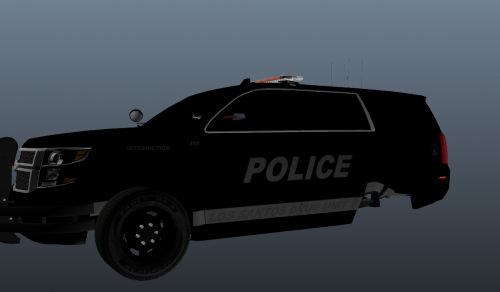 "Wow, someone made something simple...and tasteful." -Regular Car Reviews. Time and effort, kids! This is what it gives you. I say that, I technically cheated by learning how to texture edit in school.
- 8 comments
- 2 reviews
-
-
- 1
-
-
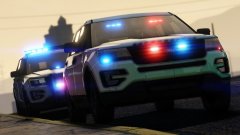 Eh...I dunno, go ahead.
 -
From the album: Hullian111's Gratuitous Misadventures
Oh man, I just discovered animations! Please disregard all future cars. This is, after all, a work-in-progress save.© Hullian111
-
 Ehh...okay.
 -
Glad I don't live there, then. Although I'm perfectly fine with my friend (A 13-year-old girl, mind you) having a moderate anime following. And also, does Initial D fall under that category? Anything else is tresh.
-
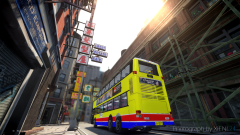 Ooh, a Hong Kong Citybus double deck. Ever going to release it? And if you do, template?
 -
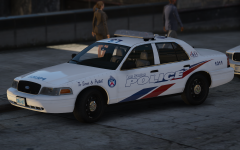 Riiiiiiiiiight.
 -
 Just a heads-up from the guidelines: Do not involve money in requests - We cannot guarantee the validity of transactions and our site is not for you or others to make money from, outside of the donation function.
- 5 comments
- 5 reviews
-
Well, we're going to miss this livery, aren't we?
-
From the album: Hullian111's Gratuitous Misadventures
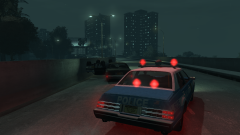
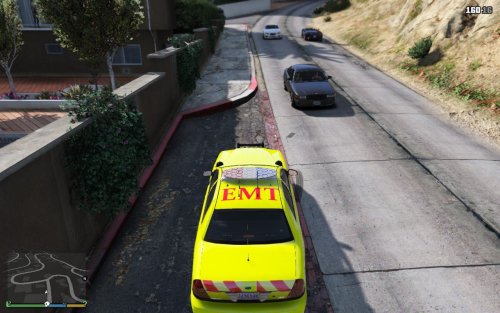
Welcome to the 1984 save file! Currently under construction, which explains the major lack of detail and NPC vehicles. It's the slow period on GTAInside now. A fatal crash between a Warrener and an Emperor leaves the unnamed highway heading towards Plumber's Skyway closed in one lane. The Esperanto here was close to the accident site, and was the first on scene. Someone make a good 80s lore-friendly ambulance.© Hullian111
-
 I'm sorry, I just can't. If only reaction gifs were allowed. And in that, no more word from me. Honest.
- 12 comments
- 1 review
-
 SAP? Not American, so eh?
 -
Notruf 112 needs the same love as OMSI 2. Screenshots look promising.
-
From scratch? Don't go in too deep.
-
Oh, forget this, move along, nothing to see here.

.thumb.png.171ceb3fac9ed766e15269b655550a7a.png)
.thumb.jpg.20c1cbcd6420a10e2206dc4932a5c20b.jpg)
