


Captain14
Members
-
Joined
-
Last visited
Everything posted by Captain14
-
You have to change the color of the respective corona by editing the carcols.ymt. Find the siren you would like, e.g. siren1, under the sirensetting you're using and edit the corona color. You will see a line that reads something like this: <color value="0xFFFF0300"> That's the color the corona will flash represented as ARGB in hex. 0xFFFF0300 is red, 0xFF000AFF is blue.
-
 It's going to be a carvariations conflict somewhere. You'll have to check previously installed modifications to look for it.
- 445 comments
- 108 reviews
-
-
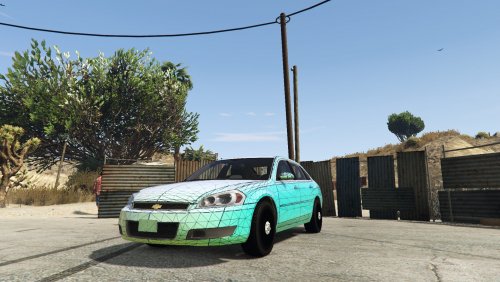 Beautiful model. Looks amazing in game, can't wait to finish it up as part of my LSPD pack!
- 23 comments
- 7 reviews
-
-

- 7
-
-
If you've installed other mods which edit vehicles.meta or carvariations.meta it could be what is causing your conflict. To test this, rename your mods folder to something else (mods_old), create a new mods folder, and install only my vehicles to see if they work okay.
- 445 comments
- 108 reviews
-
FBI and FBI2 shouldn't need a custom vehicles.meta as the ones already present in game are sufficient. The problem is likely to do with your carvariations.meta. Have you installed any modifications previously which use the FBI/FBI2 slots?
- 445 comments
- 108 reviews
-
-
Rich Sobilo's model? I've been working with this too for my upcoming LSPD pack, I have fixed headlight/taillight textures if you want them.
-
Something worth testing is just placing the "sirenlight" texture for your specific vehicle directly into the vehicle's .ytd file. This way, the carcols will not have to have the texture name edited for each individual vehicle. I would guess that the game will load the sirenlight texture from the vehicle .ytd rather than from the graphics.ytd if it is present.
-
There are mods available for Steelies, Bxbugs made one for the charger and i know there's a few for the CVPI. I'm currently working on an update that is going to include new flash patterns with coronas unhidden as well as functional spotlights.
- 445 comments
- 108 reviews
-
-
- 1
-
-
Actually on further testing it might be best just to stick with a uniform 32 or 64 bit length as it appears sometimes the additional bits can get cut off. I have yet to try with 64 but I will tonight. I just use the Windows calculator in programmer mode to convert from binary to decimal.
-
After testing I've found that flash patterns do not need to be 32 bits. They also do not appear to require being a specific number of bits (I've tried patterns using 42 and 58 bits and both worked fine). Also, video of the explorer I'm working on (flash patterns have since been updated for both the Integrity and the Dominator):
-
You have to set their ID in Zmodeler (Properties->External state). Extralight 1 is 14 and Extralight 2 is 15. You have to set the ID for all the mesh you want to be emissive in both polygon and vertex mode.
-
-
-
Do you plan to use Carcols.ymt modifications to accomplish different light patterns?
-
This is what I have done with all of the models in my sheriff pack for at least some of the sirens, it works great when you want environmental lighting but don't want the strobing effect on a particular light module.
-
Here's the completed (for now) Tahoe: Did something new with this one which is changing the ScaleFactor of some of the lights. The front window Solaris ILS bar uses only 4 sirens (with coronas), each of which has lights on both sides. Normally this would cause an issue as scaling the lights to 50% would leave them exposed when off, but I've set the ScaleFactor to 100 so my lights are basically microscopic and hidden inside the housing when off.
-
Getting more creative...
-
Initially I was thinking about doing that but the Crown Victoria is an older cruiser and I wanted it to have period-correct lighting. I'm also basing this (loosely) off of a particular law enforcement agency I like and they use Valors on new cars but Arjents on their older cruisers.
- 445 comments
- 108 reviews
-
Does it work using only 16-bit integers? I have only used 32 bit flash patterns so far.
-
Extra 8 has been removed from both vehicles. They now have traditional takedown light systems which activate with the high beams.
- 445 comments
- 108 reviews
-
I haven't tested, but I'm assuming any integer will work. It may get a little iffy once you get into higher digits.
-
I just tested them myself and the strobes still work in all four corners for both vehicles.
- 445 comments
- 108 reviews
-
-
- 1
-
-
They install into their own DLC pack and do not overwrite ANY existing files for easy cleanup. The only default file that gets modified is the dlclist.xml inside update.rpf which gets one line added to enable the DLC pack.
- 445 comments
- 108 reviews

.thumb.jpg.bfad1c193dd40b9d539eefd7c5187a5a.jpg)