




PNWParksFan
Insiders
-
Joined
-
Last visited
Everything posted by PNWParksFan
-
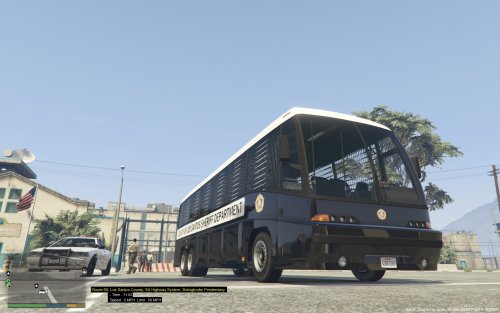 Sure you could. Just have to change the sirensettings in carvariations.meta and audiohash in vehicles.meta for whichever slot you have it in. Some Whelen M9's or M7's would look badass on this rig.
- 14 comments
- 9 reviews
-
-

- 1
-
-
Beta 3 is released! If you're participating in the beta, you should have received a link to the new download. The original download link has been deactivated now. If you signed up to participate in the beta but have yet to provide any feedback, you've received a message asking about your continued participation in the beta test. Major changes since beta 2 include: Integration with Custom Backup! Now you can call EMS using the Ambulance entry in the Custom Backup menu and you'll get a response from Better EMS. The updated files for the Custom Backup mod are included in the beta download, but you'll need to already have Custom Backup installed (including the XML file). Just overwrite the DLL and INI file with the ones provided with this beta. Fixed response cancel button so it won't crash LSPDFR, and cleans up more... cleanly. INI configuration file now available! Configure all the things! Response speed, distance parameters, keybindings, etc. This doesn't replace the XML file; you still have to use the XML file to specify response units. Much better animations! There's still a few little things here and there, but overall the animations are much smoother. Lots of bugs fixed! Please send feedback! Videos, screenshots, log files, etc are all welcome. Also if any of you do the whole YouTube thing, let me know...
-
I installed your XML file and it did crash for me. The problem is with your XML file. Specifically, in the state patrol section, you're missing the <NumPeds> element. This is how it should be; you're missing the NumPeds in the first vehicle set for State Patrol. <StatePatrol> <BackupRegion nickname="Everywhere"> <BackupAreas> <Area>_ALL_</Area> </BackupAreas> <VehicleSet> <Vehicles> <Vehicle chance="50">hwaycar</Vehicle> <Vehicle chance="25">hwaycar2</Vehicle> <Vehicle chance="25">hwaycar3</Vehicle> </Vehicles> <Peds> <Ped chance="80" comp_shirt="1" comp_decals="1" comp_pants="1" helmet="False">s_m_y_hwaycop_01</Ped> <Ped chance="20" helmet="False">s_f_y_hwaycop_01</Ped> </Peds> <NumPeds min="1" max="1" /> </VehicleSet> <VehicleSet> <Vehicles> <Vehicle>policeb</Vehicle> </Vehicles> <Peds> <Ped comp_shirt="1" comp_decals="1" comp_pants="0" prop_head="0" helmet="True">s_m_y_hwaycop_01</Ped> </Peds> <NumPeds min="1" max="1" /> </VehicleSet> </BackupRegion> </StatePatrol> I've added some checking which should help detect these kinds of XML errors, and work around them if possible to prevent crashing the plugin. That will be included in the next release. I've never played with North Yankton but I'm sure it's possible. Just enable the Zone Info Menu from the INI file, and when you're in North Yankton use the zone info menu to find out what the area name is. You can then add it like any other region. I can only help you if you upload your XML file and RPH log file.
-
Looks like you have an unneeded --> after </NooseSWAT>. Try taking that out.
-
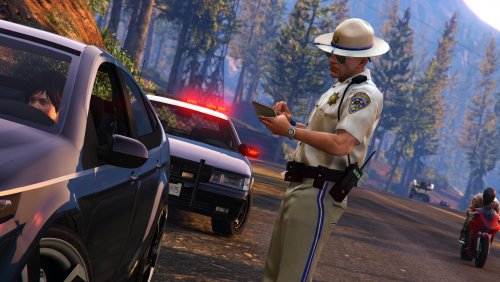 Does it keep a motorcycle cop version around, with the motorcycle boots and helmet?
- 14 comments
- 2 reviews
-
-
 @Krame86 ETA on adding the updated 2015 Tahoe by Captain14 to this skin pack?
- 101 comments
- 17 reviews
-
Yeah I found that link on NativeDB. However I don't think it has all the possible audio clips. For example, when you arrest a ped and your character says "Don't be a dick, just get in the car!"... clearly that isn't on this list.
-
Today's big progress: Integration with Custom Backup! If you have both Better EMS installed and Custom Backup installed, then when you call an ambulance from the custom backup menu it'll dispatch them through Better EMS. Continuing animation tweaks as well. Planning to push out the next beta update tomorrow evening! The beta download will include an updated version of the Custom Backups DLL and INI files required for integration.
-
I'm able to find a bunch of interesting ped speech audio clips using Open IV. They're in x64\audio\sfx. Is there any way to make a ped say one of those specific lines, or do I have to use the strings like "GENERIC_INSULT_MED"? If I have to use specific strings, is there a full list somewhere? I'm trying to get peds to say specific statements in specific situations, but having trouble figuring out how best to do that.
-
My EMS plugin will be integrated with Custom Backup. I'm not planning to implement any firefighting capabilities at this time though. If anybody can identify a simple method to make firefighters actually fight nearby fires, let me know and I'll look into integrating it.
-
I don't think there's a way without recreating the entire firefighting AI. I'll look into it and see, but I haven't found a way so far.
-
Oh I see what you mean. Currently I don't have plans to make those removable.
-
What do you mean by disable all of the "standard" features?
-
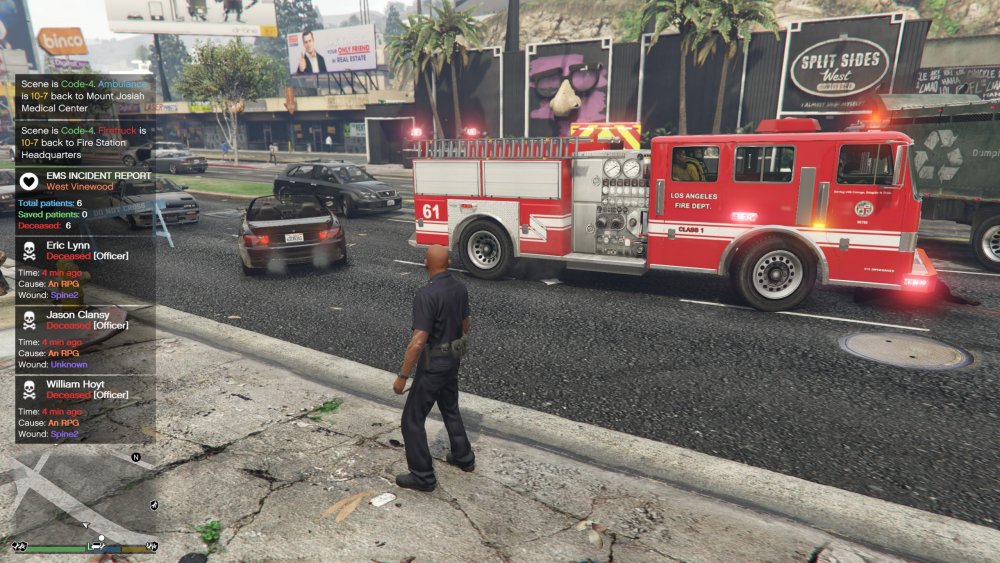
Got some progress done today: Minor tweaks to animations, hopefully reduces instances of peds occasionally flying off into the distance or at least brings them back if they do Removed a bunch of debugging notification popups (you'll still see them in the RPH log though) Finally added a configuration file! Now you'll be able to set all the keybindings, vehicle speeds, etc. Firetruck and ambulance now leave their lights on until they get about 30m away from the scene, so their lights stay on while they're turning around in traffic Incident report now shows which peds are/were officers Experimented with putting a sheet over dead bodies. It didn't really work out... no good props for it and all the props that are available are rigid Expect beta 3 to be available sometime later this week!
-
It would be possible to create a plugin which would monitor the pursuit vehicle's health and orientation, as well as the driver's. If the vehicle rolls over, perhaps it could manually set the vehicle health and max speed very low, and drop the driver's health. If the vehicle is rammed very hard (not quite sure how to detect that, but there's probably a way) then apply similar but less drastic slowdown effects. Could also set it so if a vehicle is damaged beyond a certain health level, the ped has a random chance of bailing out and running on foot, and if the ped is damaged beyond a certain point they might surrender.
-
It should be possible to do this in a plugin. Monitor distance of cop ped from their vehicle and the nearest suspect, and maybe include a random choice so some officers keep running and some go for their cars.
-
I'm experiencing several bugs in the immigrants in truck callout: It tells you a vehicle color, but it always uses a mule... you never actually see the vehicle color of a mule; they're liveried vehicles Even if you apprehend all of the suspects, the callout says 4 suspects escaped When you open the door by pressing F, the immigrants try to close the doors, and the doors flap open/closed a bunch in a really weird way. Then they all insta-pop out. It appears that if during the pullover the vehicle starts to flee (probably per LSPDFR's internal random selection of whether to pull over or run), the callout crashes once the vehicle stops and you look in the back
-
 Your XML file has a small mistake around line 245. <BackupRegion nickname="Counties"> <BackupAreas> <Area>BlaineCounty</Area> <Area>LosSantosCounty</Area> <VehicleSet> <Vehicles> <Vehicle chance="30">sheriff</Vehicle> <Vehicle chance="30">sheriff2</Vehicle> <Vehicle chance="30">sheriff3</Vehicle> <Vehicle chance="10" color="#331F18">fbi2</Vehicle> </Vehicles> <Peds> <Ped chance="30">s_m_y_sheriff_01</Ped> <Ped chance="30">s_f_y_sheriff_01</Ped> <Ped chance="40">s_m_y_sheriff_02</Ped> </Peds> <NumPeds min="1" max="2" /> </VehicleSet> </BackupAreas> </BackupRegion> You have the </BackupAreas> tag in the wrong place. This should be: <BackupRegion nickname="Counties"> <BackupAreas> <Area>BlaineCounty</Area> <Area>LosSantosCounty</Area> </BackupAreas> <VehicleSet> <Vehicles> <Vehicle chance="30">sheriff</Vehicle> <Vehicle chance="30">sheriff2</Vehicle> <Vehicle chance="30">sheriff3</Vehicle> <Vehicle chance="10" color="#331F18">fbi2</Vehicle> </Vehicles> <Peds> <Ped chance="30">s_m_y_sheriff_01</Ped> <Ped chance="30">s_f_y_sheriff_01</Ped> <Ped chance="40">s_m_y_sheriff_02</Ped> </Peds> <NumPeds min="1" max="2" /> </VehicleSet> </BackupRegion>
- 378 comments
- 23 reviews
-
-
Is this version backwards compatible? I.e do mods need to be updated to work with the new version?
-
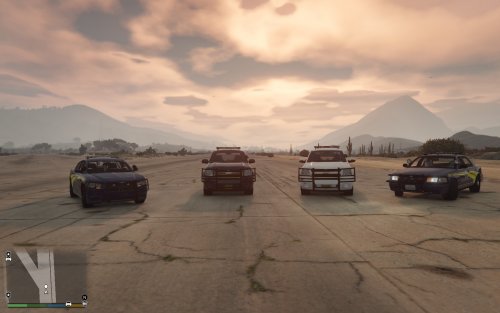 http://gtapolicemods.com/downloads.php?do=file&id=4406
 -
One of the newer ones... maybe the bxbugs/carperino charger? Good lighting options.
-
Now how about a TriMet skin pack... for the bus and the metro! Also you need to get an OSP charger in there!
-
Are we talking in a plugin, or just in general?


