




PNWParksFan
Insiders
-
Joined
-
Last visited
Everything posted by PNWParksFan
-
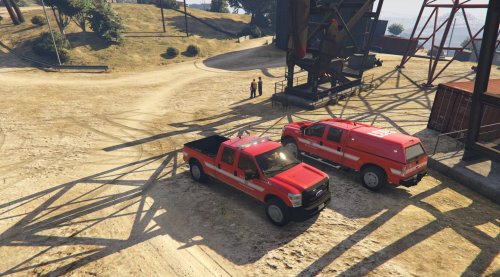 @CandyDaddy9 yep, it's already released as part of my park ranger skin pack: Any particular reason you rated only 4/5?
- 2 comments
- 3 reviews
-
From the album: PNWParksFan WIP and screenshots
-
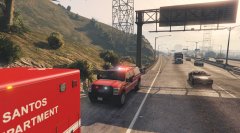
Los Santos Fire Department skin for F350 by @Thehurk Check out this video by @STEVETHEGAMER featuring this vehicle!
- 2 comments
- 3 reviews
-
-

- 5
-
-
From the album: PNWParksFan WIP and screenshots
-
 Yes, it works fine. You can ignore the version warning. I am working on a major update which will address many of the requests I've gotten from users. Not sure when it'll be out, but it will have an ambulance-only option, vastly improved driving AI, and many other features. It will be compiled for RPH 0.42.
- 781 comments
- 85 reviews
-
As you may have noticed, the dependency error is because RPH is updated. The plugin still works just fine, it's just a warning message that the version has changed. A new version of Better EMS will be released soon.
- 781 comments
- 85 reviews
-
That's hilarious! I'll have to look into it, and if the player is in the driver's seat, kick them out. By the way, if that sort of thing happens to you, type ClearTasks into the RPH console (F4).
- 781 comments
- 85 reviews
-
-
- 1
-
-
-
The new beta file option is great, but I'd like to be able to know which of the authorized beta users has downloaded the current beta file. You could add it on the beta management page (where you can add/remove people and message them), just showing a yes/no indicator for whether each user has downloaded the currently uploaded beta file. This would help me know who to follow up with to ask about their experience with the beta, for example.
-
Beta 2.0 is now available to beta testers! You can download it from the main download link under the beta section if you have access. New features in 2.0 include: Added numerous options to support users who don't like always having a fire truck respond. You can now manually call for a firetruck + ambulance, just an ambulance, or allow the mod to automatically choose whether to dispatch a fire truck or not depending on the situation. All of this is configurable in the INI file. Added "impatient youtuber mode", which automatically warps the responding vehicles closer if they're more than a certain distance away. It attempts to warp them intelligently such that they still come from the general direction of the station they originated at. You can configure the limits and distances for this, or turn it off completely. If the ambulance arrives first and there are enough medics to handle all patients, the fire truck (if one was dispatched) will be recalled. Lots of under-the-hood improvements to the driving AI and response management code. Performance improvements to the dispatch audio generation, and improvements to detecting situations like MVAs and fires. Please download the beta, and send me feedback via PM here or on discord. Thank you! Hoping to have this publicly released after the next RPH update if all goes according to plan.
-
Unfortunately there's nothing I can do about that. If you use Custom Backup though you can call it from the custom backup menu.
- 781 comments
- 85 reviews
-
Wait a bit to buy a GPU. A bunch of new stuff is coming out, meaning old GPUs will be on sale and new ones with better performance will be available.
-
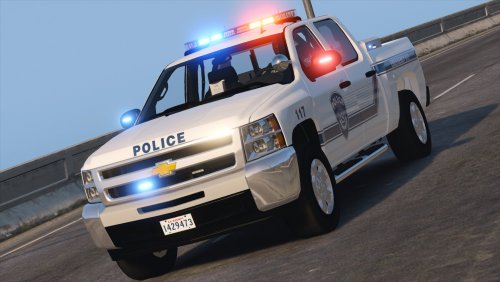 Using the meta file provided with the download, it did not work with the trailer. Adding the following lines to the NOOSE4 entry made the trailers work: <flags>FLAG_EXTRAS_STRONG FLAG_HAS_LIVERY FLAG_LAW_ENFORCEMENT FLAG_EMERGENCY_SERVICE FLAG_IS_OFFROAD_VEHICLE FLAG_IS_BULKY FLAG_ATTACH_TRAILER_ON_HIGHWAY FLAG_ATTACH_TRAILER_IN_CITY FLAG_HAS_INTERIOR_EXTRAS FLAG_EXTRAS_SCRIPT FLAG_EXTRAS_STRONG</flags> <trailers> <Item>boattrailer</Item> <Item>trailersmall</Item> </trailers>
- 27 comments
- 19 reviews
-
Post your ragepluginhook log file. Can't do anything without more info. I use it with many callouts and arrest manager all the time.
- 781 comments
- 85 reviews
-
-
Looks to me like it's set up correctly, but you still have the fire truck in there too. You have a 70% chance of a firetruck and a 30% chance of the fire SUV, so you won't get the fire suv every time. If you want to get it every time, delete the <VehicleSet> containing the fire truck. You can also specify the liveries for the Fire SUV. If you set it up the way is recommended in the download, check out the my_EMSUnits.xml file in the "extras" folder of the download for an example of setting the correct skins for each station. Feel free to use that XML file; you'd have to further edit it to remove the firebrush entries though if you don't have that vehicle installed. Next time, please upload your file as an attachment like I asked. It's very difficult to search through when it's just pasted in like that. I don't see any issues. As far as I can tell, EMS is loaded correctly. You still haven't specified what your actual problem is. What exactly happens that makes you think "it isn't working"?
- 781 comments
- 85 reviews
-
-
- 1
-
-
What is the problem? There are troubleshooting instructions with the download. You need to upload your ragepluginhook log file. Also try running the troubleshooter by albo1125.
- 781 comments
- 85 reviews
-
-
Could you please upload a copy of your EMSUnits.xml file, as an attachment? You should ask @turbofandude. He had mentioned that he'd look into it. Better EMS has an API, so he could implement it if he wanted to. I don't use Vocal Dispatch and don't have a microphone set up on my computer, so I don't have any good way to implement it myself.
- 781 comments
- 85 reviews
-
I'll have to double-check the metas. I just copied the meta for each directly from the install instructions for each. Will let you know; thanks for the prompt reply.
- 27 comments
- 19 reviews
-
Did you grab the audio out of the "custom dispatch audio" folder perhaps? The audio in the main folder should be normal... unless I uploaded the wrong thing! Will check it out when I get home.
- 781 comments
- 85 reviews
-
-
- 1
-
-
It seems like the Silverado's tow hitch doesn't work, although it does on your slicktop Silverado. Could you add support for that? I think it just requires adding the appropriately named bone ID.
- 27 comments
- 19 reviews
-
Look up the Open All Interiors mod, or use Simple Native Trainer to open up interiors. Will get you access to any building on the map that has a modeled interior.
-
Version 1.1 is released, please update: Improvements to dependency checking, and compiled against RPH 0.41 Removed compatibility for RPH 0.39 and older Fixed bug with ambulances without door indices 2 and 3 crashing the plugin Added API to override death statistics Improved stability of patient pickup API Prevent patients and medics from being arrested Ambulances will now select the nearest delivery point, even if spawned from a station with no delivery points Fixed issue with canceling an in-progress response Added command to stop response vehicle at current location and force medics to walk from there (mapped to - on the numpad by default) Integrated with LSPDFR+ statistics Added XML file without firetrucks. Two units will still respond. Version 2.0 will have much more customization available for how many of what type of units respond. For players in areas where the fire department doesn't regularly respond to EMS calls, you can use this included XML file to improve the realism of your experience until Version 2.0 is released.
-
The crash is likely unrelated. The dependency issue is only a warning that you have a different version of RagePluginHook installed than what the mod was compiled against, but it works fine on 0.41.

