PNWParksFan
Insiders
-
Joined
-
Last visited
Everything posted by PNWParksFan
-
Put in the default CustomBackup.xml file. It looks like yours has some errors, I'm seeing a bunch of XML errors in your RPH log.
-
You 110% sure you're using the latest release of custom backup?
-
"Falling" is actually the reason returned by GTA, but it seems to also be the default when it's not sure the cause. I suppose replacing that with "cardiac arrest" or even "unknown" would be reasonable.
-
OBS captures in-game mods just fine for me. Stuff like LSPDFR menus and the like. It's what a lot of LSPDFR youtubers use. Is that really not working for you?
-
No later than February 31st, 2069. Probably.
-
 I don't know what to tell you man. It works for me and for everybody else. Make sure your game isn't running, download the latest version of both mods, and make sure to copy over all of the files.
- 781 comments
- 85 reviews
-
Make sure you have the version from Better EMS download in your GTA V folder. If you're also using Custom Backup you need to update it too.
- 781 comments
- 85 reviews
-
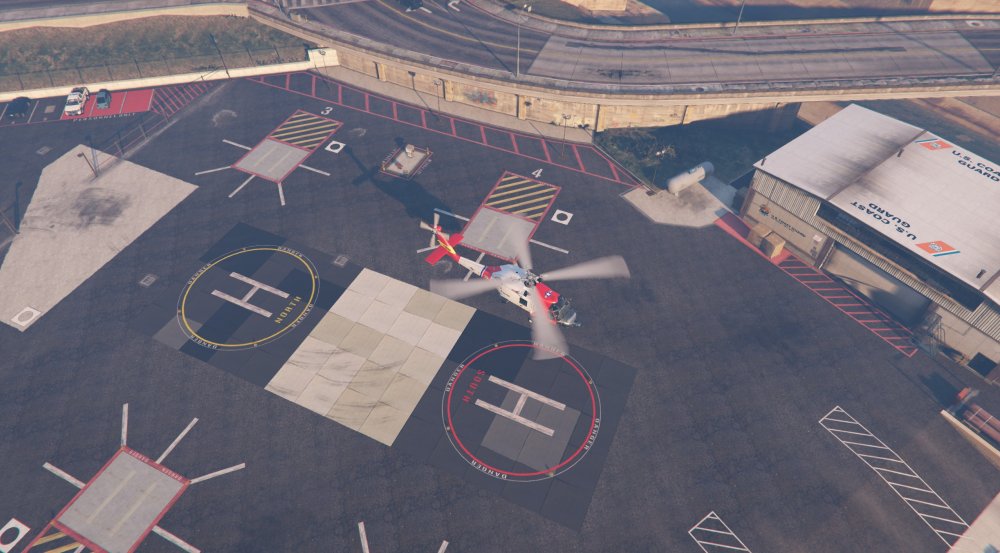
From the album: PNWParksFan WIP and screenshots
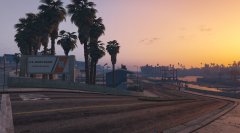
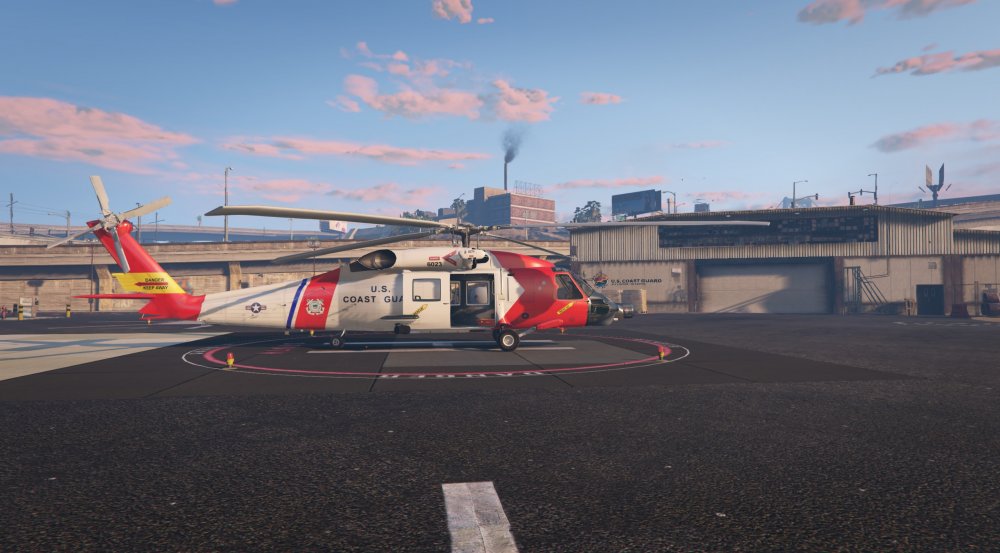
Thanks to some help from @AlexVonShep, I've successfully identified and replaced all of the textures to convert this heliport into a USCG station! More screenshots and progress on the mod here: These textures (and many more little details!) will be included with Coastal Callouts as a custom DLC when it is eventually released. -
Thanks to some help from @AlexVonShep in narrowing down some hard-to-find textures, I've managed to replace all of the textures necessary to create US Coast Guard Station Los Santos!
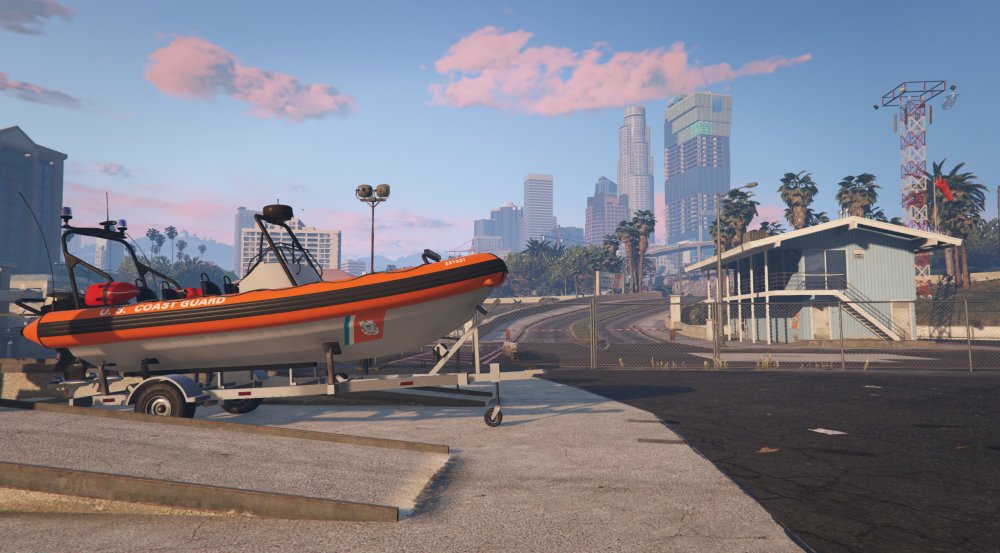
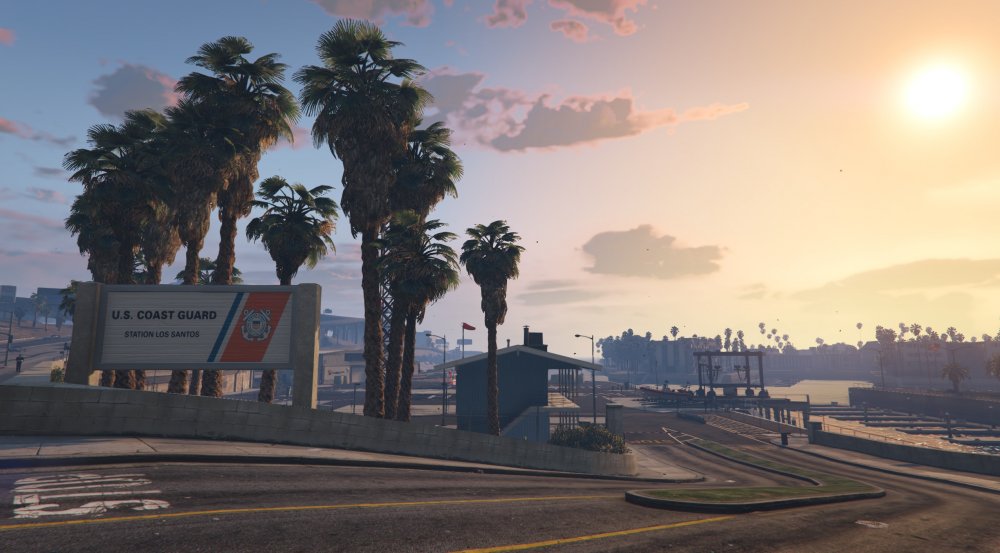
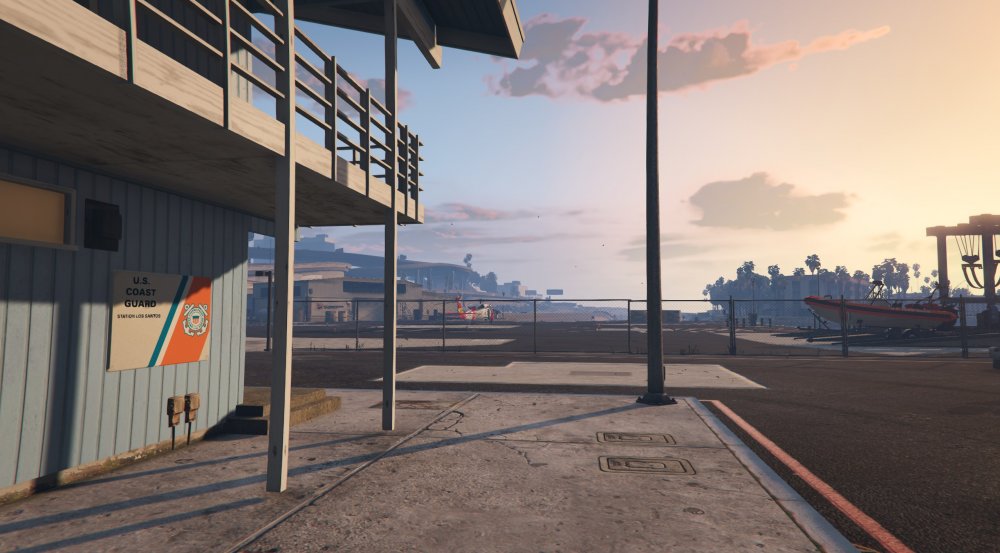
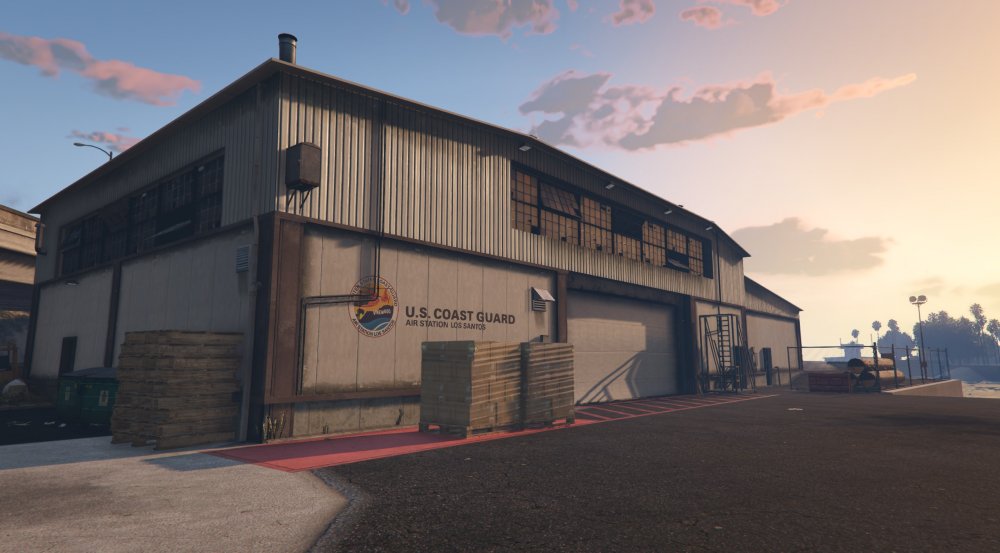
-
Yes. Just add livery="1" (or whatever number you want) to any <Vehicle> entry.
-
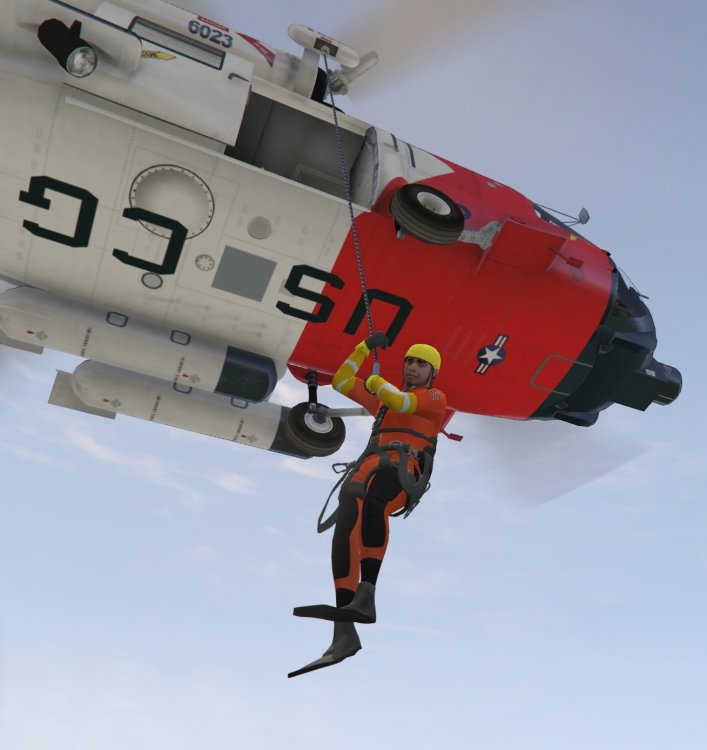
Well remember how I said I was going to work on boats for a bit? Yeah I lied, I added more helicopter features. I've implemented a customizable interactive hoist UI, winding/unwinding sounds when the hoist is moving, you can see the rescue basket in action here, as well as the heli cam feature from Wilderness Callouts (which will be improved upon and integrated into Coastal Callouts before release, thanks to permission and assistance from @alexguirre). The copilot AI can be seen working here, in Auto mode the entire time!
-
Thanks for the shoutout for Better EMS! A couple additional fun features added in the new version are that the medics actually talk now instead of being stoically silent, and they'll even patch up the player if you manage to get yourself injured! You know, for the folks who don't play with godmode on all the time and aren't wimps I'm glad so many people have enjoyed this mod and look forward to sharing more mods with the community in the future.
-
 No. The whole point of Custom Backup is that it's got additional features that the default LSPDFR backup system does not.
- 378 comments
- 23 reviews
-
-

- 1
-
-
IDK, I counted at least 12 different FPIU and FPIS models on the download page from a quick search. There's probably more that I missed.
-
I would suggest posting your log file so that I can actually help you. You can change the key settings to disable the default backup menu opening when pressing B. There's instructions on how to do that included in the readme. There isn't any way to change the RightThumb behavior, that's too hard-coded into LSPDFR.
- 378 comments
- 23 reviews
-
Have you even looked at the recent vehicle models released? I'm confused as to how you could possibly say there aren't enough FPIUs and recent Chargers. http://www.lcpdfr.com/downloads/gta5mods/vehiclemodels/ I mean this pack has more variety than you can shake a stick at http://www.lcpdfr.com/files/file/13331-lspd-pack-20132016-explorer-2015-charger-2016-impala-2013-tahoe-2011-cvpi-els-style-lighting/
-
You can also call for backup directly with Functions.RequestBackup and send them to a desired location.
-
I've now implemented helicopter copilot AI. It'll require some further tweaking, but is fairly effective in most situations. In auto mode the copilot will fly to the waypoint marker on the map when present, chase suspects if there's a pursuit, hover during hoist operations, and follow the player if they get out of the helicopter. At this point the helicopter functionality is mostly in place. I'm sure I'll make more adjustments to it at some point, but everything works pretty smoothly now. At this point it's time to go back to working on boats! My next goal is to make some enhancements for boat pursuits. Right now it's basically impossible to end a boat pursuit without shooting the driver. I'll be adding some conditions under which the boat's driver may surrender. I also need to do some more work with making arrests work on boats smoothly. Thanks everybody for your support of this mod and for your patience! I know it's taking a long time to come out, and I wish I could work more quickly and have it released for you sooner. I hope it'll be worth the wait though to have a polished and functional mod from day 1 when it is finally ready to share!
-
That version should work fine, I tested it before release. I also just double-checked the source code and it's checking for version 2.3.*.*.
- 781 comments
- 85 reviews
-
-
- 1
-
-
Could you both please post a screenshot of the dependency error you're getting, and let me know what version of ParksTools.dll is in your GTA V folder?
- 781 comments
- 85 reviews
-
-
- 1
-
-
Both Better EMS and Custom Backup were updated to new versions recently. You will need the newest version of each.
- 378 comments
- 23 reviews
-
I understand that shoving an infinite number of patients into the back of an ambulance is unrealistic. There's a limit to what can be done realistically in the game though, imagine 10 ambulances all trying to drive to the same position, running into each other, etc. I may someday add an optional feature to have more ambulances show up for transport, but at this time it's not a high priority. As for fire response, I have done some testing with that, and will probably add that eventually, but don't have any plans to implement it in the near future as I have other projects that I'm focusing on first.
-
Perhaps at some point in the future I may add something like this. Thank you for the suggestion.
-
Updating RPH mods isn't hard. You drag-and-drop the new version of the mod into your plugins folder. Done. If you're frustrated by constantly having to deal with re-installing vehicle mods (which IMO is a much bigger pain), take the time to set up your own custom DLC file with all your preferred vehicles. Do it once, and you'll never have to do it again. There's various guides on the forums.
-
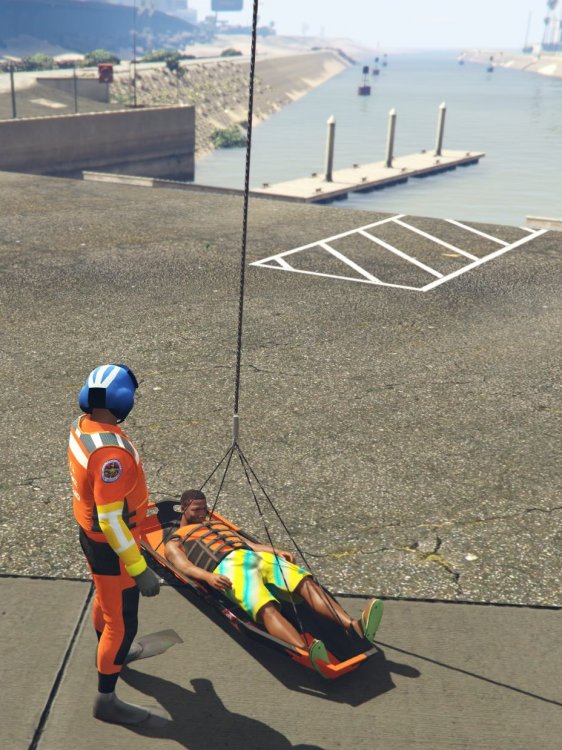
Made some great progress today, with special thanks to @Fiskey111, @PieRGud, and @Baud0412. Added camera view by the hoist, looking straight down, so you can more easily position the hoist directly over your target. Thanks to fiskey and piergud for helping me figure out the camera stuff. Got add-on props working in the custom DLC package! baud0412 made a quick rescue stretcher add-on prop, seen in the video below. It's not complete as it hasn't been textured yet, but he's working on it. The important thing is, add-on props are now possible, meaning we can get the much-requested proper rescue basket in here! Added controls to enable fine-tuned positioning of the helicopter while hoist is in use, again making it much easier to get right above whatever you want to attach to the hoist. The heli controls are pretty bad in GTA, especially with a keyboard, so this makes it actually possible to get the hoist where you want it. Other recent progress includes improvements to moving seats dynamically while in the heli, with automatic creation and movement of copilots as necessary. I've also set up the hoist to auto-lift and auto-lower, so you just hit a key and it'll lower all the way to the ground or all the way up to the helicopter. Baud0412 is also working on an amazing rescue swimmer ped, with me doing some of the texturing. It's looking great already, and is still a WIP. By the time it's finished it'll be very impressive. I've got all these peds working as add-ons as part of the DLC now.