




BlueLine Vibes
Insiders
-
Joined
-
Last visited
Everything posted by BlueLine Vibes
-
Just as JAM mentioned. If you go to YouTube for example there is a 'Share' button at the bottom of the video. If you copy and paste that URL into this section here where we type, you will get a video. However, I have noticed that some threads and comment sections do not always allow for URL vids.
-
This is true. However, not sure if you remember the first launch of LSPDFR. Most were all pursuit calls. They would be on the next street over or perhaps 3 blocks away and they would get so far in front of you that it would take damn near 3 minutes to even a possibility of catching up to the pursuit if they didn't get away first. We have indeed come a long way.I went 5 hours once ..... BUT, I was in a police car with radio off, walked away from my PC, had dinner with my wife and kids. Came back home, turned radio back on and got an instant crash on first call out. Not bad eh?I agree with the other posts, Radiance V is great. It will indeed make Taxi signs very bright and sometimes police computers will be a bit bright. In the long run it is worth it. Note: Some cars that have ELS, will still appear dim. You will need to use a trainer (clean the vehicle) also if you use Simple Trainer, Go to Vehicle options > Vehicle Mod menu > then to Windows Tint. arrow over (with keyboard arrows) to the right and make it Pure Black then arrow back to the left and make it none.I have a great computer and my system get bogged down a bit when I have that many callout packages. Personally I use about 4 at a time. PeterU is great, Tacco callouts is also pretty cool. I think Attempted callouts is very stable as well.Its a decent idea. If they don't release it, I am sure another modder will. If we have our own houses and have showers, we should have a garage as well, just sayinTraffic Policer for sure Arrest manager Police Smart Radio I would say Stop the Ped and Ultimate Back up, but it seems the modder has taken all of his mods off the site recently.Seen Jeff, Steve and Carson get killed multiple times. Granted the game is pretty easy and the more you play the better it is to avoid death. Perhaps in the new 0.4 patch, they will include new scenarios that will make it more challenging.
 As soon as I saw Bxbugs123 as the author, I had to download this. One of my favorite modders on the site. Did not disappoint! 5/5
- 133 comments
- 36 reviews
Any plans to udpate this? I am about 3 calls in on this callout package. So far I like it. Phew glitches with the Emergency landing with EMS on scene, other than that. I like it!
- 82 comments
- 20 reviews
-
-

- 1
-
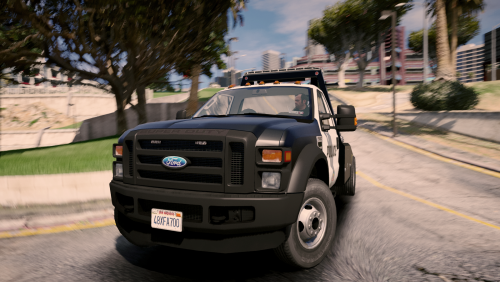
.thumb.png.28aa0963faa0c6b7fe8ec683d28ec677.png) Had a lot of fun with this vehicle. The lights are actually very amazing for something so small. The handling was very frustrating but made it even more fun!
Had a lot of fun with this vehicle. The lights are actually very amazing for something so small. The handling was very frustrating but made it even more fun!- 17 comments
- 5 reviews
-
-
- 1
-
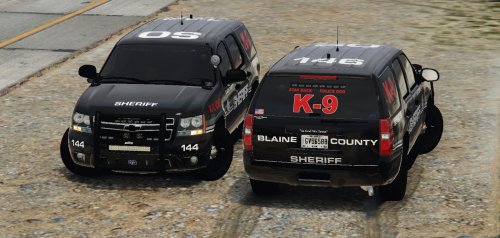
 Quick question krul, I replaced the sheriff code into the Vehicles.meta however, the sheriff2 slot seems to be flipping a bit. Was there suppose to be a modification included for the sheriff2 part the meta as well? Thanks in advance.
- 75 comments
- 19 reviews
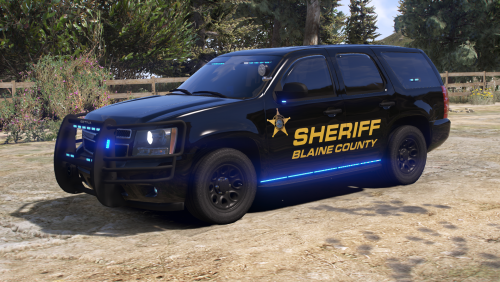 Kick ass vehicle. ELS is great and the Livery is freaking cool as shit. Also 10/10 for the Readme file name 😂 https://youtu.be/DsjaiEpqTsw
- 34 comments
- 8 reviews
-
-
- 3
-
That Just Happened! That moment when you read "Removed obfuscation" and you have to look up what obfuscation means .... 🤔
- 1,178 comments
- 137 reviews
-
-
- 2
-


.thumb.png.28aa0963faa0c6b7fe8ec683d28ec677.png)
Account
Navigation
Search
Configure browser push notifications
Chrome (Android)
- Tap the lock icon next to the address bar.
- Tap Permissions → Notifications.
- Adjust your preference.
Chrome (Desktop)
- Click the padlock icon in the address bar.
- Select Site settings.
- Find Notifications and adjust your preference.
Safari (iOS 16.4+)
- Ensure the site is installed via Add to Home Screen.
- Open Settings App → Notifications.
- Find your app name and adjust your preference.
Safari (macOS)
- Go to Safari → Preferences.
- Click the Websites tab.
- Select Notifications in the sidebar.
- Find this website and adjust your preference.
Edge (Android)
- Tap the lock icon next to the address bar.
- Tap Permissions.
- Find Notifications and adjust your preference.
Edge (Desktop)
- Click the padlock icon in the address bar.
- Click Permissions for this site.
- Find Notifications and adjust your preference.
Firefox (Android)
- Go to Settings → Site permissions.
- Tap Notifications.
- Find this site in the list and adjust your preference.
Firefox (Desktop)
- Open Firefox Settings.
- Search for Notifications.
- Find this site in the list and adjust your preference.