BlueLine Vibes
Insiders
-
Joined
-
Last visited
Everything posted by BlueLine Vibes
-
Do you have the latest patchday21 in your mods folder under dlc ?
-
 This looks great. Going to add it in and will give review after a few patrols.
- 72 comments
- 12 reviews
-
-

-

- 5
-
-
Thank you to @Jeff Favignano
-
 I wouldn't drag and drop them into the ytds. I would click on each individual livery and hit replace. However, I have not tried this particular vehicle out to see if they match up since the author doesn't have links to vehicles that will work for tahoe or cvpi, yet he included both skin in the download ....
- 12 comments
- 6 reviews
-
I can confirm that about 60% of the callouts work with LSPDFR 0.4.2 However, I would use a callout called Callout Manager default key is F12 to go through each callout to see which ones you like and also do not give errors. Its a great callout pack that I hope that author will update.
-
 This is my favorite vehicle pack by Maurice. Fantastic livery, ELS and the interior is amazing. Top notch!
- 89 comments
- 45 reviews
-
-
- 1
-
-
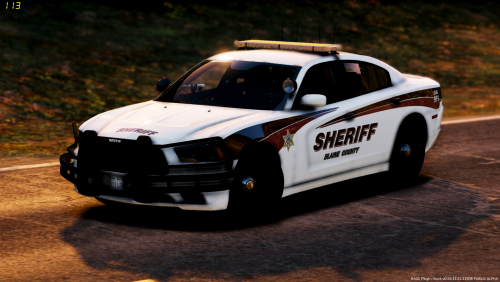 I would always put it in the newest patchday. For example patchday20ng. The main reason you want to get in the habit of this is to overwrite the vehicles that show default in game.
- 26 comments
- 8 reviews
-
-
 RangerZ - I thought you did a damn good job on this pack. Made my "Video Game" experience a treat 😆
- 127 comments
- 24 reviews
-
-
- 1
-
-
-
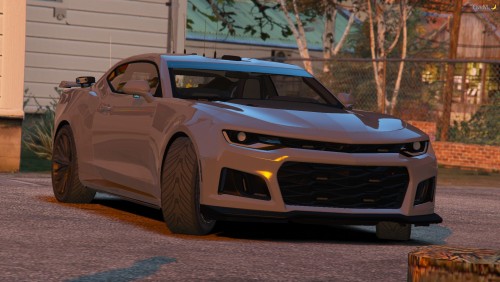 Great looking vehicle. The ELS lighting pattern makes this vehicle special and different for sure.
- 26 comments
- 15 reviews
-
-
- 1
-
-
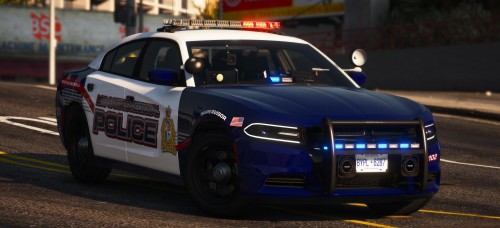 Maurice97 I think you out did yourself with the livery in this pack. Also the lightbar is compliments the vehicles very well. Antenna are also bad ass. Highly recommend this pack
- 36 comments
- 11 reviews
-
Could be the number of vehicles or plugins that you are using. Some plugins are a FPS hog as well.
-
Unfortunately that would be very difficult. One thing to try is take out all the vehicles that you may have installed (hopefully you installed them in the latest patchday) if that doesn't work, perhaps try to replace the original vehicles.meta file.
-
Try taking out Cop Holster and StickyWheels for now. I know it may seem odd as you probably were playing with these before. Sometimes there could be slight compatibility issues and these load up mods do not load properly.
-
-
 Really enjoyed seeing something different with this callout pack. Keep up the work!
 -
-
 Albo1124.common.dll is out of date with this zip file this will effect LSPDFR+ etc. Make sure to download a more up to date one from another plugin Probably needs an update to fix this issue.
- 3,646 comments
- 306 reviews
-
Very nice indeed. Will be checking out the changes
-
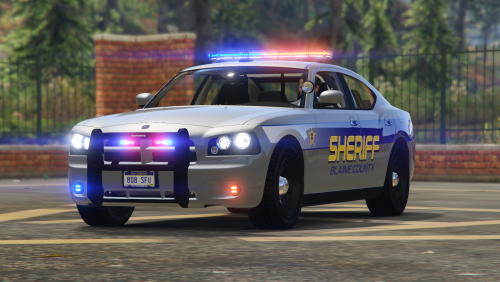 I can confirm that the Vehicle.meta file is indeed causing game crashing issues. I replaced it with a working one that I had before and it seems fine.
- 17 comments
- 5 reviews
-
Really love the Light bar! Inside is amazing and love the livery! Job well done.
- 17 comments
- 5 reviews
-
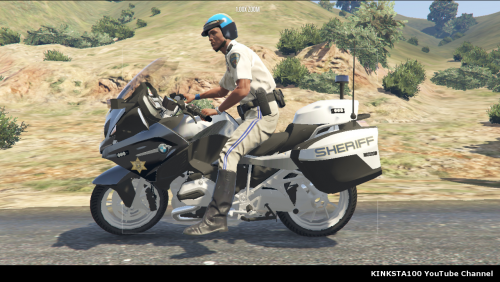 For those that are having problems with pulling someone over with this particular police bike and you copied over the author's vehicles.meta , be sure to replace this section toward the bottom of the policeb meta file txt. <flags>FLAG_NO_BOOT FLAG_LAW_ENFORCEMENT FLAG_NO_RESPRAY FLAG_IGNORE_ON_SIDE_CHECK FLAG_DONT_SPAWN_IN_CARGEN FLAG_HEADLIGHTS_USE_ACTUAL_BONE_POS FLAG_BIKE_CLAMP_PICKUP_LEAN_RATE FLAG_REPORT_CRIME_IF_STANDING_ON</flags>
- 30 comments
- 7 reviews
-
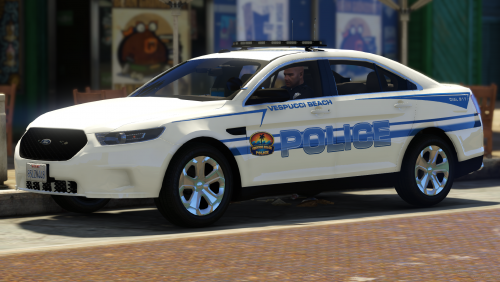 Really enjoyed these 2 vehicles - the CVPI and Taurus. Hands are on the wheel, ELS looks great and the police computer is not too bright. 5/5
- 8 comments
- 4 reviews
-