BlueLine Vibes
Insiders
-
Joined
-
Last visited
Everything posted by BlueLine Vibes
-
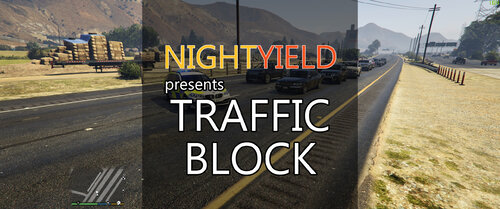 Roger. Ya not a big fan of sirens blaring while trying to lay out cones. Not seen any police agencies here in Texas anyways need their sirens on full blast while laying cones. But to each their own.
- 113 comments
- 10 reviews
-
-

- 1
-
-
Quick question, is it necessary to have the siren active when blocking traffic diagonally? I find that to be annoying and hard to focus on tasks.
- 113 comments
- 10 reviews
-
-
 Change that 18charger livery to the other one that is in the same file. Look for Livery_chrg_sign_1 So what I did was delete the other transparent style livery out, then just renamed the 18charger to Livery_chrg_sign_1 works fine.
- 75 comments
- 15 reviews
-
-
- 2
-
-
 Just curious here. Why does this callout pack need Script Hook?
 -
-
-
-
 Video unavailable This video is private.
 -
-
-
 Can't believe that the LSPDFR.com site allowed the title for the upload. @Cyan thought for sure it was breaking the first rule in Site Wide Community Guidelines lol
- 12 comments
- 2 reviews
-
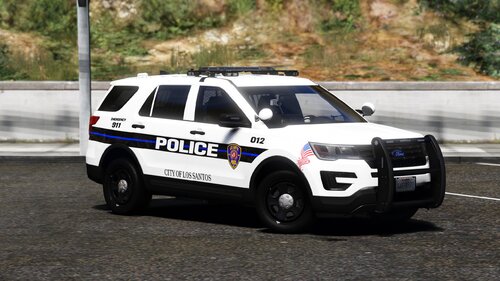 Liveries look great. More importantly the author took the time to link all of the car packs and also the folders for 2k and 4k versions. Then sub folders for each vehicle by year. He put in a lot of effort and it shows. More authors should take note on how to properly upload to this site. 5/5
- 18 comments
- 3 reviews
-
-

- 1
-
-
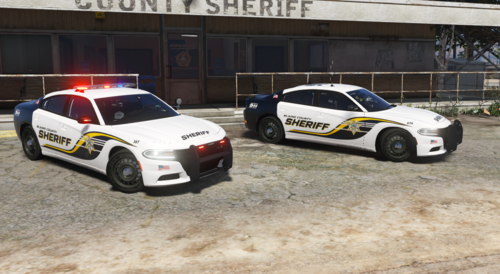 Sure no problem and like I mentioned it probably has more to do with the fact that I renamed the slicktop version to a sheriff2 slot, so the vehicle meta file is more likely on my end.
- 18 comments
- 2 reviews
-
-
- 1
-
-
No, don't click on Yes as it will revert your game. Sounds like you need to download the new RPH and install it manually. Not sure why the lspdfr.com site did not update their files to reflect the new RPH version, but there ya go.
-
Love the liveries. However, some of the slicktop's windows are removed when the car is cleaned. Not sure if you have noticed that or not. It might be that I renamed it to sheriff2 and perhaps the vehicle.meta file does not reflect the slicktop charger model though. So it might be on my end.
- 18 comments
- 2 reviews
-
-
- 2
-
-
might have deleted some necessary files. Verify the integrity of the game files through Steam if you are running that. Should download some files that are missing.
-
Correct, you need to download the latest Rage Hook and manually install it in your main game directory. Download here https://ragepluginhook.net/
-
You can, however if you are able to get passed the loading screen and get in game it is probably not a plugin. More than likely it is something else to do with the mods folder. Perhaps uninstall any vehicles that you may have recently installed, or DLC packs?
-
Change your Rage Plugin Timeout threshold to around 60000 and see if that helps.
-
 !youtube
 -
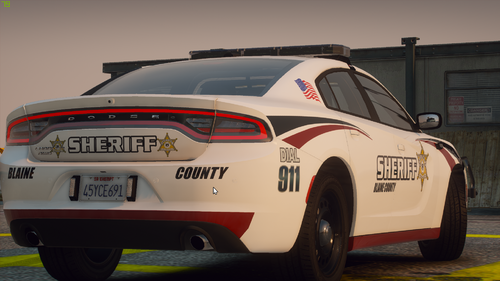 First The cars look great! I do have a quick question though. This being Blaine County Sheriff Department, and the Blaine County Sheriff Department is in the north of the map, why not take a few of the vehicles and name the sheriff and sheriff2? Yes, I can always just rename the vehicles and then go into the vehicle meta file and find those vehicles, rename it, make sure the handling ID is good etc. But I am a lazy fuck who hates patrolling with other looking vehicles in the north 😆
- 10 comments
- 1 review
-
 Not sure why I took so long writing a review for this callout pack. I want to thank @sEbi3 personally for a cool callout pack that I have used on many YouTube videos and Live Streams. Thank you for taking the time out of your day to not only make this but keep this up to date for the rest of us that want to keep this Mod alive. 5/5 just for being creative and keeping things up to date for us! /cheers
- 635 comments
- 53 reviews
-
-
- 3
-
-
 Just want to make sure this is correct here: DisableAllNetworkInteraction = true So that I am not reminded to join your discord constantly and so that certain keys don't alt tab my gameplay during a Live Stream to join your discord channel? Thanks
- 422 comments
- 25 reviews
-
-
- 3
-
-
Not to play LSPDFR no. Other mods yes. So maybe just wait a bit for RPH to come out with a new update. Shouldn't be long. Unknown if LSPDFR will need an update as well but more than likely yes to match the RPH update.