BlueLine Vibes
Insiders
-
Joined
-
Last visited
Everything posted by BlueLine Vibes
-
Could be the ambient event system that happens with LSPDFR. Spawn random events around you and the game will grab random officers to join in a pursuit or active event. I see these occurring in your RPH log. Doesn't necessarily mean that this is what is causing your issue, but if it happens on a regular basis after awhile of playing, you could try turning them off in your lspdfr.ini file. There is an enable and disable text that you can change them.
-
Been using it for 5 years now. Totally safe. As Cyan pointed out, some AV software will mark RPH as unsafe. Same thing goes for ELS as well on occasion. You can white list it, which would be the better option.
-
It is there for me. Might try a different browser. I am currently using Google Chrome.
-
Rage logs sometimes helps see what is going on. Will you provide that?
-
Just with way points as far as I am aware of. There are some maps out there with good street names, but as far as gps goes, probably the good old fashion way and that is get to the map and set your way point.
-
RPH usually updates pretty fast. About 1-2 days or so after an update from GTA. However, you will need to wait more than likely for Script Hook V to update if I am not mistaken. I have seen as little as 2 days to 14 days. Just depends on how fast the Alexander Blade can get it done.
-
Are you using Menyoo? If so, uninstall it.
-
What type of graphics card are you using currently? If you are using an Nvidia type card, you might want to turn off "In-Game Overlay" off. When I get a crash like yours, it can happen sometimes. I turn mine off through Geforce Experience. Keep in mind that Rockstar Just had an update, so Script Hook V, RPH and more than likely LSPDFR will need to be updated. But if you didn't update your game, you should be able to play at least.
-
On Steam, you can set your auto updates to update at certain times of the day. This allows you enough time to coordinate when you are online.
-
Before making a new topic, please check forums for the same one. Known issue.
-
Chrome works fine. Just have to click on the "Click here to download" a few times to get it to work. No biggie.
-
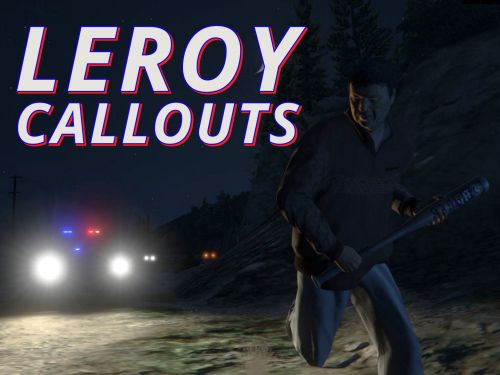 Looks very interesting. Good to see some callout variations on the site. Been a long time. I will post a review when done.
- 36 comments
- 14 reviews
-
-

- 1
-
-
.thumb.jpg.37cdb54de83d6dee03b6b15e76b2f5fd.jpg) Thanks for the reply. Yes it was more than likely that it had not cleaned up completely. Probably needed more time to get out of the area and despawn etc. So far it is a good callout, just might need a bit of adjusting to have the guy that brings the car just leave it on scene or even have the driver despawn if possible. Usually starts with a pursuit and if I get close enough the guy in the passenger seat tries to jump out and run down the road lol.
Thanks for the reply. Yes it was more than likely that it had not cleaned up completely. Probably needed more time to get out of the area and despawn etc. So far it is a good callout, just might need a bit of adjusting to have the guy that brings the car just leave it on scene or even have the driver despawn if possible. Usually starts with a pursuit and if I get close enough the guy in the passenger seat tries to jump out and run down the road lol.- 183 comments
- 24 reviews
-
-
- 1
-
-
Getting a few crashes with the bait car callout. Attaching a few Logs if you want to take a look. RagePluginHook error yobbin 01-22-2021.txt RagePluginHook yobbin 2nd crash.txt
- 183 comments
- 24 reviews
-
Oh gotcha, that is a great idea. I can just spawn a car and use that as the bait car. Gonna give it a go 😉 EDIT: Ok did about 6 of the bait car callouts. Seems to work fairly well. However, it does not work with a partner unfortunately. Would there be a way to maybe have them drive the police vehicle up and then get out of it? Currently my partner will not get into the vehicle.
- 183 comments
- 24 reviews
-
-
- 1
-
-
Been a really long time to see a Bait Car callout. Love to see this. Now is there any way to add more varieties of Bait Cars? Don't know too many bait car episodes that I have seen, where they use "police" cars.
- 183 comments
- 24 reviews
-
-
- 1
-
-
-
 Ok thanks, Just making sure it wasn't on my end. I notice on occasion they will run after them if they flee but not always. Most of the time if I am the secondary unit like on the fight callout, I arrive on scene and the subjects will put their hands up, the officers have their guns drawn. But then they put their hands down and walk off while officers drive away.
- 346 comments
- 43 reviews
-
-
- 1
-
-
@ziipzaaapM16A4 Great work on the plugin. However, I do have a question for you. Is it normal for the AI that show up on scene to not arrest subjects? Noticed this on almost every call that I assisted with. When I go to arrest them, is it normal for the AI to just leave the area? Thanks for the response.
- 346 comments
- 43 reviews
-
Fun fact Some people search for help for this issue on Google. They find a thread like this. A person responds, the originally poster either responds with YES it worked or NO it didn't. Yet 2 1/2 years later, we will never know.
-
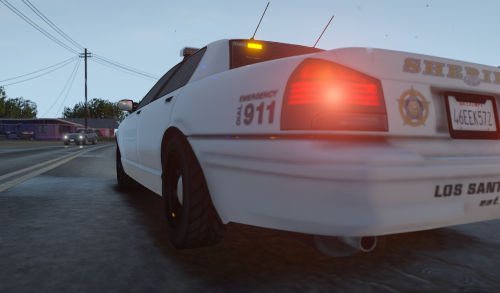 Used in tonight's YouTube stream. Works perfect. A lot of people on stream were impressed with it as well. 5/5 Fantastic One thing I did change and I am glad you included the ini file, is the activation key. LeftControl + R key for me is a Custom Pullover and if I have Cinematic Camera installed it either activates it or deactivates accordingly. I changed mine to the Z key. Thanks for the mod and your work.
 -
Very interesting plugin, glad someone took the initiative to do this after several years of having ELS. I will give it a try, looks promising. I will reply back with a review. Thanks!
-
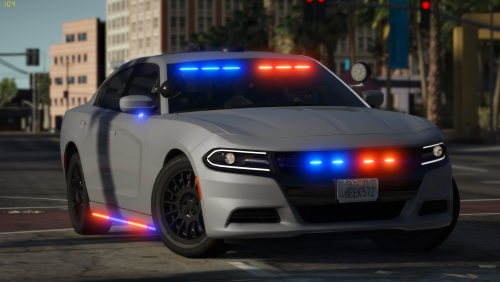 Looks fantastic ELS on point Just in time for the New Years Eve drunk drivers around Los Santos! 5/5
- 36 comments
- 8 reviews
-
-
- 1
-
-
-
Ever get this to work? I have a few people having same issues and noticed that you never came back to post.

.thumb.jpg.37cdb54de83d6dee03b6b15e76b2f5fd.jpg)