




BlueLine Vibes
Insiders
-
Joined
-
Last visited
Everything posted by BlueLine Vibes
-
-
 Hey there Tom3k, do you by any chance have the EUP UB Config for 9.3? Reason I ask is that they new EUP 8.3 is actually 9.3, he just didn't change the title. I have the 9.4 so I am okay, but for others that are asking they may want the 9.3 EUP UB Configs for units.
- 366 comments
- 17 reviews
-
-

- 1
-
-
-
-
 You are using outdated plugins.
- 112 comments
- 21 reviews
-
- lspdfr plugin
- legacy
- lore
- non-lore
-
Tagged with:
-
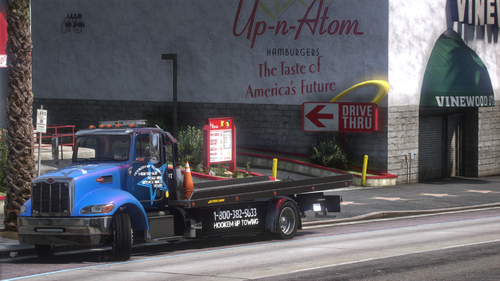 @Officer Turbs Just did the video for fun. Feel free to use it if you like. Flatbed looks great!
- 26 comments
- 5 reviews
-
-

- 1
-
-
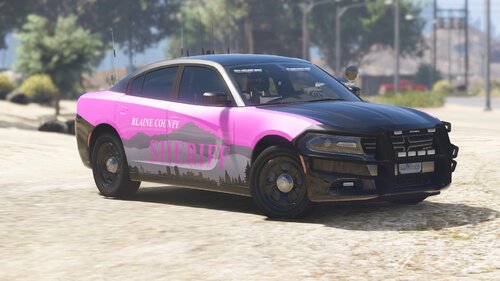
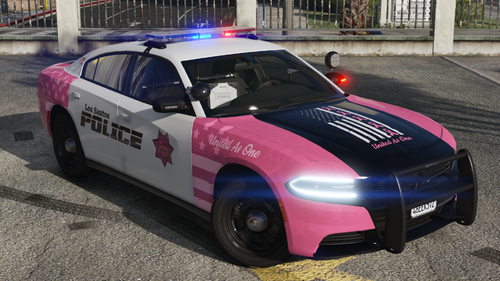 @Pacific Pig Great job on both the black/white livery and the great looking breast cancer awareness livery. Lighting looks great and the inside of the vehicle is also well done.
- 13 comments
- 2 reviews
-
-
- 1
-
-
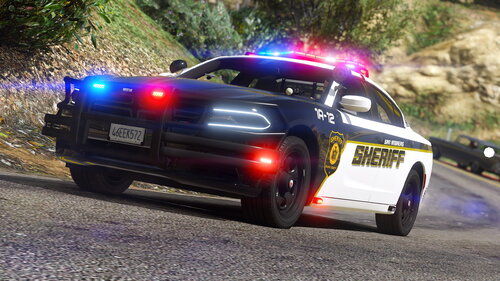 No idea, account is deactivated. I was going to use this pack for a full install mod stream on my YT channel. But, not sure I want to do this now as the upload here might get taken down as well.
 -
-
Need ragelog to be able to see what is going on.
-
Personally I feel you may get better help on Opus49 discord channel. He offers great support there.
-
Might want to type out how you fixed it. People find these web pages through Google. Someone may stumble upon this thread several months from now with similar issues.
-
"Some Plugins" yikes, would hate to see what it looks like if you install a lot of plugins. First you are using some out dated plugins. Take those out and see if that helps. Easy to see the outdated plugins by just looking at the last date it was added to the lspdfr site. For example Traffic Policer is years old now, Code red callouts is also years old as well. Ultimate back up just had an update, Assorted callouts is years old. My advise is to start fresh and just install mods that are more up to date with the latest lspdfr version.
-
-
-
 Loving the callouts so far. The only thing I would recommend is if the contact person on scene can wait to start talking to you until you press the Y key for example. Sometimes they start talking before you can find them. Hope that makes sense. Appreciate the time and effort you put into this project. This video below is just the start of a series I am doing in my channel.
- 174 comments
- 13 reviews
-
-
- 1
-
-
.thumb.png.0625940fccea399e56be1499a088de00.png) Fantastic Livery. Thanks for a well organized folder as well. Made installing the textures and lights flawless.
Fantastic Livery. Thanks for a well organized folder as well. Made installing the textures and lights flawless.- 3 comments
- 2 reviews
-
Make sure that the vehicle is named from noose to police4 and also rename the ELS file to police4 as well.
- 3 comments
- 2 reviews
-
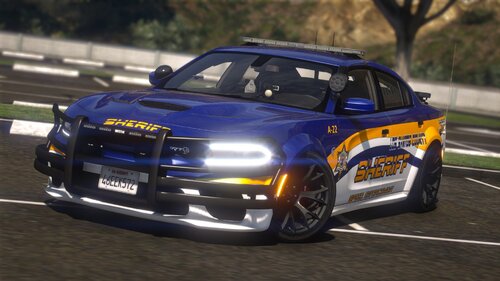 Love this pack. Interiors look great along with the epic lighting. I did however have to adjust the LODs for reference in the meta file.
- 76 comments
- 6 reviews
-
Looking really good. Yes this reminds me of your pack you had awhile back in 2020. This one looks amazing. Definitely gonna download it.
- 76 comments
- 6 reviews
-
-
- 2
-
-
-
-
Your GTA V is out of date. You are on version 2245
-
You don't really need ScriptHookVDotNet You will need to have the latest ScriptHookV.dll AND dinput8.dll from the Script Hook V bin folder in main game directory.
-
Play story mode first with regular GTA V (not lspdfr as Charlie585 mentioned) Get passed the first mission when you steal the cars with Franklin and Lamar. Once you get to Franklin's aunt's house and are in free roam, pull up your cell phone with arrow key. Do a quick save so that the game can recognize a legit save spot. Then you can play LSPDFR with Ragehook.



.thumb.png.0625940fccea399e56be1499a088de00.png)
.thumb.png.2ab768efcbe65de23a7d11999ca83cb8.png)
