BlueLine Vibes
Insiders
-
Joined
-
Last visited
Everything posted by BlueLine Vibes
-
-
They look for anything to milk the online community. Singleplayer modding community suffers. Been this way for years.
-
If it were just that easy to stay in "offline mode" nope
-
First Clue would be the large Red Banner on the site explaining that GTA V had an update and that LSPDFR / RageHook is out of date. Need to wait.
-
GTA had an update, need to wait. Thus the huge Red banner explaining it.
-
-
 Well implemented callout pack. In depth and highly worth the download. Will edit this section in the future to provide a playlist of the callouts
 -
 Sorry I almost spit drink out of my nose 🤣
 -
Yep can't help without logs
-
It should be in neon and flash Cyan
-
Not sure why he would need to upload the lspdfr.ini file That is just the main config for lspdfr itself and will not provide any information about why he would be getting these errors. I don't quit see the 2 plugins you are referring to in red. I see LSPDFR+ which by they way is very outdated by 3 years now. LSPDFR+ is not needed for Stop The Ped by the way. Not sure where you read that or who told you, but don't bother with LSPDFR+
-
 Left a review for this great mod. Must have if you play LSPDFR hands down!
 -
Been using this mod for several months now and just realized that I have not left a review. Definitely going to give this 5 stars for sure. 1. Easy to install 2. Easy to modify the files as needed 3. Easy to use as well 4. Love how you can do a hotkey to pull out simple things like Gun, Tazer and most of all flash light so that you do this on the fly without weapon wheel. 5. Must have if you play LSPDFR!
-
Doesn't look like it may be installed correctly. Don't see it in the log at all. I would reinstall it again and make sure your RageNativeUi.dll is installed as well. Don't see it in your log as well. Remember to just pull the contents of Stop The Ped into main game directory. Don't get in a habit of opening folders and dragging and dropping. A lot of people mess that up by trying to open folders where they think it should go. The modders have already set it up for you.
-
Update your RageNativeUi.dll you have an outdated one. You need 1.8.2
-
Did you update your RagenativeUi.dll ?
-
 Easy to do: Just save the audio clip, convert it to a wav file with a free wave file editor if you need it. save it and name it to whichever wav file that is in that Seatbelt Audio folder
- 44 comments
- 68 reviews
-
-

- 1
-
-
 Did 4 out of the 12 callouts and I must say that they are very well written. Loving the concept and the uniqueness to the calls so far. Thanks for taking the time to create these and sharing this callout pack with the community!
- 315 comments
- 60 reviews
-
-

- 1
-
-
 Very easy to give this a 5/5 Star Review. The mod surpasses any other hand held radar mod to this date. Keep up the great work @opus49 and @BenH6021 Thanks for donating your time and help to the LSPDFR community. INSTALL VID
- 140 comments
- 16 reviews
-
-
- 3
-
-
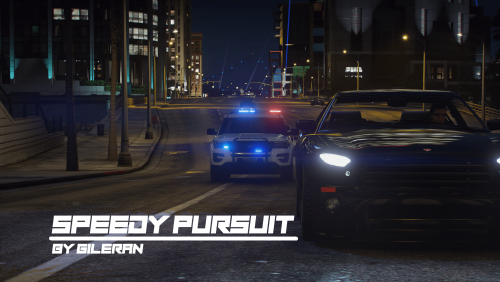 Loving this new callout pack. Keep up the great work you guys are doing. Love the updates as well!
 -
 I think universally it will be the Y key for accepting calls if your microphone is not working. Otherwise you would just say "Responding code ..., or Enroute ..." for example. Sorry didn't go to the next page in the comments to see Opus responding to this question lol
- 1,359 comments
- 85 reviews
-
-
- 1
-
-
Not sure how calloutinterface would correct him on installing callouts though.
-
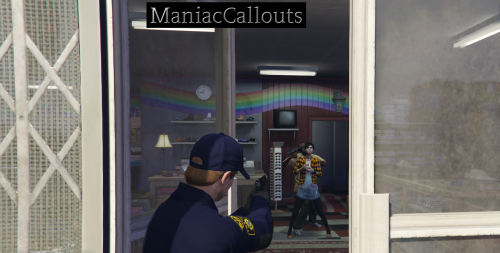 Enjoyed this callout pack. Did a review showcase below that people can check out if they like. Has all callouts featured in this pack. Please note that although all callouts are covered (minus the robbery callout up north) scenario outcomes can be different and I love that! I do like the uniqueness of most of the callouts. The suspicious activity being one of them, wasn't expecting to see that particular scene which is what I wanted to be honest. Seen too many suspicious callouts and it usually is just the same thing with someone standing there or just walking around. FYI If you are a young LSPDFR player, just make sure that your mother or father is not in the same room if they have a problem with on screen nudity 🤣. Didn't bother me, but then again I have full control over editing a video for YouTube. The store robbery had a bit of a glitch (thus the 1 star reduction on this review) this can easily be cleared up by investigating some stores that have the full interior open so the suspect can actually leave the door. Not a big deal at all and can be corrected in a future patch. Text at bottom of the screen on some callouts - Text at the bottom of the screen seems to go too fast. I think if you can add a prompt for Y key to just advance to the next sentence when the player is done reading what is on the screen, then Y again to go to the next sentence the subject says, can easily correct this issue. Callouts end as soon as the suspect is in cuffs. I can see how this can be a good thing and a bad thing at the same time. I do feel a END key would be useful here, so that we can still use Stop the Ped for example to complete the investigation on our own terms could be useful. Overall it is highly worth the download and the callout pack was recently released and can't wait to see what you add in the future. Great work so far!
 -
Careful there @opus49 you might actually get a thank you response 😆
-
That is the problem. You shouldn't have to worry about 'placing them in the correct folder' when you download a plugin, you just drag the plugin folder to your "Main Game DIrectory" it will merge accordingly. You are making this harder than it needs to be. TLDR: Don't go into the plugin folder. The only folder you should be opening is just the main game directory. Literally drag the folder that you downloaded called plugins and just drag it to main game directory. It will create folders for you if you don't already have them. Video info if you need more help for callout manager and a few callouts: