


cp702
Friends of LSPDFR
-
Joined
Everything posted by cp702
-
Can you post it, so I have some idea what you were talking about?
-
That was unr3al, not break.
-
Somehow, I don't see the devs adding bribes.
-
-
First off: you don't need to revive a dead topic to say "agreed". Also, if something is released publicly, doesn't mean it's your fault if its stolen. I mean, look at GNU/Linux. It is open source, but if you modify it and distribute it not under the GPL, you can be sued. People have the right to release work as they want; the fact that they give it to you doesn't mean "do anything you want with it".
-
All I wish someone would do is make a model edit so we have white heads without losing short sleeves. Anyone game?
- 7 comments
- 4 reviews
-
-

- 1
-
-
Really? Because I thought of the main target market as parents of teenagers, not necessarily the government.
-
How... What...
-
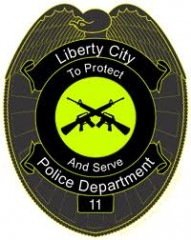 That looks almost more like an MP badge.
 -
Yeah, I just realized and corrected that.
-
You have to go to a police station to go on duty. Ctrl+P Alt+P (not Ctrl+P) only starts the mod. It says this, too. When you hit Ctrl+P Alt+P, it says "Go to a police station to go on duty". EDIT: Ctrl+P AFTER Alt+P will force you on duty. This is not how the mod is intended to be played. You NEED to hit Alt+P, and then, if, for whatever reason, you don't want to have to go to a police station, you have the OPTION of Ctrl+P. That will not give you a police model, voice, or car (which is why you should go to a police station instead).
-
I could see it maybe being popular with parents (though the most obvious usage I'd see is mandatory installation on all cars, which I'd probably oppose). EDIT: What's wrong with Likert scales?Yeah, probably. The face seemed a bit too evil, though.Um...he's a moderator. You may not want to ask him to "bring it on". Because he can, and it could be unpleasant for you.First, you failed to search for your issue in the forums (you would find MANY posts with this EXACT issue). Second, you posted in the wrong section. Third, you gave no context whatsoever (an error message is NOT context). Fourth, you failed to completely read and follow installation instructions. Fifth, you either didn't make sure that your GTA directory wasn't read-only, or you didn't run the installer as an administrator.Did it. I wasn't sure about some things, but I noted it in the answer spaces.Suggestion on the Impala: If you released a version with no spotlights (and probably a bit less police equipment), it would be perfect for an FBI car.Is it only for people in the UK?@Slimory: Mercedes isn't just a super-luxury car maker. Keep in mind that Germany is much closer to European countries than the US is. (Also, at least in Germany, I'd assume some bias towards domestic cars, just like in the US). @others: Do police in other countries even really use sedans, or is it mostly station wagons?Yes, but you need SNT. Go on duty, and then go to "Model Spawning" and select Niko (may not be on the first page). Then, go back to the first page of the model spawning menu, go to "clothes", and pick the clothes you want.Please search in the future.The big 3 in the US are Federal Signal, Code 3, and Whelen; not sure if there are really any more huge ones (you could probably add Tomar)New Zealand looks like a Code 3 MX-7000.

