


cp702
Friends of LSPDFR
-
Joined
Everything posted by cp702
-
The hat is strangely shiny, and the brim looks paper-thin. The second is probably intentional (I'm now fully used to it), but the first is kinda weird.
- 27 comments
- 23 reviews
-
In GIMP, use the "colorize" tool.
-
What's wrong with the holster? Or do you mean the belt?
-
You could just export the cop model, rename it to strooper, and import it again (alt: Custo has something like it in his DLs, I thing).
-
Things faster than your car:
-
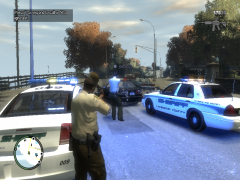 Where'd you get that hat?
 -
Same. Maybe has to do with the texture used? (brighter color in texture=brighter ingame).
-
-
1. Yes. The only thing that would stop you from releasing a skin is if the skin itself is based off another skin. 2. Upload the .png file, not the .wtd or model, and certainly not the .img. The reason is that skins for one police 2006 Charger can actually be used on any police 2006 Charger, as everyone uses Lt. Caine's model. The .wtd is specific to that particular version of the Charger; the .png is not.
-
In the car texture, there are files called "emerglights" and "emerglights_emis". "emerglights" controls glass color, while "emerglights_emis" controls the color of the light when it is on. Edit the "emerglights_emis" by copying the blue rectangles over the red ones.
-
My favorite has to be Hooker Police. I just imagine it as this: http://www.lcpdfr.com/files/file/67-lcpd-female-prostitution-officers/
-
Maybe an Edge? They're pretty big, aren't they? Also, what I was really thinking of was something like Lt. Caine's Landstalker ESU and his ambulance models, which have Quadraflare-type lights all over as part of the primary lighting (so a not-huge lightbar isn't a giant issue), and amber secondaries in the back.
-
OK. I had been thinking of ALM, but this is now also especially directed towards Lil-rich. :happy:
-
I'm trying to write a script for which I need to know the player's location, or at least which island they are on. How do I get it in SHDN? (this is especially aimed at Sam)
-
-
-
So, the other night, I saw the 2012 Caprice police car in service for the first time. Has anyone else seen it in use?
-
-
@NB: I meant to the skins, but I found them (the link won't show up in Chrome).
-
Do you have a link?
-
0.91's regular arrest is great, but the gunpoint arrest is just horrible (they aren't arrested; they just wind up lying on the ground). Though, now that I think about it, that may make some sense...
-
Leave it blank. Indicator mod is a better alternative anyway, I've found.
-
People mod because it's fun, and the mods tend to work on their computers (e.g., I think Lt. Caine has said he rarely crashes with ELS).
-
Just took a stats class? A simple random sample would be pretty much impossible; you could approximate it with random dialing, but, especially as this is for school...
-
It's not giving me access to view the pictures.

