


cp702
Friends of LSPDFR
-
Joined
Everything posted by cp702
-
I know, I know. Just liked that they were right next to each other.
-
Did you save while on-duty? If so, you need to delete that save file. You can't save while your player model is not Niko. At this point, uninstalling LCPDFR wouldn't help (you *did* actually remove all the files).You want a traffic cop Hispanic head on the default cop? Or do you want it on Custo's cop (with a vest)?Sniper made a mod to do it, and NicolaiB is beta testing.I know, but blue is very common. Wait a sec... YOU MADE A PINK LIGHT!!! MUST...SEE...NOW.You can't just use the texture. However, you can still put the head on:Not for police or police2, I think. If there is, I'd love to know how.I like ELS because there are blue lights.FTFY. Lots of BS "leaks" say "from R*".
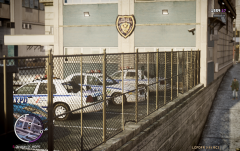 Especially the thumbnail of it.With 0.6, you can force a spawn of a specific vehicle with "TsbForceSpawn *set name*". Try doing that, and see what happens (to check if there is some issue with the actual spawn). The instant deletion is if the driver fails to spawn properly (so you don't see empty cars in the middle of the road). I'll try to see why it's not spawning drivers.I think he said he lost it. I know Teddy at GPM is making a CV with one.No. No it doesn't. 1. Federal law != constitution. The Constitution says very little; it is less than 10 pages. Very little of that has to do with your rights; a lot of it involves setting out the structure of government. Almost every federal thing is not the Constitution. 2. The Constitution is not clear-cut on most issues. It needs to be interpreted. You have your interpretation, but I'm sorry to say that it doesn't really matter for anything. What does matter is the interpretation that judges have.I can't even think of a reason why you couldn't upload it. They decide whether or not to approve them before they're public, so it'd be worked out then.What's this based on? DC cars that I've seen don't look like this. Did they recently redesign them?
- 4 comments
- 2 reviews
Congrats on finishing the course!IVDashcam has a speedometer.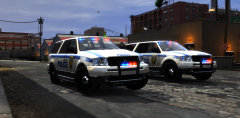 I think the vehicle may be released on GPM. It looks like something Lt. Caine would do.IIRC, back when testing started, someone recommended NicolaiB on the basis that he would make videos showing it off.CAD isn't the right term for this. I've used actual CAD software, and it is very different from game modelling. Basically, CAD is designed to let you see what something will look like in real life to help you design (hence the name). The end goal is to build something physical, so you use real units (like inches or cm), use parameters and constraints, and make real shapes (the software handles the polys for you; there is no fixed set of polygons associated with the model). In game modelling, the model is the end goal. So, CAD involves more engineering concepts than game modelling.I think MP is a goal for them, but a very long-term one.He wants fewer parked cars.


