


GreenAid
Members
-
Joined
-
Last visited
Everything posted by GreenAid
-
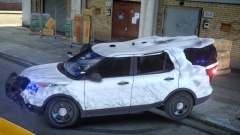 Damn son.
 -
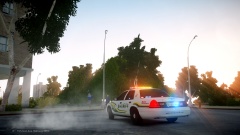 His own.
 -
-
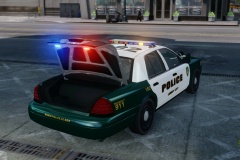 *Wasn't rly a bug the door fixing* & the trunk you can open/close it with the trainer.
 -
Hmm why? It's just an extra with emissive, not coronas like the GPM one. (Can you see the front wags when you look at a car from the back?..)
-
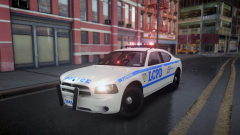 CryENB dude.
 -
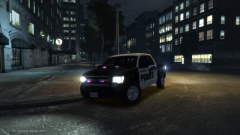 (y) C:
 -
![[TEASER - DAY #1] "This is my house"](//s3-gallery.int-cdn.lcpdfrusercontent.com/gallery/album_547/sml_gallery_2101_547_1133871.png) Will be as awesome as Mordecki's EMS mod ;)
Will be as awesome as Mordecki's EMS mod ;) -
Just it's funny that pics are from OpenIV or Zmod, since they have 1 wheel only xD
-
:DDDDDDDDDDDDDDDDDDDDDDDDDDDDDDDDDDDDDDDDDDDDDDDDDDDDDDDDDDDDDDDDDDDDDDDDDDDDDDDDDDDDDDDDDDDDDDDDDDDDDDDDDDDDDDDDDDDDDDDDDDDDDDDDDDDDDDDDDDD Awesum.
-
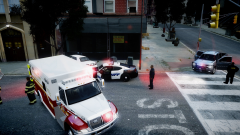 It's set up sadly.
 -
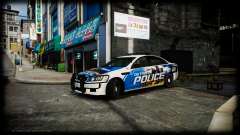 Nah, IMO Heisenberg's one is the best one, Kevin's somehow looks too tall...
 -
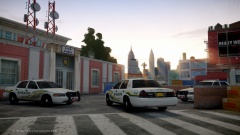 How you do that?? :)
 -
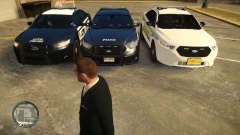 Not the front bumper tho, the normals look a bit messed up.
 -
Umm sorry but that doesn't rly make much sense :D You kind of wrote....: Doing of the horse in Centra(l) America can be very dangerous (you used plural) for a she-male. lol
-
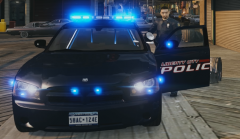 :DDD (Even tho the other mirror light isn't mirrored)
 -
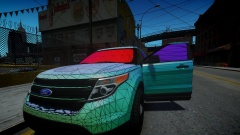 How did you anage to get it LOL.
 -
You guys can just head over twitch @trooperdashie's account to see it "in action" more :p
-
^ He probs just replaced a police car.
-
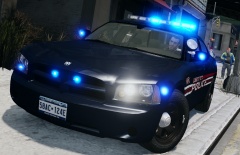 Lights colour?
 -
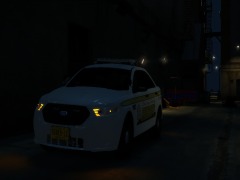 ^ That 2nd one you have looks close to it, even tho it's not 3D, but this is the 2013: http://www.google.it/imgres?imgurl=http%3A%2F%2Fwww.autoguide.com%2Fgallery%2Fd%2F564912-3%2FFord-Taurus-Police-Interceptor-wheel.jpg&imgrefurl=http%3A%2F%2Fwww.autoguide.com%2Fmanufacturer%2Fford%2F2013-ford-police-interceptor-test-drive-video-1997.html&h=427&w=640&tbnid=hwPtfmkaGioYTM%3A&zoom=1&docid=ghk4HjjBmhkZ3M&hl=en&ei=Q5BrU-jDA8a3yAPZ9IDYBA&tbm=isch&ved=0CFkQMygCMAI&iact=rc&uact=3&dur=498&page=1&start=0&ndsp=17&biw=1280&bih=853 In fact you are using the '11 cap like you can read here: http://www.google.it/imgres?imgurl=http%3A%2F%2Fwww.lcpdfr.com%2Findex.php%253Fapp%253Ddownloads%2526module%253Ddisplay%2526section%253Dscreenshot%2526record%253D77583%2526id%253D5340%2526full%253D1&imgrefurl=http%3A%2F%2Fwww.lcpdfr.com%2Ffiles%2Ffile%2F5340-2011-ford-police-interceptor-wheel%2F&h=512&w=512&tbnid=KeIiZnUY3emidM%3A&zoom=1&docid=pIjvtjVeXNMjsM&hl=en&ei=Q5BrU-jDA8a3yAPZ9IDYBA&tbm=isch&ved=0CHsQMygbMBs&iact=rc&uact=3&dur=1496&page=2&start=17&ndsp=24&biw=1280&bih=853 Hope this helps :)
 -
You are using '11 rims ^ Plus why all your pics get stretched? :/
-
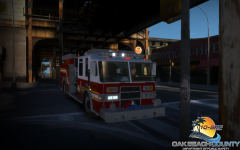 Not hard for me, I see the default bloom :p
 -
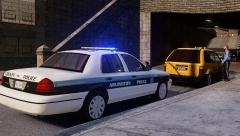 Could you pls tell me the Arlington font you used?
 -
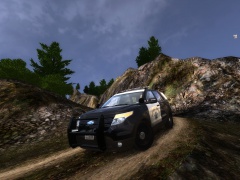 That pictured is clearly a 2011, you can say if from the chrome rims hubcaps. Plus on Google, every car having those caps has the full orange light & the ones wearing the '13 cap are half-only orange. *Except some very rare ones*

![[TEASER - DAY #1] "This is my house"](http://s3-gallery.int-cdn.lcpdfrusercontent.com/gallery/album_547/sml_gallery_2101_547_1133871.png)

