GreenAid
Members
-
Joined
-
Last visited
Everything posted by GreenAid
-
 Niiice!!
 -
No, you can't add stuff to locked models. EDIT: Ninja'd also. :s
-
I think you are missing some files like Scripthooks etc. Try reinstalling LCPDFR.
-
EDIT: Sorry Sentinel was right I went to check the model....
-
Delete the ELS V7 files first, the install V8.
-
![[TEASER - DAY #5] "Medical run"](//s3-gallery.int-cdn.lcpdfrusercontent.com/gallery/album_547/sml_gallery_2101_547_381900.png) Just use make instead of take.
Just use make instead of take. -
http://gtapolicemods.com/downloads.php?do=file&id=1981 Close enough.
-
 Next time just go to his profile & click on View name history ;)
 -
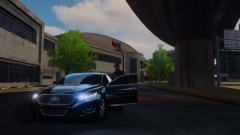 So where's the lights hehe
 -
Aww that's cool! Even tho it looks like the civ one....
-
 :C
:C -
 Seeing it's 2015 I think VooDoo.
 -
Feorci lol ^^
-
-
Did you already try deleting the most recent mods you've installed?
-
-
Why not use the most up to date? :D
-
Usually when I had this happen it was either a missing d3d39.dll in G4V's ENB, or a timecyc fault, try that.
-
That's in the enbseries.inin under BLOOM, I can't recall the exact name since I don't have one handy atm, but it should be smething like ....AddBlue.... Put that to 0.
-
I think you have to make it like NON-ELS & map some part of it emissive.
-
^ It's not a trainer, more like he delete the ASIloader.
-
 Tim rite? :D
 -
You got so many useless files in there.... Btw try making a commandline.txt & into it put: -nomemerestrict -percentvidmem 100
-
Delete d3d95 & FXAA.
-
I use the free selection tool, or in that specific case (make a straight line) you can use the path tool & the right click & find the stroke action. Unod til you find the thickness you like.

![[TEASER - DAY #5] "Medical run"](http://s3-gallery.int-cdn.lcpdfrusercontent.com/gallery/album_547/sml_gallery_2101_547_381900.png)