


GreenAid
Members
-
Joined
-
Last visited
Everything posted by GreenAid
-
 I think y'all mean timecyc*... enb hardly edits graphics.
 -
 You can, however, use an emissive with transparency gradually increasing towards the borders
 -
but they don't really look like that
-
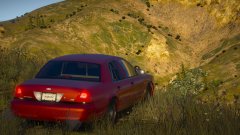
Tf is up with those rear lights? lol
-
 You edit opacity to make it looks different, not colour.. you just use the right colour and that's it.
 -
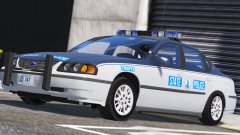 Somebody stole your headlight glass, I'd chase after him.
 -
.png.741fa7ca26c1dd9bb5ca8ea60f400766.png) Noiceee
Noiceee -
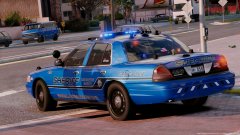 wot in tarnation.
 -
You need to lower these: <fRollCentreHeightFront value="0" /> <fRollCentreHeightRear value="0" /> A lot, maybe. Like, -0.2 at least
-
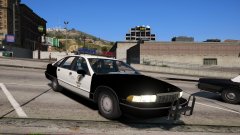 Hahaha rip
 -
Why is it matte tho?
-
If you replace them they should work with those too, as long as they're configured to work with the vanilla handlings.
-
According to the description of that mod you mentioned, it only has marginal edits. The one I mentioned is more complete and more realistic imo. If you give it a try and are used to vanilla give it an hour at first so you can get a good feel :)
-
Realistic Driving V by killatomate.
-
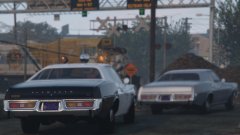 gibbo gibbo gibbo
 -
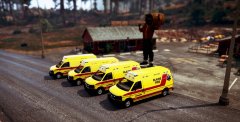 Me too :3
 -
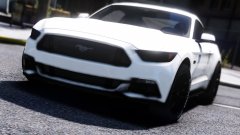 That's AO, not enb.
 -
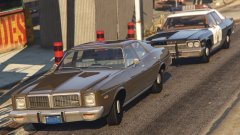 Gibbo! I hope it has better LODs that what Solo did on the Fury tho, it was a big letdown and prevented me from enjoying it
 -
Is that not a Fury?
-
![Heli edition [WIP]](//s3-gallery.int-cdn.lcpdfrusercontent.com/monthly_2017_10/small.20171013215341_1.jpg.2eb00f19c889e8f1e25040df4e2c43e9.jpg) Ok then, what's the issue? trainer only says you have one livery (number 0)? If so you might want to try reimporting your liveries, sometimes Openiv will kind of corrupt some texture and the game won't recognize it, happened to me always with liveries. One way to see if it did that is also to change mip map level, if the texture gets duplicated it means it was invalid and you can delete the older one, i.e. the one with the previous amount of mip maps.
Ok then, what's the issue? trainer only says you have one livery (number 0)? If so you might want to try reimporting your liveries, sometimes Openiv will kind of corrupt some texture and the game won't recognize it, happened to me always with liveries. One way to see if it did that is also to change mip map level, if the texture gets duplicated it means it was invalid and you can delete the older one, i.e. the one with the previous amount of mip maps. -
Is the ytd set up properly? sign_1 to sign_** (depends how many liveries you have)
-
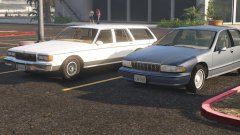 *shrug* oke then
 -
Meh. 200k polies are fine as long as lods are fine :) (meaning LOD0 will never actually "load" in traffic cause it's >15 metres) and if the L1 is = L0 with a LQ engine and interior. Carface's Caprices are good sure, but they're a bit dated now, and don't have readily available LODs like Forza cars.
-
I would do it myself but IDK what the differences are...
-
We need a Civvy caprice /multiple, done on the Forza one Lundy released rather than on the old SA one :p

.png.741fa7ca26c1dd9bb5ca8ea60f400766.png)

![Heli edition [WIP]](http://s3-gallery.int-cdn.lcpdfrusercontent.com/monthly_2017_10/small.20171013215341_1.jpg.2eb00f19c889e8f1e25040df4e2c43e9.jpg)
