



SuperStumpje
Friends of LSPDFR
-
Joined
Everything posted by SuperStumpje
-
If that folder was still called "Grand Theft Auto V - Copy" when you launched the game, it didn't use that folder, but instead the one simply called "Grand Theft Auto V". Rename whatever folder you want the game to use to the latter, and it should work.
-
When it's done. If there's anything to reveal, I'm sure it'll be revealed. If nothing is revealed, then there is nothing to reveal.
-
Nope, doing that will almost certainly crash the game.
-
When I think of cross-platform consistency I think of making sure it all feels the same, looks the same, and has the same actual content. Having the same framerate is not among those things. I'll never understand some game devs...
-
Why on earth do devs still think that's an acceptable thing to do.....
-
Best case scenario would be if they did an SCS and released it Thursday evening. For those who have no clue what I'm on about, SCS software released American Truck Simulator a few hours early, around 6PM CET, because the planned midnight CET release would have meant staying up all night in case something went wrong, which they didn't want to as they valued their sleep too much.
-
That's an understatement.... Nothing more fun than running out of fuel in the middle of a police chase (at least it makes you plan ahead, and then ditch those plans and improvise) And don't forget working windshield/windscreen* wipers. Didn't even notice that until yesterday (or forgot, haven't played it in ages until this week), but they actually turn on when it's raining, both on player and AI cars. Such a small detail, but so nice. *encircle the word considered correct for your part of the world PS: hope forum software doesn't send 3 notifications due to me quoting 3 bits of your post. If it does, sorry!
-
I've always liked Mafia 2, so I'm definitely interested to see what they did for 3. Also hoping you won't be bound to the story as much. For such a large city, Empire Bay had surprisingly little to do, other than play missions or get chased by the cops (who are surprisingly easy to lose, too).
-
The files you are asked to replace aren't the actual mod files, but just a few dependencies. Everything will still work after replacing them.
-
There's an automatic installer, a manual install (drag&drop) and an alternative automatic installer which doesn't have any ads in it. Pick whichever one you like, install it, then install the RAGE Plugin Hook, overwriting all the files when doing so.
-
I was actually looking into that, and came across this: https://forums.firehouse.com/forum/firefighting/firefighters-forum/34931-fire-rescue-boats Apparently, if a body of water is navigable, aka it has an ocean connection or goes through more than one state, it's covered by federal regulations, which state that law enforcement (including coast guard) are supposed to use all blue lighting, and other emergency services can use red/amber lights. If a body of water is not navigable, it's covered by state laws, which in SA probably means do whatever the fuck you want. Make of it what you want, I don't really care that much about the final result, I'm already happy with the boats having lights to begin with :)
-
Guessing it's either not a law, or it's only a law in certain places. Might have something to do with the amount of ship traffic, as that boat does not seem like something used to patrol busy waterways. Then again, I don't know what US regulation is, over here emergency lighting in general is all blue, and as a result boats too have just blue emergency lights.
-
I believe the reason for all blue lights on police/fire/coast guard/other emergency boats is because red is already used in navigational lighting on ships, and red emergency lighting might cause confusion as to in which direction the vessel is moving. Don't quote me on that though.
-
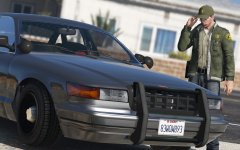 When it's done.
 -
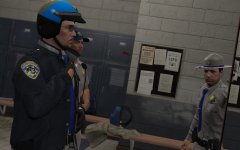 Probably when it is done.
 -
My autism is not happy right now.
-
Vehicle options > something with components, should be left column, lower half if I remember correctly.
-
All RDE stuff is in a separate DLC folder, so finding it is easy. Also, there should be a custom backup thingy with the file from what I've been told.
-
You'd probably have to wait for ELS to be released, as that's not possible with the default V lighting system.
-
You mean like the guy on the right in this spoiler?
-
Actually, that will cause problems. RAGE Plugin Hook will always use the files from the folder called 'Grand Theft Auto V'. Any other name and it will not work properly.
-
Seeing as pretty much everything you have is from @Albo1125, there is most definitely a file with installation instructions. The download should have a folder called documentation and licence in it. In there is everything you need.
-
Every single file in your Plugins folder, except for the 2 LSPD First Response files and the LSPDFR folder, is installed in the wrong place. Delete all plugins and reinstall them, closely following the instructions provided with the files.
-
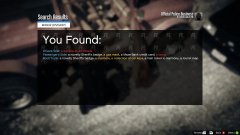 I guess that thing got stolen along with this:
 -
If you're talking about the information display, I know for a fact that's described in the documentation that comes with ELS. You could of course also just check the config file for keybinds you don't know and try them ingame.


