




Kilyin
Members
-
Joined
-
Last visited
Everything posted by Kilyin
-
if you deleted the PLD.asi, there is literally no way for the mod to still be showing up in the game as that's all it is. So either you've got multiple copies of the game as said above, or you didn't remove the .asi file.
-
-
 in the archive there's a lighting folder, with another folder called red and blue lights. Install the textures to the .ytd file.
- 117 comments
- 28 reviews
-
 Yeah, the unmarked charger will not accept liveries. That's not really a surprise though. Use the wheel mod from PSources 2009 Charger on this site.
- 445 comments
- 108 reviews
-
 This plugin has jack shit to do with a coroner so maybe take this stuff over to Police Radio where it belongs? Just an idea.
- 1,081 comments
- 166 reviews
-
Oh right, because it's fbi and that by default doesn't support liveries. You just need to add a section to the vehicles.meta for it, if you can't figure it out I'll post a .meta edit later.
- 445 comments
- 108 reviews
-
-
Loving the cars man. Just need a few more options as has already been said (pushbar, etc). Unmarked Charger as an addon vehicle (FBI4) with steelies. I've gotten every car to work as a non-replacement so far except the Sheriff Tahoe, still working on that ;p
- 445 comments
- 108 reviews
-
-

- 1
-
-
-
 If you define 'working well' as typically 20-30 FPS loss and more the longer you play, I guess I can see your point.
- 29 comments
- 21 reviews
-
-
- 4
-
-
-
-
 @Patrinus This guy is full of dookey, all of this works for me. My only complaint is the K9 seems to have a really 'small' range for attacking and/or responding to commands. If you could increase that and maybe make him a little bit faster, that would be super.
- 542 comments
- 98 reviews
-
-
- 1
-
-
 Works as advertised. In addition to BetterEMS and backup,xml, you can also plug these into dispatch.meta if you're feeling froggy.
- 17 comments
- 2 reviews
-
-
- 1
-
-
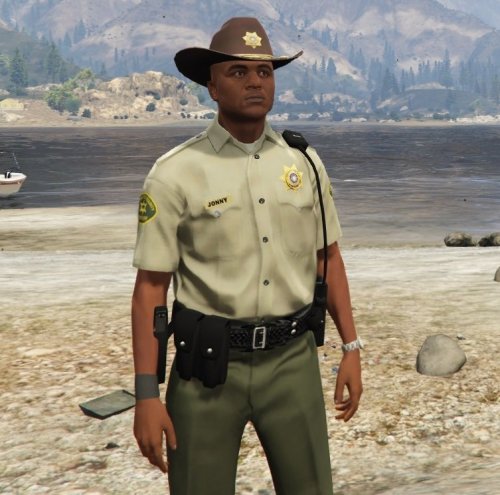
Try a modified gameconfig.xml. Maybe it works for peds as well as cars? I use this one: https://www.gta5-mods.com/misc/gta-5-gameconfig-300-cars @legionariusany chance for the sheriff you could add the green sheriff campaign hat? I'm really not a fan of the brown one ;)
- 17 comments
- 2 reviews
-
-
- 1
-
-
Sure, but I did mine differently than the instructions. I made the peds.meta edit in update\x64\dlcpacks\mpexecutive\dlc.rpf\common\data because it's smaller (I don't like copying 3GB files to my mods folder if I can avoid it), and I just dumped all the ped and pedprops into update\x64\dlcpacks\patchday9ng\dlc.rpf\x64\models\cdimages\patchday9ng.rpf file. Here's my peds.meta from mpexecutive
- 17 comments
- 2 reviews
-
-
- 1
-
-
Yup, these ambient pursuits are just LSPDFR, and they always end in a shootout. That's why I just ignore them for the most part.
-
-
-
 UIConfig.ini //true or false //Default: ShowUIWhenEnteringVehicle=true ShowUIWhenEnteringVehicle=false
- 851 comments
- 108 reviews
-
unreleased if you aren't a member of the cool kids club.
-
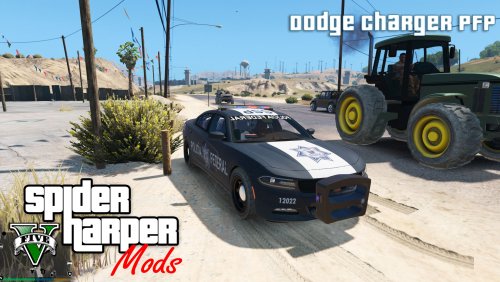 you spelled your name wrong in the logo for the images.
 -
-
I'm getting the same exact crash, so at least you're not alone. ;) Mine occurs the moment I enter the vehicle though.
- 851 comments
- 108 reviews
-


