Kilyin
Members
-
Joined
-
Last visited
Everything posted by Kilyin
-
 carvariations.meta - the 4 lines in bold force the car to spawn black. <modelName>fbi</modelName> <colors> <Item> <indices content="char_array"> 0 0 0 0 </indices> <liveries> <Item value="true" /> <Item value="false" /> <Item value="false" /> <Item value="false" /> <Item value="false" /> <Item value="false" /> <Item value="false" /> <Item value="false" /> </liveries> </Item>
- 445 comments
- 108 reviews
-
you're missing a closing </Item> tag here: <sirenSettings value="1" /> </Item> <Item> <modelName>chpcvpi3</modelName>
-
 That's what I'm referring to. The only level of detail on the .yft is "High".
- 563 comments
- 116 reviews
-
-
Do you plan to ever add any LODs to this model? Instead of using vehicles.meta to increase the distance?
- 563 comments
- 116 reviews
-
-
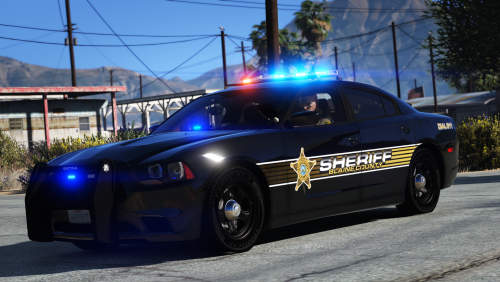 Open ytd in OpenIV (put in edit mode), select the skin texture and click replace, select the .png file, click save.
- 16 comments
- 14 reviews
-
-

- 1
-
-
 Looks like window tint to me. Dirt on a window isn't going to have that effect on a siren.
- 779 comments
- 187 reviews
-
-
Here's a video for reference. I already PM'd Captain14 about it. I even went back a version and it still does this. Not sure about the blinding reverse strobes, I don't have that problem as you can see, maybe it's a mod you're using.
- 779 comments
- 187 reviews
-
Naw, even with diffuseTint set to <diffuseTint value="0x00FFFFFF" /> the car spawns with blacked out rear windows like in his screenshot. Manually adjusting the window tint does nothing either because it's the 'dirt mapping'. Cleaning the car fixes the problem.
- 779 comments
- 187 reviews
-
-
- 1
-
-
 Absolutely phenomenal. I remember reading that this was impossible to do, and you've done it. Thanks for a truly awesome mod.
- 138 comments
- 34 reviews
-
-
- 1
-
-
You're welcome. Let me know if that doesn't get it working and post another log if so.
- 138 comments
- 34 reviews
-
Use a trainer to remove all weapons before forcing duty, or remove HeroCop. It looks like that is the problem when you force duty (probably because it's trying to give you a weapon (flashlight) you already have): I see a couple more issues. You got some sort of problem with SirenMastery: And it looks like you might not have installed Code 3 Callouts correctly:
- 138 comments
- 34 reviews
-
-
- 1
-
-
-
.thumb.jpg.6c80ecc7060134b39a0d153a8d09ac1f.jpg) I'm not bugs, but if you don't have update.rpf in \mods\update it isn't doing anything anyway. The file structure has to match the original game.
I'm not bugs, but if you don't have update.rpf in \mods\update it isn't doing anything anyway. The file structure has to match the original game.- 107 comments
- 24 reviews
-
.thumb.jpg.bfad1c193dd40b9d539eefd7c5187a5a.jpg) on the blue and red version, the coronas are still purplish on the side view mirror and front sirens.
on the blue and red version, the coronas are still purplish on the side view mirror and front sirens.- 157 comments
- 46 reviews
-
-
Log indicates you haven't installed:
-
Real men don't use antivirus.
-
-
-
You can do that with a vehicles.meta edit too, just change the audioNameHash to POLICE
- 107 comments
- 24 reviews
-
 Well, I can tell you for a fact, this is not a virus/trojan. It wouldn't be here if it was. It's a false positive.
- 204 comments
- 22 reviews
-

.thumb.jpg.6c80ecc7060134b39a0d153a8d09ac1f.jpg)
.thumb.jpg.bfad1c193dd40b9d539eefd7c5187a5a.jpg)