




Kilyin
Members
-
Joined
-
Last visited
Everything posted by Kilyin
-
 edit the car specific .xml file in your ELS folder. <INTERFACE> <LstgActivationType>manual</LstgActivationType> <DefaultSirenMode>standby</DefaultSirenMode> <InfoPanelHeaderColor>grey</InfoPanelHeaderColor> <InfoPanelButtonLightColor>orange</InfoPanelButtonLightColor> </INTERFACE>
- 2,663 comments
- 234 reviews
-
-

- 1
-
-
-
This mod has been downloaded almost 101,000 times and is used by thousands and thousands of youtubers and LSPDFR players. Maybe it's time to take a step back and re-examine the fact you might have made a mistake somewhere along the line.
-
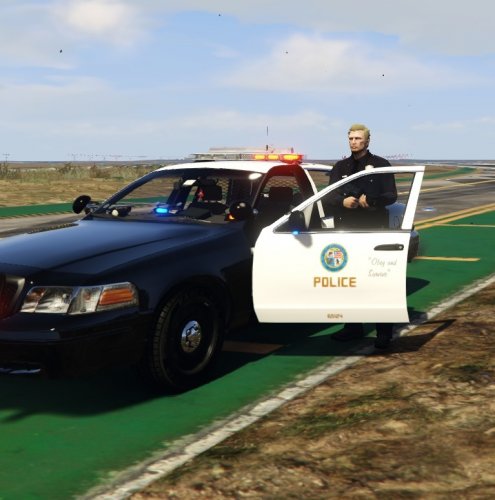 Just a slight correction, this will work on any bugs CVPI, they're all the same template.
 -
-
-
You seem a little high strung today. It's $60 on steam right now, glad you got it on sale, but you still pissed away 30 dollars for no reason. You don't need to buy two copies of the game to have two copies of the game on your hard drive. And this mod works perfectly fine if you install it correctly.
-
Well you didn't need to buy another copy, you could've just copied the folder, but if you got 60 bucks burning a hole in your pocket...
-
-
 you know ragepluginhook is a trainer right... press f4 type spawn police7 etc
- 779 comments
- 187 reviews
-
-
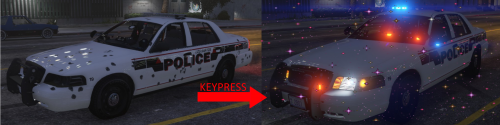 Not my mod ;) And yeah simple trainer has key bindings, but the great majority of them are undesirable when playing LSPDFR, so I keep them disabled.
- 21 comments
- 21 reviews
-
-
- 1
-
-
-
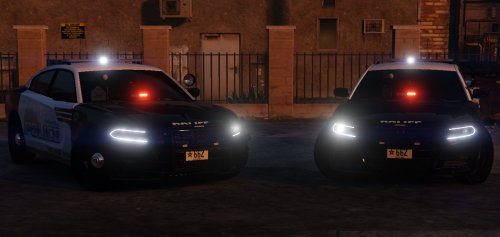 Anyone have a an ELS .xml file that has lighting on the first stage? Haven't figured that out yet, otherwise works great.
- 40 comments
- 12 reviews
-
Because people whined that the mod was dumb because you could 'already do it with a trainer'. I'm not disparaging your mod, and yours actually has an .ini to configure keys so you're already a step ahead. I still use the mod I linked, but I'll give yours a try.
- 21 comments
- 21 reviews
-
 I know it's not my ELS either because Cruise, Takedown, and Scene Lights work on Five0's new release.
- 427 comments
- 75 reviews
-
-
- 1
-
-
Cool, last guy that did this got his whole mod thread locked because people are dipshits. Good luck with yours.
- 21 comments
- 21 reviews
-
-
- 1
-
-
@Thehurk In the marked .xml file you have <Extra11 IsElsControlled="false" /> Changing that to true fixes the Takedown and Cruise Lights, still no scene lights though, or a button.
- 427 comments
- 75 reviews
-
I'm using your .xml file and it has <Extra11 IsElsControlled="true" /> Problem is, if it spawns with that extra, the scene lights are turned on permanently, and you can't turn them off.
- 427 comments
- 75 reviews
-
That CVPI model from Albo's video was pre-ELS release, probably different model because the one from here only has cruise lights. I just verified neither of these FPIUs have scene lights, and there seems to be some sort of glitch with the takedowns as well.
- 427 comments
- 75 reviews
-
I don't think it's just you. I don't know of any current ELS models that have working SCL. Most don't even have TKD (Takedowns).
- 427 comments
- 75 reviews
-
-
 I just downloaded and extracted it from here without an issue. You guys running old versions of 7zip?
- 311 comments
- 39 reviews
-
-
- 2
-
-
All looks good to me except the front two bottom sirens on the slicktop, all other cars look fine as well. I don't like "cancer lights".
- 427 comments
- 75 reviews
-
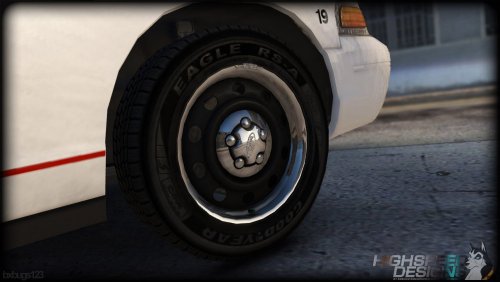
@Thehurk I swapped the emissive.png from the marked to the slicktop, and it's still not quite there yet, but it looks a whole hell of a lot better than it did. Maybe just a little bit more 'emissive multiplier' or whatever you guys do in zmodeler3 to those front bumper sirens. These exploders are absolutely magnificent... all that aside. Demonstration:
- 427 comments
- 75 reviews


.thumb.png.04a1687a445e54a18a959b7926b87d7b.png)
