Kilyin
Members
-
Joined
-
Last visited
Everything posted by Kilyin
-
-
-
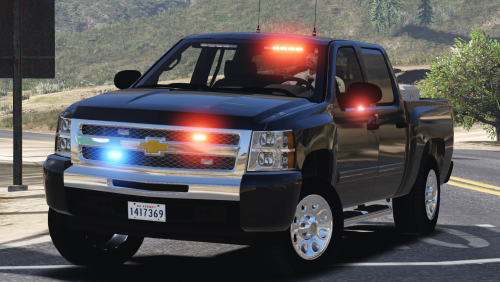 If you have this line in the .xml file that shouldn't happen. <Extra08 IsElsControlled="false" AllowEnvLight="true" Color="amber" OffsetX="0.00" OffsetY="-0.80" OffsetZ="0.40" />
- 39 comments
- 27 reviews
-
-
No there's 3, he just changed it in the VCF file from manual to auto. You can switch it back to manual.
- 39 comments
- 27 reviews
-
yeah just figured that out, guess I need to force that through carvariations, thx
- 39 comments
- 27 reviews
-
-
-
-
-
 Latest meaning the highest number, which would be 13. You can use 11 though, it's smaller and has a vehicles.rpf.
- 85 comments
- 45 reviews
-
 would concur with @Pumpk1in, lightbar is kinda dim, the white lights are barely visible at all. I'll see if I can fix it myself.
- 62 comments
- 44 reviews
-
-
-
-
That'd be @Fiskey111 and L.S. Noire.
-
-
-
-
 Cruise lights are not typically even that many lights... you might be able to change it in the ELS .xml file.
- 2,663 comments
- 234 reviews
-
-
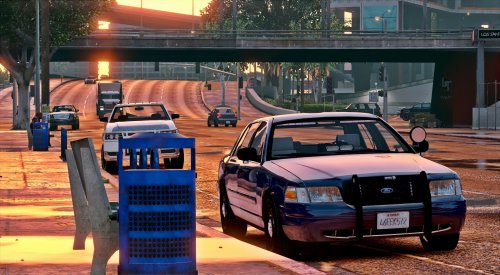 Rear light doesn't do that for me. The spotlight is tied to the highbeams instead of the takedowns though, which should probably be fixed.
- 71 comments
- 24 reviews
-
-
 go to purple (blue? I don't remember, whatever) bone on map, get real close to the dog and HOLD G.
- 542 comments
- 98 reviews
-
 Latest version adds support for boat transport, looks like the calculation for "am I in water" was a little off.
- 1,915 comments
- 242 reviews
-
-

- 1
-