


nh1256
Members
-
Joined
-
Last visited
Everything posted by nh1256
-
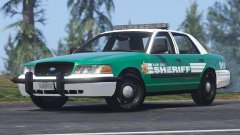 Damn I was hoping so. Think you could throw in a '98 CVPI? Not a lot of equipment in the real one, so it wouldn't take long to make either. Just a suggestion. Excited for this!
 -
Wow. Amazing job What other cars should we expect to see in this pack?
-
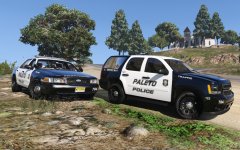 How you guys know Prophet made this Tahoe?
 -
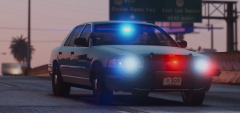 Nice work, Five0
 -
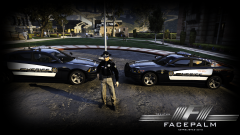 This Charger and just about all of Bxbugs123's vehicles were all leaked on gtainside.com
 -
Damn, bummer. Still look good though
-
-
Oh my god these skins look absolutely beautiful. I love the American flag part you did to the back. They look amazing! These are 100% going in my game when they are finished. Beautiful work, keep it up!
-
Could you PM me your files for the car you have. I will import it to see if anything stands out. I promise I won't upload your work or rip from it or anything.
-
total the files you should have are (in your case using police4) police4.ytd police4_hi.yft police4.yft. also make sure you don't have the police4+hi.ytd from another car in your directory.
-
well all the imported parts you have (i.e. lightbar, rambar, antennas, etc.) need to be placed in the chassis section of your base model. So, in your case the crown vic, should be called like "police" or something of that nature and then have the plus sign next to it. click plus and you will see "chassis" branched below it. then just drag all your added parts in to the chassis. Actually you probably did that but it looks as if your missing a .yft maybe. You should have a .yft and a _hi.yft and a .ytd
-
How do I convert a IV DEV Wheel to a working DEV one in GTA V? When I try to export said wheel in V, I get a missing shader error that I don't know how to fix. ZModeler is ready. Undefined adaptation on material "". Dropping to "default". Can not obtain Shader material from "vehicle_generic_tyrewallblack tire". file:RageExportMaterial.cpp line:114
-
Do you have the imported parts added to the chassis of the vehicle?
-
.thumb.jpg.bfad1c193dd40b9d539eefd7c5187a5a.jpg) There's a lot of people having problems with install. I just added the car as an add-on and it works flawlessly for me.
There's a lot of people having problems with install. I just added the car as an add-on and it works flawlessly for me.- 157 comments
- 46 reviews
-
-

- 1
-
-
 Is there a way to use the lighting patterns for other vehicles by other modelers? Or does it only work for these ones? By the way, great pack! I managed to use all of them as add-ons and use no replacements.
- 445 comments
- 108 reviews
-
-
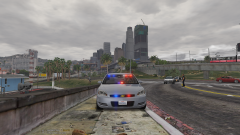 Beautiful
 -
-
-
.thumb.jpg.30de2cdd6bdce371d029c527c67ad196.jpg) Good point. Maybe they're just random letters Bugs uses that we are just overthinking. Lol
Good point. Maybe they're just random letters Bugs uses that we are just overthinking. Lol- 101 comments
- 33 reviews
-
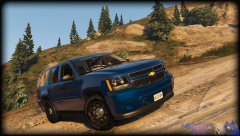 Holy shit
 -
-
.thumb.jpg.a4a34b706ab065eb1cdc7c8e75034ea3.jpg) I think he was going to release them in a mini-pack, including the two released today (Charger and CVPI) and an Impala. I also think he was going to release the CVPI hubcaps with it, considering LAPD uses hubs on most of their Vics, and these cars are LSPD/LAPD based.
I think he was going to release them in a mini-pack, including the two released today (Charger and CVPI) and an Impala. I also think he was going to release the CVPI hubcaps with it, considering LAPD uses hubs on most of their Vics, and these cars are LSPD/LAPD based.- 30 comments
- 28 reviews
-
Well I think "U" is for his Unmarked vehicles. I think "A" is for his marked vehicles. Don't quote me on that though. Yea, were you going for a clear Arjent, or a blue one?
- 101 comments
- 33 reviews
-
Honestly, I agree with @AMSAGENT000. All of Bxbugs123's models are always top notch. Yes, he doesn't release models everyday, but when he releases models, they're always good and I find little to none to ever complain about. These models were meant to be simple, and to replicate LAPD lighting set-ups with an LSPD twist, hence the slight lack of lighting. Yea, they aren't accurate LAPD but LSPD is also clearly in the title, and nonetheless its still a beautiful car.
- 30 comments
- 28 reviews
-
-

- 2
-
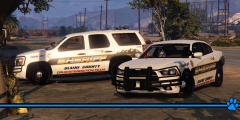
.thumb.jpg.bfad1c193dd40b9d539eefd7c5187a5a.jpg)
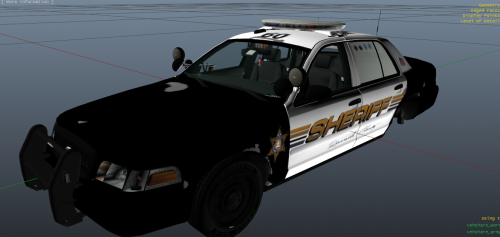
.thumb.jpg.30de2cdd6bdce371d029c527c67ad196.jpg)
.thumb.jpg.a4a34b706ab065eb1cdc7c8e75034ea3.jpg)