nh1256
Members
-
Joined
-
Last visited
Everything posted by nh1256
-
 i got a unknown trouble call and the guy was saying he couldn't get a ride by a cab so he asked if i could drive him home. i couldn't figure out how to say yes or no, and i ended up headbutting the guy in the face by accidentally pressing "R". lmao
- 422 comments
- 73 reviews
-
-
 sounds good! i really do appreciate the fact that you are actually taking your time to try to figure this out lol. oh, and if you have any questions about whatever problems im experiencing then dont hesitate to ask. best of luck!
- 42 comments
- 10 reviews
-
It's okay hahah i hope we can figure out the problem. And yes, I'm running a steam version of the game. And the rest of the mod is flawless. its absolutely beuatiful and is probably one of my favorites i have installed. i hope to see some more great mods from you in the future. also i must note that the only "corrupted" interiors are the add-on vehicles, the vanilla vehicles that you have just modified the texture of (i.e. Sheriff Granger) are working perfectly fine
- 42 comments
- 10 reviews
-
alrighty ill give it another installation try and let you know how it goes i re-installed the most recent version of the mod and im still having the same problem lol i have no clue why. i know for a fact that i installed them properly, and i have no doubt that it is not on your end either, being as you are having no problems.
- 42 comments
- 10 reviews
-
-
-
-
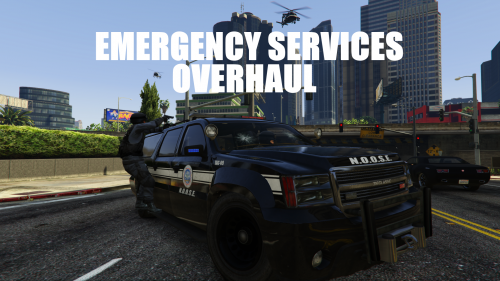
I went ahead and reinstalled the mod and it did not change. also i noticed that for some odd reason in every vehicle the front portion of the vehicles interiors (i.e. the gauges seats and steering wheel) are white and appear corrupted. here are some pics of the NOoSE vehicles
- 42 comments
- 10 reviews
-
-
alright thanks lol think im going to have to re-install this because the FBI Granger, which you changed to be the NOoSE Granger is appearing corrupted for some reason and the riot spawns with the new NOoSE decals, but the same old grayish color
- 42 comments
- 10 reviews
-
This mod is absolutely amazing. It looks beautiful, and adds a whole lot of variety to either being chased from the cops, or playing as one in LSPDFR. Id put 6/5 stars if I could.
- 42 comments
- 10 reviews
-
-

- 1
-
-
i may just be acting stupid but I havent seen the NOoSE Granger or the NOoSE riot yet lol is there anyway to spawn these? by the way amazing mod ill leave a review
- 42 comments
- 10 reviews
-
-
- 1
-
-
-
 this is a beautiful mod but something caught my eye and i have a question about it. how did you get the skins for the buffalos in the one picture? it just caught my attention lol
- 46 comments
- 9 reviews
-
you ultimately are a life saver lol i have been trying for so long i cant thank you enough lmao
-
for some reason it isnt working for me. i have installed both LSPDFR 0.2b and the newest rage hook plugin yet it has reset my LSPDFR to what seems to be the original version 1.0. i have tried reinstalling multiple times yet i cannot access the police computer, ask peds for ID, or any of the newest features.
-
okay thank you much appreciated
-
i dont know what is going on :( whenever i try to download LSPDFR 0.2a or 0.2b, both firefox and Chrome block it and confirm that there is malware present in the files.
-
.thumb.png.386c0df8fffb817a4c16d78acd8e01a1.png) yeah thats what i meant sorry lol
yeah thats what i meant sorry lol -
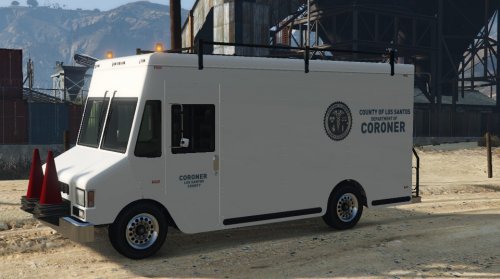
It replaces the snowy bank truck so no you probably would see it
-
.thumb.png.386c0df8fffb817a4c16d78acd8e01a1.png)