




Albo1125
Insiders
-
Joined
Everything posted by Albo1125
-
Does reverting your backup not work? > Open GameBackups.rph with WinRAR or 7Zip. Inside, there will be a file called 757 or 778. Extract that file. Then, open the extracted file with WinRAR again. All the backed up game files are inside. Overwrite these in your GTAV directory. Use at own risk.
-
 Hey, you should really take this to the support forums, but what's keeping you from updating? GTAV just updated. Wait for a few days until the new RPH comes out, then update your game & start fresh so you can use all the latest stuff. 678.1 is really really old.
- 3,646 comments
- 306 reviews
-
-

- 1
-
-
-
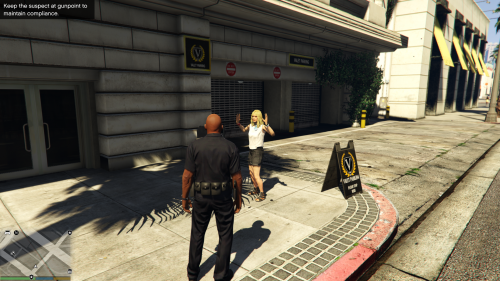 All issues with holding E / arresting peds are caused solely by LSPDFR. None of my plugins interfere with this at all - not sure how you got that idea. Regs.
- 54 comments
- 22 reviews
-
In this topic you're basically asking us to write an entire plugin for you. This is not the purpose of this subforum (rather, go to the suggestions forum). This subforum exists to help you get started or when you get stuck when writing actual code. You are asking about extremely advanced stuff (some of which isn't even possible at this time). As you are a beginner in C#, you should take it down quite a few notches and start simple (understanding and reproducing the beginner guide projects should help you get a feeling for how the basics work, including below issue). If you're having trouble figuring this out, I suggest you follow my video guide to get your basics down (here). You may also be having trouble because you're lacking basic C# knowledge. Follow all the tutorials here: http://rbwhitaker.wikidot.com/c-sharp-tutorials Not everything in the game is possible via RPH yet. You'll need to use natives, documented here: http://www.dev-c.com/nativedb/ Actually, the RPH documentation is pretty extensive, well-written and clear. Make use of the Search function and spend some time with the docs while learning simple stuff (like, 10 hours or so at the absolute minimum). This should get you more comfortable. You can also use Visual Studio's IntelliSense if you prefer (RPH has XML documentation as well). I'd advise you to write simple stuff (doesnt have to be unique, just for practice) to get a proper feeling for RPH & LSPDFR. Continue challenging yourself, but make sure it's well within your skill level. Don't expect to finish coding all of the above points anytime soon if you've just started out. Good luck.
-
-
-
-
 To quote the instructions: //Set a custom tow truck colour override here. Use valid names from this table: https://msdn.microsoft.com/en-us/library/system.drawing.color(v=vs.110).aspx?f=255&MSPPError=-2147217396 //Leave blank to randomise. //Default: TowTruckColourOverride= TowTruckColourOverride=
- 1,915 comments
- 242 reviews
-
-
- 1
-
-
 @LarsLovesGaming In the Troubleshooter log at the top, you first see your current GTAV path and underneath the path it is expecting (Regpath). You either need to move your GTAV directory to RegPath or edit your registry so it matches the top one.
- 379 comments
- 113 reviews
-
-
- 1
-
-
 You need Windows Media Player installed & enabled on your pc as said above. Regs.
- 1,081 comments
- 166 reviews
-
-
- 1
-
-
 In that case, there is an update. Redownload the file and use the editor that comes with that.
- 270 comments
- 19 reviews
-
I don't believe so. I think there are 1 or 2 random persona detail generator tools though.
-
-
-
 Thank you. Please delete the following file: GTAV/Plugins/LSPDFR/British Policing Script/CourtCases.xml Then install the British Policing Script update. Go on duty and you should be good. Regs.
- 203 comments
- 29 reviews
-
-
Getting the megaphone effect on shouldn't be that much of an issue really. Speech recognition is another matter altogether, though. If that's your ultimate goal I'd ask the author of VocalDispatch if he's willing to add a megaphone effect option (after recognising the speech).
-
Please post screenshots of your GTAV, GTAV/Plugins/LSPDFR and GTAV/Plugins/LSPDFR/British Policing Script folders.
- 203 comments
- 29 reviews
-
 Hello. Please follow the following steps thoroughly. Support - what to do if you encounter a bug or have problems: Watch the installation video for my modifications here. Use this tool: http://www.lcpdfr.com/files/file/9755-lspdfr-troubleshooter-by-albo1125/ Read the documentation PDF file if you're having trouble getting a specific feature to work. Suggestions can be made here. If all else fails: Please leave a comment (not a review). Include your RAGEPluginHook.log file, located in your Grand Theft Auto V folder. Also, please provide an accurate description of what happened. This allows me to help you as fast as possible.
- 1,178 comments
- 137 reviews
-
Please post on the British Policing Script download page comments with your full log.
- 1,178 comments
- 137 reviews
-
By default, the settings all accommodate the default Medium probability. The INI setting is there to allow users to 'force' a specific callout (e.g. Bank Heist, which is set to very low by default). Back when I created all of those, LSPDFR didn't have any kind of API function to force callouts. Because I set my callouts to such a low probability by default to maintain realism and lots of other callouts are being set to higher probabilities, mine occur very rarely if a user has multiple callouts installed. I consider it a good thing to have for user customisation - which is something entirely different than using the default settings and using the default probability.
-
-
-
This is related to British Policing Script. It appears you haven't installed it properly (you're missing Grand Theft Auto V\Plugins\LSPDFR\British Policing Script\CourtCases.xml). Likely a callout opened a pursuit but didn't assign anything to it. This is something I can't do much about. You'll have to contact the author of the callout that was running so he can fix this. In that case, you haven't installed the requirements listed above. Please follow the installation instructions & requirements carefully. Other callouts still need to add support for it. This will follow in due course, I'm sure. Currently, only keyboard is supported for opening the pursuit tactics menu. I can add a controller button option next update.
- 1,178 comments
- 137 reviews
-
-
- 1
-


