
alexguirre
Members
-
Joined
-
Last visited
Everything posted by alexguirre
-
I started to work on a new callout, Murder Investigation, it will be available in the next version, v0.6.
-
Not really sure why that happens but for some reason it can't load the id card model, you either are missing the model "hei_prop_hei_id_bank" or it took to long to load the model, restart your computer and try again.
-
You can use one of the PLAY_SOUND natives but to use them you need to know the real name of the audio file and not the hash, I don't know any way to get the name from the hash so you will only be able to use those that OpenIV has already decrypted.
-
-
Updated to Version 1.1 Changelog: Police Station Armory v1.1: Fixed bug where you could access the armory from the roof of the station. Police Station Armory Loadouts Creator v1.1: Now only the allowed components for the selected item can be added. Added few missing components. Fixed bug where the previous loadout wasn't cleaned up when you loaded another loadout.
-
There's any reason to why you're using the natives? You can use Game.SetRelationshipBetweenRelationshipGroups(), with this you don't need to know the hash of each group or the index of the relationships types. Some time ago I also have this relationships problem wth preventing cops from shooting some normal peds, I solved it by using Relationship.Companion, or index 0 if you continue to use the native. Example: Game.SetRelationshipBetweenRelationshipGroups("COP", "MYGROUP", Relationship.Companion); You can try what Albo said too, that should work.
-
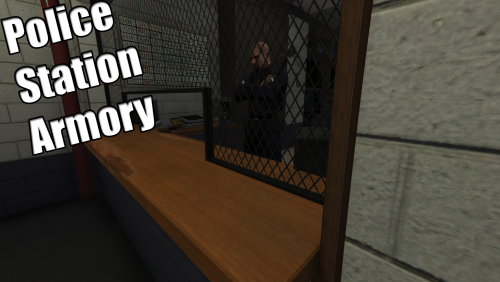 Little progress update: In the loadouts creator, I finished with the grey out of the invalid components for each weapon, added few missing components and fixed a bug where if you load a loadout after making a first one the first one items remain in the loaded loadout. Now I'm going to fix the bugs in the actual plugin and there should be a new release soon. For the standar pistol are: PISTOL_CLIP_01, PISTOL_CLIP_02, AT_PI_FLSH, and there two more missing that will be added in the next update(don't modify the .xml to add these ones, it will crash the plugin): AT_PI_SUPP_02; PISTOL_VARMOD_LUXE; And for the shotgun: PUMPSHOTGUN_CLIP_01; AT_AR_FLSH; AT_SR_SUPP; and one missing, that will be added in the next, as well(don't modify the .xml to add this one, it will crash the plugin): PUMPSHOTGUN_VARMOD_LOWRIDER Anyways I recommend you to wait for the next update.
- 127 comments
- 33 reviews
-
-

- 1
-
-
 The changes were minimal, doesn't make any sense that the previous version runs smooth and the new one not. That happens all the time or only when you open a menu? The only moment RAGENativeUI could have some performance impact is when a menu is open. I will do some tests to see if I notice a performance problem tomorrow.
- 1,915 comments
- 242 reviews
-
Yes, that's a bug, happens when I forget about the roofs on top of the buildings
- 127 comments
- 33 reviews
-
Don't worry about the attachments, I found the files that says which attachments go with which weapons, just need to create a simple program that parses these files and writes to a .txt each weapon components About that "bug", are you saving the loadout after you finish creating/editing it, if not you have to click the "Save Loadout" button and save it in the Plugins\Police Station Armory Resources\Loadouts folder. After if you reload the plugin the loadout should show up.
- 127 comments
- 33 reviews
-
-
-
-
It was compiled with v0.37 and tested with v0.37 and v0.38. No idea why it isn't working for you.
- 127 comments
- 33 reviews
-
Ok, this mod uses a similar mouse system to the one used in the console, I suppose RPH has some problem with the mouse input. No idea on how to fix this, wait for an update with controller support.
- 127 comments
- 33 reviews
-
-
I thought I made a user-friendly application I will try to do a video explaining how to use it.
- 127 comments
- 33 reviews
-
You can use RAGENativeUI, though it's not exactly to the one in that picture, it's more like the default GTA V progress bars. Check the wiki and the example to see how to create and use them.
-
Yes, it is
-
@joe25 LSPDFR doesn't use RAGENativeUI and the End callout menu is from CalloutsV by LukeD who neither uses RAGENativeUI, you will have to ask LukeD to add controller support.
-
No, that depends on the way the devs set up their menus, there I'm explaining how the devs can disable the cursor.
-
You can already do that, if I recall correctly you set the properties UIMenu.AllowCameraMovement to true and UIMenu.MouseControlsEnabled to false. This will allow you to move the camera and won't draw the cursor but I don't think this allows you to shoot, you will have to set UIMenu.ControlDisablingEnabled to false. EDIT: I did a quick check at the source code and setting MouseControlsEnabled to false should allow you to aim and shoot.
-
It should be compatible with every plugin unless the author added a version check that prevents you from using different versions of RAGENativeUI. You can stay one or two days with 1.3 to be sure that the author knows of this update and he will be the one to say if it's compatible or not.
-
IsUsingController returns true if the last input was from a controller or false if it was from the mouse or keyboard. In RAGENativeUI it's used to correctly handle the input, for example, don't draw or detect the mouse cursor if the player is using the controller.
-
Currently I don't know exactly which components work with each weapon, if I find a fast way to get this information I will grey out the incompatible ones in the next update. For the shotgun, I think it's the AR one, if it isn't I will check this tomorrow, I might have missed some components.
- 127 comments
- 33 reviews