



alexguirre
Members
-
Joined
-
Last visited
Everything posted by alexguirre
-
Pretty sure that when you create a Ped it's already persistent, I never used Ped.IsPersisten = true or Ped.MakePersistent() and they never dissapeared before calling Dismiss(). Toastin, also instead of the give weapon native you can use Ped.Inventory.GiveNewWeapon().
-
Vector3 is a struct, so it will return a Vector3 with X,Y and Z set to 0.0f instead of null since structs can't be null. But for normal classes it will return null, as you said.
-
At the end of your Main() method put GameFiber.Hibenate() or a while loop if you need something to run constantly. This will prevent the plugin from reaching the end of the Main() method and therefore being unloaded. If that doesn't work you should post a bit of your code.
-
You're creating two blips: ABlip = new Blip(Suspect); ABlip = Suspect.AttachBlip(); Both methods do the same, create a blip and attach it to the Suspect Ped, but ABlip only references the last one so the first one never gets deleted. Choose one and delete the other.
-
I only used a bit the non looped particles, this is what I used: public static void StartParticleFxNonLoopedOnEntity(string ptfxAsset, string effectName, Entity entity, Vector3 offset, Rotator rotation, float scale) { const ulong HasNamedPtfxAssetLoadedHash = 0x8702416e512ec454; const ulong SetPtfxAssetNextCall = 0x6c38af3693a69a91; const ulong RequestNamedPtfxAsset = 0xb80d8756b4668ab6; NativeFunction.CallByHash<uint>(RequestNamedPtfxAsset, ptfxAsset); while (!NativeFunction.CallByHash<bool>(HasNamedPtfxAssetLoadedHash, ptfxAsset)) { GameFiber.Sleep(25); NativeFunction.CallByHash<uint>(RequestNamedPtfxAsset, ptfxAsset); GameFiber.Yield(); } NativeFunction.CallByHash<uint>(SetPtfxAssetNextCall, ptfxAsset); NativeFunction.CallByName<uint>("START_PARTICLE_FX_NON_LOOPED_ON_ENTITY", effectName, entity, offset.X, offset.Y, offset.Z, rotation.Pitch, rotation.Roll, rotation.Yaw, scale, false, false, false); // or START_PARTICLE_FX_NON_LOOPED_AT_COORD } I don't remember why I used the hashes for the natives, I suppose the real name wasn't found when I wrote that code. And you should be able to use any START_PARTICLE_FX native with that code.
-
Why don't you use Entity.GetBoneIndex() instead? The Ped method also accepts the PedBoneId enum.
-
Easy: NativeFunction.CallByName<int>("GET_ENTITY_BONE_INDEX_BY_NAME", entity, "FB_Tongud_000"); Basically char* is how the nativeDB represents the strings. It has an explanation, it's not something trivial, a string is an array of chars and an array is a pointer that refers to the objects added to the array, so, like all the other pointers, it's represented by the asterisk(*). If you search a bit about how arrays are pointers you will find a better explanation.
-
Read the SpawnPoint contructor: public SpawnPoint(float Heading, Vector3 Position)
-
Maybe SWITCH_TRAIN_TRACK doesn't do what we think it does? if (GAMEPLAY::GET_INDEX_OF_CURRENT_LEVEL() == 1) { if (g_17E61) { for (v_2 = 0; v_2 < 12; v_2 += 1) { sub_372d(v_2, GAMEPLAY::IS_BIT_SET(g_17E62, v_2)); } g_17E61 = 0; } } This the only place where it's called(sub_372d() is a function that only calls SWITCH_TRAIN_TRACK), apparently it only changes the tracks if the global "g_17E61" is true and if all the globals are called the same in all the decompiled scripts, it's set to true in a lot of them. Is it possible that it disables a train track from spawing random trains? It will make sense since it accepts values from 0-11 and the train tracks are from 1-12.
-
Nevermind, rename your Model enum to other thing, it's conflicting with the Model class from RPH. Just happened the exact same thing trying your code in one of my plugins.
-
That works fine, the problem must be in other part. What is the type of the "model" variable?
-
Can you expand on why that doesn't work? What error does Visual Studio show? Or does it compile fine but crashes the game?
-
Updated to Version 1.3 Changelog: Police Station Armory v1.3: Added keyboard input support. Added controller input support.
-
North Yankton :)
-
I was researching this teleporting to various points,this is what I found out: 0: normal track 1: platform track, the train stops here, especially used for the metro 2: no idea 3: I didn't find any track with this number 4: track in a tunnel
-
I think that ref only works using the dynamic Natives, not sure. I'm more used to the CallBy methods and the new IntPtr(&handle) is how is done in the RPH examples and how I learn it, and when you only need to get values(i.e. a native to get a color) you can use &value only. Just matter of preference, anyways the ref keyword is the C# way of passing pointers.
-
Huh, I remember this happening with other things I worked on, try making a copy of the handle before calling the native, pass the copy and finally set the original handle value to the copy one in case the native has changed the value.: uint handleCopy = OriginalHandle; Native.Call... new IntPtr(&handleCopy)...; OriginalHandle = handleCopy;
-
Not all natives need a pointer, notice the parameter in DELETE_MISSION_TRAIN(Vehicle *train), it has an asterisk, that means that it needs a pointer.
-
@khorio you need to pass a pointer, so instead of passing only "handle", pass "new IntPtr(&handle)" and after this the handle will be set to 0. You need to do this in unsafe context so enclose you code with "unsafe { }" and you might need to allow it in the project properties. The same for SET_MISSION_TRAIN_AS_NO_LONGER_NEEDED.
-
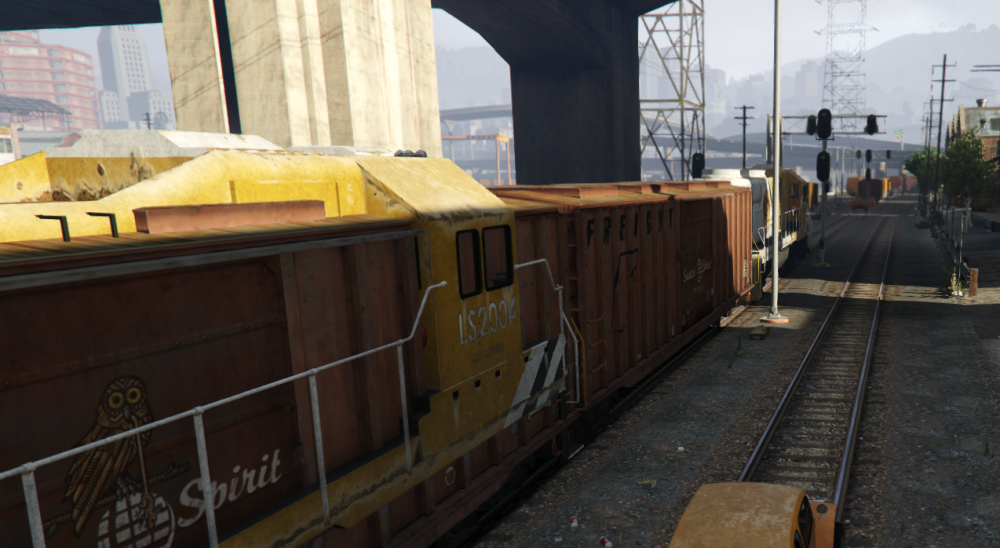
You might also want to use DELETE_ALL_TRAINS() and SET_RANDOM_TRAINS(false) to prevent the game spawning another train in the same location, this is what happens when you don't do that, at least it doesn't crash :) And when you don't want the train anymore, remember to use SET_MISSION_TRAIN_AS_NO_LONGER_NEEDED.
-
This worked for me: new Model("freight").LoadAndWait(); new Model("freightcar").LoadAndWait(); new Model("freightgrain").LoadAndWait(); new Model("freightcont1").LoadAndWait(); new Model("freightcont2").LoadAndWait(); new Model("freighttrailer").LoadAndWait(); uint handle = NativeFunction.CallByName<uint>("CREATE_MISSION_TRAIN", 15, 217.616f, -2215.75f, 11.6666f, 1); NativeFunction.CallByName<uint>("SET_TRAIN_SPEED", handle, 15.0f); NativeFunction.CallByName<uint>("SET_TRAIN_CRUISE_SPEED", handle, 15.0f);
-
-
Use Ped.Tasks.PlayAnimation(). And a list with most animations: http://docs.ragepluginhook.net/html/62951c37-a440-478c-b389-c471230ddfc5.htm
-
In GTA V the screen coordinates are (0, 0) the top-left and (resolution.Width, resolution.Height) the bottom-right. To draw on the screen you have two options use the DirectX wrapper from RPH or use the game natives. For the DirectX option hook the Game.(Raw)FrameRender and use the passed GraphicsEventArgs to draw, e.j. eventArgs.Graphics.DrawText() For the game natives option, I recommend using the RAGENativeUI Text and ResText classes. The ResText uses 1080 pixels height base system so you don't need to do extra calculation for different resolutions.
-
You can use the native GET_PED_CAUSE_OF_DEATH. It returns the hash of the weapon that killed the ped so you can use the WeaponHash enum from RPH, like this: (WeaponHash)NativeFunction.CallByName<uint>("GET_PED_CAUSE_OF_DEATH", myDeadPed); I don't remember if it also returns a hash for deaths non related to weapons, like falling, in that case it won't be included in the WeaponHash enum and you will need to do some testing and find out those hashes.



