



alexguirre
Members
-
Joined
-
Last visited
Everything posted by alexguirre
-
-
-
RAGENativeUI has been updated to version 1.5 Changelog Improve scrolling controls (not as sensitive as before). Add UIMenu.HoldTimeBeforeScroll, UIMenuListItem.HoldTimeBeforeScroll and UIMenuListItem.ScrollingEnabled. Fix being able to modify an UIMenuListItem if disabled. Add UIMenuListItem.Items to be able to modify the items after its creation. Fix texture flickering in UIMenu.DrawBanner(). Add overloads of methods with GraphicsEventArgs as parameter with Graphics as parameter. Mark methods with GraphicsEventArgs parameters as obsolete. Add TabView.DrawTextures() and TabItem.DrawTexture() providing support to draw custom textures in TabMissionSelectItem and any other future item that requires it. Add Sprite.TextureDictionary, Sprite.IsTextureDictionaryLoaded and Sprite.LoadTextureDictionary(). Mark Sprite.TextureDict, Sprite.IsTextureDictLoaded and Sprite.LoadTextureDict() as obsolete. Add UIMenu.CounterOverride. Add Common.WriteFileFromResources(). Mark Sprite.WriteFileFromResources() as obsolete.
-
 @OfficerBenzo there's an update coming soon that fixes the performance issues along with other new features, you should have waited few days before posting the review
- 246 comments
- 45 reviews
-
 You have two options to load RAGEPluginHook plugins, like this one. You can load it with the console using the LoadPlugin command, e.g. LoadPlugin "Spike Strips V.dll". The other option is to make it load automatically while the game is loading, for this you should have a startup.rphs file in your GTA V directory, if you don't have it you can create it, after that you have to open it with a text editor, copy the same command, LoadPlugin "Spike Strips V.dll", and save it.
- 131 comments
- 20 reviews
-
-

- 1
-
-
Yes, in the Emergency Strobes.ini file, under the section Player and AI set Enable headlights and Enable AI headlights to false.
- 246 comments
- 45 reviews
-
-
- 1
-
-
 Yeah, I saw your comment, I've just been a bit busy yesterday and couldn't respond. Personally I didn't remember that the editor is so horrible, in fact, all the default routes were made using it, I suppose I got used to it, but now that I tried it again, yes, it's horrible. And for the save issue I noticed a bug(probably introduced in some changes from an update of RAGENativeUI, I think I would noticed it if it happened before), is that when you enter a route or file name if you press enter to accept it will also activate again the menu button making it display again the textbox, a quick workaround for this issue is press the down arrow to move down in the menu to one of the Money[...] menu buttons and the press enter, this way you the file/route name will be saved and you will be able to use the Save button. If I ever get back to work on this plugin I will fix all this now that I'm more experienced with coding and plugin development. Thanks for the comment
- 35 comments
- 14 reviews
-
-
- 1
-
-
It's not a bug, it's how it's supposed to work, from the car you can only deploy 1 spike strip.
- 131 comments
- 20 reviews
-
 No, between RPH v0.38 and v0.39 there has been some changes that made some plugins incompatible, and this was one of the affected ones.
- 127 comments
- 33 reviews
-
-
The latest versions are compatible with RPH 0.38. You have to update to the latest RPH, v0.42.
- 127 comments
- 33 reviews
-
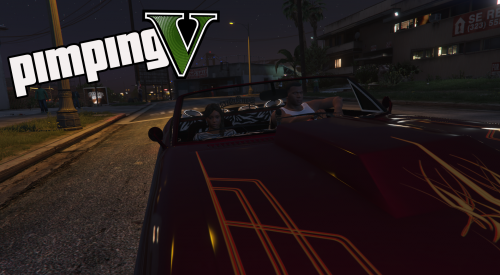 For the first release I just wanted it to be almost an exact copy of the GTA San Andreas missions so I din't add much new stuff. For the next versions I might add new situations, like the police sting, though I always end up in a 5 stars pursuit and the police also enjoy those girls, one time a customer was a police officer xD And about the dialogues, don't blame me, blame R*, those are the original dialogues from GTA San Andreas Thanks for the suggestions.
 -
Thanks! I don't know how could I miss that typo, I played the missions many many times while testing
-
I already have a callouts plugin released(almost a year ago) and other plugins related to policing. Check my profile: http://www.lcpdfr.com/profile/213134-alexguirre/?do=content&type=downloads_file&change_section=1
-
Nothing, but I figured some people from this community might enjoy it even if it's not related to LSPDFR and I read the file upload guidelines and it doesn't say that the mods necessarily need to be related to LSPDFR or policing, if that changes I won't upload any other mod not related to LSPDFR or policing.
-
Do you remember the pimp missions from Grand Theft Auto San Andreas? This plugin brings back those missions to Grand Theft Auto V. After installation, in-game load the plugin typing "LoadPlugin PimpingV.dll" in the RPH console, then to start the pimp missions enter in a vehicle with the model specified in the configuration file(by default BUCCANEER2) and press your context key(by default E/DPad Right). To end them, hold your context key. Source code available at GitHub. REQUIREMENTS RAGEPluginHook 0.42.969.8470 or above (not tested with previous versions) INSTALLATION Drop the contents inside PimpingV v1.0.rar\Plugins in the Plugins folder from your GTA V directory. PREVIEW VIDEO
-
No, that's because to light up the dashboard they used the same lights that the headlights use.
- 246 comments
- 45 reviews
-
 @thomasbk @forsakenbacon17 @fireboy6117 @hayhay7789 I tried this version and it works, if you are having issues can you post your RagePluginHook.log?
- 302 comments
- 66 reviews
-
@thomasbk @forsakenbacon17 @fireboy6117 Can at least one of you post you RagePluginHook.log?
- 302 comments
- 66 reviews
-
You might want to use UIMenuSwitchMenusItem for what you need. It requires a List of UIMenu instances, you have to add the same UIMenuSwitchMenusItem instance to all the menus you added and to know the current menu, use UIMenuSwitchMenusItem.CurrentMenu, I recommend to use this to make the menus visible, making a different menu from the current one can cause some issues.
-
OK, thanks. Btw, the next phase should be end it by pressing the End key, you can call the coroner or the EMS before ending it if you want. Also, does it happen always? No need for an update.
-
Do you remember what you were doing when it crashed? Thanks for the report.
-
-
I don't think it will work, but you can download the previous version, v0.7.1.
- 131 comments
- 20 reviews
-


