
alexguirre
Members
-
Joined
-
Last visited
Everything posted by alexguirre
-
To everybody having issues with the mouse going back to the centre, you could check in the GTA V settings the mouse input mode, I think that there are three types, be sure you don't have it set to Windows, set it to either of the other two types.
-
6
-
That also happened to me, I'm not in my computer right now but I think I used the native SET_ENTITY_LOAD_COLLISION_FLAG. NativeFunction.CallByName<uint>("SET_ENTITY_LOAD_COLLISION_FLAG", myVehicle, true);
-
The only thing I can recommend you if to tweak the parameters until you find something that works better, i.e the minDistance, driving flags, noRoadsDistance,... Btw the the values used for the parameter p7 in the game scripts are -1, 20 and 0, try those maybe you notice a difference.
-
-
The driving styles in RPH are the VehicleDrivingFlags, if you need to pass it to a native, cast it to uint, e.g. (uint)VehicleDrivingFlags.Emergency.
-
That it's the parameter number 7, basically the usage of it is unknown so nobody has renamed it, I'm not in my computer right so I can't check how I used it or how it's used in the game scripts, for now just pass 0.
-
Why not use TASK_VEHICLE_ESCORT? I used it and it works well. Give the first vehicle of the convoy a Task DriveToPosition, and in the others use the native with the target vehicle param the one they have in front. Check the nativeDB it has a bit of information about how to use this native.
-
6
-
No, you don't have to use pascal case, if the provided name contains an underscore it will be treated as a complete native name and it will ignore casing. The only thing needed is to set the return type. In the case of the OP the return type as uint won't work because his Handle property is an int, he either changes the return type to int or the Handle to uint.
-
Not sure why that happens, are you sure that person has the file Gwen.dll in the GTA V directory? Do other mods that use GwenForms work for him(LSPDFR Computer+, Spotlight,...)?
-
 Do you have a modded model for the maverick helicopter? Are you referring to the police maverick(model name: "polmav") or the civilian maverick(model name: "maverick")? You can try to open the edit menu, maybe the spotlight is inside the vehicle and you can't see it. To do this toggle the spotlight and the press Insert, this will open the menu, here use the arrows in the menu to move the spotlight, then click the "Save Settings" button.
- 473 comments
- 73 reviews
-
-
RAGENativeUI has been updated to version 1.4 Changelog Fixed UIMenu.SetMenuWidthOffset() throwing NullReferenceException if the UIMenu didn't have a subtitle. Added MenuPool.Remove(). Added UIMenuSwitchMenusItem. Added UIMenu.Reset() and MenuPool.ResetMenus().
-
Because each time you toggle the speedometer you create a new timer bar, SpeedoMeterMain must be called only once when the plugin is loaded in your Main method or the first time you toggle the speedo meter.
-
Are you calling SpeedoMeterMain somewhere? This is what creates everything.
-
Just swicthing the stop bool true/false should stop drawing the timerbar, no need to remove SpeedText from the pool and set the timerBarPool and SpeedText to null. When you initialize the plugin create the timerbars and pool and if you want to have method to switch the stop bool, it could be something like this: public static void ToggleSpeedoMeter() { stop = !stop; } The "!" symbol inverts a bool expression so if stop is true it will be false an viceversa. That should work
-
 Yeah Contact me in PM
 -
-
From what I know from seeing logs what Albo does is register the same callout multiple times, for example if the user sets the probability to 3, register it three times. I noticed this from see in the logs the same callout from Albo registered mulitple times, maybe he does something else internally but I can't confirm it.
-
Did you try the native IS_ENTITY_ON_SCREEN? From the nativeDB: "Returns true if the entity is in between the minimum and maximum values for the 2d screen coords. Still returns true even if the entity can't be seen yet is between the appropriate 2d screen coords (like above)." So it looks like it only detects if it is out of screen horizontally. If that doesn't work you could use World.ConvertWorldPositionToScreenPosition() and check if it is inside the resolution rectangle, I haven't tried it but I think it should work.
-
-
 I haven't made any progress, I didn't have much time and I prefered to work on soke other things. I don't have any stutter issues myself what makes it more difficult to develop and more time wasting.
- 246 comments
- 45 reviews
-
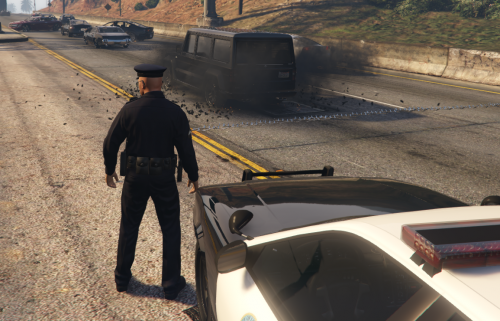 No, the only way will be to remove the spikes before the other units pass over them.
- 131 comments
- 20 reviews
-
Most likely you have a key set to 'i' when it should be 'I', in uppercase. Check the .ini or post it here so I can check it.
- 473 comments
- 73 reviews