




Starmix
Members
-
Joined
-
Last visited
Everything posted by Starmix
-
So the Ragehook console doesn't appear, nor does Police SmartRadio? If so, check that "Disable DirectX Hook" option is not checked in Ragehook's advanced settings, and try selecting "Force Windowed Mode and "Force DirectX11".
-
Verify that you have all of the Ragehook Requirements or repair them if you have them: http://ragepluginhook.net/Requirements.aspx
-
Make sure that in RPH Advanced Settings, the disable DX Hook option is not checked. Also, try checking "Force Windowed Mode" and "Force DirectX11" in Ragehook's advanced settings. Can you also not see the console? If so, do what I posted above as well.
-
uhm... It'd still work even if in the regular game folder. OP: I'd just look at a variety of visual mods if it annoys you.
-
You do run Ragehook, right? If you don't, just verify you have Visual Studio 2015 Redistributables, I spent like half an hour wondering why it wouldn't load.
-
You could be a little bit more specific, no? What error does it give you? Screenshot it.
-
Welcome to the realm of every visual mod for GTA V. Though if you are determined you can edit these two values in visualsettings.dat: car.defaultlight.day.emissive.on car.defaultlight.night.emissive.on to a number that's obviously, lower than MVGA's value.
-
Nooooooooooooo! All you should have to do is change Shader and PostFX to Very High or Ultra.
-
If he deleted everything, including the GTA V folder in Documents, then he'd have to remove it. If he used Steam's uninstall or the disk uninstall, then all of his save games and settings should be fine.
-
I just thought you should know, the ELS download comes with a file called "DEFAULT CONTROLS", it might be an idea to give that a quick read, since you have probably pressed the disabling button.
-
No. You cannot get rid of Social Club. It isn't ridiculous, it's the 21st Century. Heh. http://lmgtfy.com/?iie=1&q=How+to+set+google+dns Also, the THE BOLD TEXT AND LOTS OF PUNCTUATION!!!!!!!!!!!!!!!!!!!!!!!!!!!!!!!!!!!!!!!!! made me want to just click back onto Discord and ignore you.
-
That'd be interesting with things that have been taken from a platform like Discord, which has the RPH server, which tends to be the ooze of knowledge.
-
I'd be happy with contributing to this guide.
-
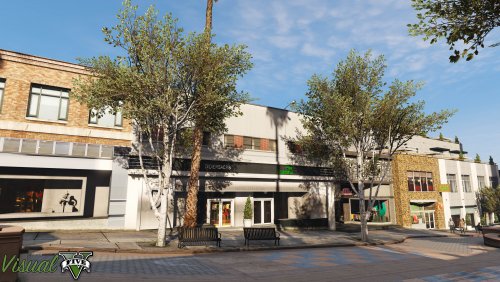 It's not a flashy visual mod that makes the world look stupid, it just enhances the base that Rockstar made for GTA, with some needed additions. Not to mention, that with a good ENB, it makes this game look absolutely mind blowing, with, in my experience, very little frame loss.
- 42 comments
- 19 reviews
-
-

- 2
-
-
-
I'd choose VisualV (with custom light values, but the ones included with VisualV would work fine) and awesomekill's cfg without DoF. This is how the lights look at night (which makes them a lot brighter than in the day, I can get some day screenshots if you want.) One of the most popular mods is MVGA, but I don't think it makes you feel like your in LA, and instead it feels like you have the European-ish colours. (I also have issues with the creator but ¯\_(ツ)_/¯)
-
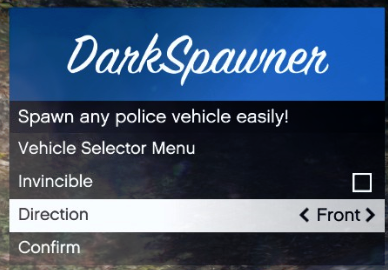 i spend like 5 minutes looking for that image ;-;
 -
you do realise that computer+ isn't a regular plugin and should be put in Plugins/LSPDFR and not be loaded as it loads with LSPDFR? just wondering
-
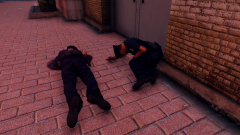
From the album: Starmix's Shenanigans
Two LSPD officers sit, bleeding out next to the police station that was just attacked. -
From the album: Starmix's Shenanigans
-
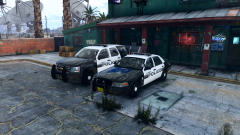
From the album: Starmix's Shenanigans
Two LSPD officers take a quick break at the Yellow Jack Inn. -
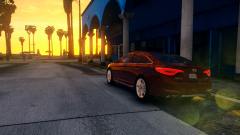
From the album: Starmix's Shenanigans
A tourist's car is parked while he walks along the beach in the evening. -
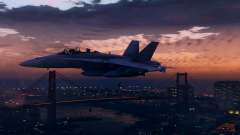
From the album: Starmix's Shenanigans
An F18 patrols above the Los Santos Docks -
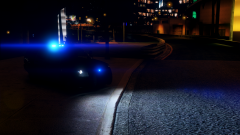
From the album: Starmix's Shenanigans
An LSPD Unit is stationed at the entrance of LSIA. -
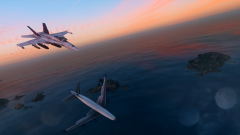
From the album: Starmix's Shenanigans
An F18 shoots down a Jet into the ocean, for whatever reason, it looks badass either way.


