




Starmix
Members
-
Joined
-
Last visited
Everything posted by Starmix
-
You have to update your Ragehook and mods folder.
-
@Cyan handles server stuff, so he'd know more.
-
You sure you installed the x86 ones (where possible)? It's clearly saying it's not there.
-
We have pinned topics for a reason, i would send you the links to the c++ files your missing, but I'm on a iPad. Read the pinned topics and you'll find them.
-
Looking from your mods, more mods, less performance. Remove the ones you don't use very often
-
use the vehicles.meta from the respective dlc pack if needed (eg. a car goes into patchday4, you'd have to use the patchday4 vehicles.meta
-
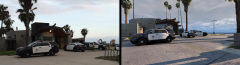 That is actually really close.
 -
-
 I remember a few months ago, when this mod only had the telemagic to station option and only had a few downloads, to now, with about 45,000 downloads. I can't say this enough, but anybody who does not use this mod, does not use LSPDFR at all.
- 1,915 comments
- 242 reviews
-
-

- 1
-
-
GTA IV is know to run poorly on integrated graphics, laptops and dual cores (quad core is good if you tweak GFE) all of which, you have in your system.
-
Strange... I remember using 1.1 with 2.0 ... If it's a Scripthook issue, you'll just have to leave it.
-
Are you using ALM 2.0?
-
After you uninstall LCPDFR, you'd need to reinstall ELS
-
Don't we all? Well not me, until december!Yeah, thats good, buy it for me, lol.I don't understand how a thread about another shooting turned into a discussion about WWII and now probably Pokemon... I'm just going to fully stay out of this, other than agreeing with Illusionary.Download and install version 1.1Follow the instructions, vehicles.rpf is in a variety of locations, if that is what the readme states, contact the vehicle author.That is not related as we can already see that. Redownloading SlimDX should have fixed it.Read the readme that should be included in your download.Should be fine since newer Ragehook versions should be backwards compatible.Nah man. Maybe a rat of sorts?
 Your also 100% sure your running 64 bit. Kal, DDR2 & 3 are not physically compatible, so even if he did mistake DDR2 for 3, he wouldn't be able to install it.
- 3,646 comments
- 306 reviews
I don't know at this point. Maybe something that registered here?

