




Starmix
Members
-
Joined
-
Last visited
Everything posted by Starmix
-
mhm, and then the locker rooms in our school were tiny! Most people had to get changed right in the middle to breathe, luckily I haven't had to do that yet. At least we don't have to shower, because the shower, is even smaller!
-
Do the AI actually know your there now? It was quite annoying having them rear end me into a tree a bunch of times.
-
What are your opinions on P.E? Might as well share the 'P.E' I'm going to have to do for the next 3 years. Monday morning, 8:00, lovely day, get to school, PE, FIRST LESSON. Tuesday 2:00pm, tired, PE! I honestly think the sole purpose of P.E in my school is to get kids to do the football club stuff, which nobody is doing. And you may be asking, why don't you just say you don't like it? You can't, your given one warning, still don't do it and your parents are informed (idc bout that) and your sent to isolation. I remember a time in primary school when the purpose of PE was to have fun. :/ (will probably make this neater when I have access to pc)
-
^Quoted from game debate. 4GB for this card is completely worthless, since once you will actually need that much VRAM, since the GPU itself does not have the power to drive it. The second build only has DDR3 too, meaning the memory performance and bandwidth will be lower.
-
Now I kinda want to check his profile here out. whats his profile name?
-
Was Matt banned? Because I heard LSPDFR and frequent the forums in the same sentence.
-
First off, update your LCPDFR to 1.1, CSharp errors come from 0.95
-
This error is caused by a bad vehicle model.
-
Was it from 2001? ba dum tss But seriously, try downloading this, https://support.securom.com/analysis.php. It apparently checks them and tells you whats wrong.
-
Hmm, try reading about it on the Securom website, they probably have something about it there.
-
Do you have atleast .Net Framework 3.5?
-
Are you running a legal version of GTA V? If so, post your log file.
-
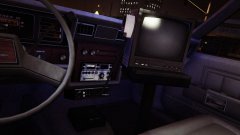 It just looks like a TV!
 -
Please install these: https://www.microsoft.com/en-gb/download/details.aspx?id=5555, https://www.microsoft.com/en-us/download/details.aspx?id=30679 (x86) & https://www.microsoft.com/en-us/download/details.aspx?id=30653
-
Nope, the flare colour is locked, meaning we would need a modification like ELS to change that. Actually, try asking Double Doppler how he got his lights blue.
-
As the mod evolves, more and more will be possible and hopefully, there will be a few more developers for callout modifications. I do honestly like these simple types of callouts though, because it reflects what the police actually do.
-
And then remember that there is about 2/3 people actively developing LSPDFR meaning that it would probably be a month or so of work just for a few people to use it.
-
I don't think thats currently possible.
-
Nice siren, really fits with the ambulance.
-
Im not sure, but maybe GTA V is defaulting to a file in the dlcpacks folder, unfortunately I have no idea which one it could be.
-
Working fine for me, what browser are you running? what file are you trying to download?
-
Dude, you have a Q8400, bottleneck city. Get yourself a new rig.
-
Probably not.
-
Explains a lot.
-
Why is there a TV in it?


