Starmix
Members
-
Joined
-
Last visited
Everything posted by Starmix
-
I don't think they can really choose if it has voice or whatever, since they have to go with what their advertising company gives them. They use AdSense, which is owned by Google and is pretty good usually with this stuff.
-
-
 You do realise that LCPDFR 1.0 was released at the start of 2015, so anything from there is still valid.
- 379 comments
- 113 reviews
-
Another shooting. My thoughts go out to the dead officers. I don't want to be involved in the political debate so I'm not going to follow this topic.
-
I can't make skins, nor do I know anyone who can.
-
You need DispatchGhostFix I don't know where to get JUST that. I know it's in the RDE download. Download it, take the DispatchGhostFix files from '2. Scripts' and then configure it.
-
You have to redo everything in the update.rpf file again, it sucks, but we all do it.
-
I think there is, but I can't remember the flag for it. Maybe FLAG_FORCE_LIVERY, but I'd need someone to confirm that. If it's not that then I don't think it's possible.
-
Like I said in your LSPDFR topic, you can't just upgrade and magically get better performance. The computer itself is weak, if your thinking of buying a new one, I can link you to my personal setup, but it isn't cheap.
-
I ummm, don't backup much. The only game backup I have is on version 617 still!
-
-
If it doesn't support multiple liveries, you should be able to add FLAG_HAS_LIVERY into the flags section of the cars vehicles.meta NOTE: THIS ALSO MAKES IT SO THE LIVERYS SHOW UP IN TRAFFIC.
-
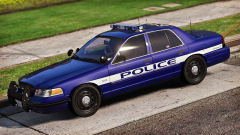 That shiny looking blue looks quite good to me. I'm weird, less is more to me.
 -
I honestly wouldn't mind that as a full skin pack, looks nice and neat.
-
Also make sure that in vehicles.meta, the car shows in the flags "FLAG_HAS_LIVERY" (or something like that, it'll probably be in police3 and police lines anyway)
-
 You must have all audio files, if you don't, you are essentially deleting them.
- 316 comments
- 31 reviews
-
Try restarting your machine.
-
 I installed this on a retail copy. They are both the exact same apart from one is in the steam games folder, and the other is in Program Files (by default)
- 218 comments
- 42 reviews
-
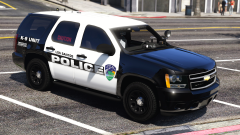 oh my god very like. Sometimes I wonder if you can even mess up a skin on purpose!
 -
I do it and I see way more cars and peds.
-
It is basically a cheapass GPU. I had a GT 740 and most of the time I got like 20FPS.
-
Easiest way to do this is go to Documents/Rockstar Games/GTA V/settings.xml Then look for the CityDensity line, increase that to 1.4 (bunch of zeros)
-
Yes. The newer file will overwrite the older one.
-
I put them all in patchday10, then overwrite mpchristmas2 and it works 100%.
-