




CouthInk4
Members
-
Joined
-
Last visited
Everything posted by CouthInk4
-
Thanks =) I'll also need your LCPDFR log (you can upload it the same way you did with the pics). Also i notice you've got ELS installed, Do you have any car mods installed?
-
Why can't you upload your logs or any screenshots? you should be able to attach them as files. underneath the comment section there is a "Drag files here to attach, or choose files" options. click on that and choose the logs/screenshots to upload them
-
You'll have to edit the comment and add what your comment was, since it didn't work so it's just a blank comment =/
-
A bit more information would be helpful like: What patch is your game running at? Is your game torrented? What version of LCPDFR are you running? Are you running it as Admin? What mods do you have installed? Can you upload your LCPDFR logs (the one you linked doesn't work), a screenshot of your directory and a screenshot of your Diagnostic Tool result.
-
Elaborating on your suggestion would be nice, rather than just "lifeguard mod".
-
Should be in your add remove programs. labeled Microsoft .NET Framework 4.5.1
-
have you tried www.newegg.com they most likely have some good pre-built PC there =)
-
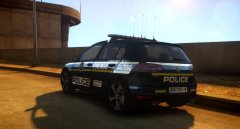 doesn't the gallery rules state that you're not allowed to upload RL pictures? ;) Seriously though, that looks pretty awesome! =)
 -
I don't know much about AMD cards, however the rest of your specs seem ok. I would suggest upgrading the RAM from 4gb to 8gb (possibly even 16gb if you're a big gamer), also just as a preference.. you could also upgrade your HDD to a 1trb (or with the way games are getting these days a 2trb). Check around different places though, you might be able to get a better deal. I'm not sure what's the best price for a pre-built computer since i built my gaming rig.
-
you have autosave function turned on for LCPDFR, go into the LCPDFR.ini and disable the autosave feature, then find your savegame.fr (where ever that is located i'm not to sure) and delete it. That should load your game up as normal and not put you back where you left off.
-
After re-looking at the download page (i had this issue aswell) here is the fix. find this - car.indicator.night.emissive.off 7.000 and edit it to this - car.indicator.night.emissive.off 0.003 that should fix your problem =)
-
I think that is with the PLD (Player Location Display) Mod, open up it's .ini and there should be an option to turn it off.
-
It's most likely just a prank call, just to be safe though if it happens again try to get her talking. find out what's going on. Or... Your phone is possessed, and should remove the contents, burn/melt the phone then bury it deep underground.
-
uninstall .NET Framework from your computer and re-download it using the link i provided above. Also can you please provide a screenshot of your GTA IV directory please.
-
Hmm. can you upload your RagePluginHook log? (located in your GTA V directory)
-
When is say broken features, i meant your issues. remove both of them (just transfer the files to your desktop) and run LSPDFR and see if it fixes, there may be a conflict in keys which is causing this issue. (i can't say for certain because i don't run these mods)
-
You're only meant to download one x86 version of the required programs. http://www.microsoft.com/en-us/download/details.aspx?id=30653 http://www.microsoft.com/en-us/download/details.aspx?id=30679 (x86 version) http://www.microsoft.com/en-us/download/details.aspx?id=5555 http://www.microsoft.com/en-us/download/details.aspx?id=35 Also, please run the LCPDFR Diagnostic Tool, screenshot the results and post them in a reply. Also what version of GTA IV are you running?
-
What plugin did you install? Also try playing LSPDFR and use the "broken" features without the plugin and see if that is the issue.
-
It may be a problem with the version of GTA V, currently RAGEPluginHook isn't fully supported for the latest patch (v393.4) So chances are, you'll have to wait until it's fully supported then it might work =/
-
People experienced this alot with the Autosave feature that came with LCPDFR 1.0, do what Gamble852 said and delete Savegame.fr, then go to your LCPDFR.ini file and disable the Autosave feature.
-
Have you tried opening up RPH and changing the keybind from F4 to F5? The trainer that comes with ScripthookV (if you have it) may be conflicting with RPH.
-
For RAGEPluginHook issues you should check with their forums since a fix is most likely there - http://forums.ragepluginhook.net/
-
ok, Can you run the diagnostic tool (should be located in your GTA 4 directory), that'll tell you if you're missing anything (use the snipping tool to screenshot it). Also download and install these: http://www.microsoft.com/en-us/download/details.aspx?id=30653 http://www.microsoft.com/en-us/download/details.aspx?id=30679 (please only download and install the x86 one) http://www.microsoft.com/en-us/download/details.aspx?id=5555 http://www.microsoft.com/en-us/download/details.aspx?id=35
-
What version are you running, also can your run the Diagnostic Tool and take a screenshot of the results?
-
You helped someone, wasn't me. I don't play GTA IV anymore.

