




CouthInk4
Members
-
Joined
-
Last visited
Everything posted by CouthInk4
-
Can you take a screenshot of the contents of the mods folder? Because if you've done it correctly then it should work. =/
-
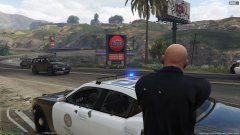
From the album: CouthInk4's LSPDFR Gallery
Like my images? Want to see more? Check out my Steam gallery! - http://steamcommunity.com/id/gamer9762/screenshots/?appid=sc_17540&sort=newestfirst&browsefilter=myfiles&view=imagewall -
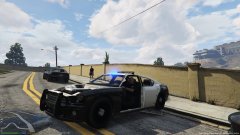
From the album: CouthInk4's LSPDFR Gallery
Like my images? Want to see more? Check out my Steam gallery! - http://steamcommunity.com/id/gamer9762/screenshots/?appid=sc_17540&sort=newestfirst&browsefilter=myfiles&view=imagewall -
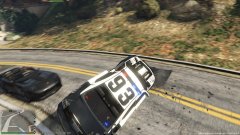
From the album: CouthInk4's LSPDFR Gallery
Like my images? Want to see more? Check out my Steam gallery! - http://steamcommunity.com/id/gamer9762/screenshots/?appid=sc_17540&sort=newestfirst&browsefilter=myfiles&view=imagewall -
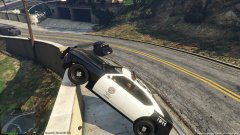
From the album: CouthInk4's LSPDFR Gallery
Like my images? Want to see more? Check out my Steam gallery! - http://steamcommunity.com/id/gamer9762/screenshots/?appid=sc_17540&sort=newestfirst&browsefilter=myfiles&view=imagewall -
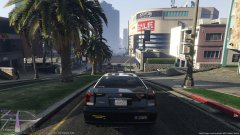
From the album: CouthInk4's LSPDFR Gallery
Like my images? Want to see more? Check out my Steam gallery! - http://steamcommunity.com/id/gamer9762/screenshots/?appid=sc_17540&sort=newestfirst&browsefilter=myfiles&view=imagewall -
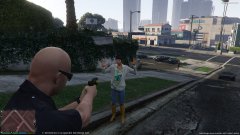
From the album: CouthInk4's LSPDFR Gallery
Like my images? Want to see more? Check out my Steam gallery! - http://steamcommunity.com/id/gamer9762/screenshots/?appid=sc_17540&sort=newestfirst&browsefilter=myfiles&view=imagewall -
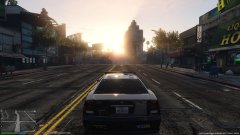
From the album: CouthInk4's LSPDFR Gallery
Like my images? Want to see more? Check out my Steam gallery! - http://steamcommunity.com/id/gamer9762/screenshots/?appid=sc_17540&sort=newestfirst&browsefilter=myfiles&view=imagewall -
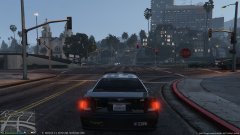
From the album: CouthInk4's LSPDFR Gallery
Like my images? Want to see more? Check out my Steam gallery! - http://steamcommunity.com/id/gamer9762/screenshots/?appid=sc_17540&sort=newestfirst&browsefilter=myfiles&view=imagewall -
I just tried it out.. I can honestly say that i was not disappointed
-
You're using LCPDFR 1.0d, this is an outdated version of LCPDFR, try using LCPDFR 1.1 and see if it fixes your problem. LCPDFR 1.1 - http://www.lcpdfr.com/files/file/4607-lcpd-first-response/
-
It's just a sped up video of what's written in the steps (above the pictures) if you follow the writing you should be fine, if not i'll write out a step-by-step post on how to do it =)
-
This is a common issue, It's replacing your modded file with the original to stop you from using it online. there is a fix. follow this guide - http://openiv.com/?p=1132
-
the same way you went on duty, go to a police station and press E when it tells you to.
-
There should be a tutorial in the readme. However with the way Rockstar have made their security against modders, there is certain things you need to do first. Read this and do what it tells you to do - http://openiv.com/?p=1132 then copy & paste your x64 file (the one that needs to be opened and edited for the siren) from your GTA V directory and into your mods folder. after you do that, open up OpenIV and replace the siren normally, BUT instead of going ot your directory and clicking the x64 file you go to Grand theft Auto V - mods - x64 THEN you replace your siren.
-
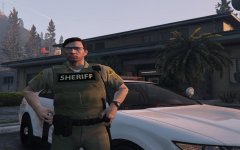 Can't that get you banned though?
 -
hmm, that's weird. it shouldn't do that. Are you able to reinstall your game? (if you're worried about it not working when reinstalling then you can PM me and i'll help you with the correct way of installing LCPDFR when you reinstall the game.
-
No, LCPDFR doesn't install any addition files that replace or edit existing GTA V files. It is wise to backup your files however it's a 60gb game so it's not necessary if you're doing script mods. But with texture mods (or any other mod that replaces/edits any vanilla files it is HIGHLY reccomended to backup your files BEFORE thinking of modding.
-
Judging by that it's till trying to load it up, go into your GTA IV directory and find a file called savegame.fr (or something similar, it could have old in the title) delete it. It should just load your game normal. If that doesn't work, uninstall LCPDFR completely and reinstall it, then before entering in game turn off the LCPDFR autosave feature in the LCPDFR.ini file.
-
your anti-virus software is giving it a false-positive (which is normal amongst AV programs), just adjust your security settings/allow it to download and you'll be fine. if you're still not satisifed and think it's a virus then you don't have to use the mod =)
-
Glad you got it working! =) To be honest, you made a good choice with going back to Windows 7, Windows 8 is horrible, nothing but problems.
-
Upload a screenshot of your directory, your LCPDFR logs, list of what mods you have installed (if any) and make sure you've downloaded and installed the things i linked above.
-
They're starting their 6th season soon. so 6 years?
-
Ok, your log seems a bit.. odd. Can you reinstall your game, patch it to the latest patch (1.0.7.0) here - https://support.rockstargames.com/hc/en-us/articles/200145406-Grand-Theft-Auto-IV-Patch-7-Title-Update-v-1-0-7-0-English-1-0-6-1-Russian-1-0-5-2-Japanese- Install LCPDFR 1.1, then try your game to see if it's still crashing, my bet is that you've either installed the mod wrong or your car mods are causing your game to crash. Also make sure you have these installed (please download them and install them) http://www.microsoft.com/en-us/download/details.aspx?id=30653 http://www.microsoft.com/en-us/download/details.aspx?id=30679 (please only download and install the x86 one) http://www.microsoft.com/en-us/download/details.aspx?id=5555 http://www.microsoft.com/en-us/download/details.aspx?id=35
-
Alright, can you upload your LCPDFR log, a screenshot of your directory, and make sure you have these installed: http://www.microsoft.com/en-us/download/details.aspx?id=30653 http://www.microsoft.com/en-us/download/details.aspx?id=30679 (only the x86 one) http://www.microsoft.com/en-us/download/details.aspx?id=5555 http://www.microsoft.com/en-us/download/details.aspx?id=35


