




CouthInk4
Members
-
Joined
-
Last visited
Everything posted by CouthInk4
-
Can you also give us a screenshot of your GTA game directory? You may have installed a file in the wrong place.
-
Well if you're able to upload your log files, we would be able to help you. If it's not letting you upload, then try clearing your cache files, browser history, cookies or try and use a different internet browser. EDIT: I tested the upload system, and for me it is working normal. test file.txt
-
There is nothing wrong with the uploading system because a few people have uploaded their logs not to long ago. keep trying to upload your logs so we have a better understanding on what the main cause is. Have you updated your GTA to the latest patch? 1.0.7.0 for GTA 4 and 1.1.2.0 for EFLC. also if you're using the automatic installer, i has been known to cause a fw problems. i suggest uninstalling LCPD:FR, downloading 1.0c manual install and follow this guide - '?do=embed' frameborder='0' data-embedContent>>
-
I couldn't find the model.. plus it's hard when all you have is the back end of it. Have you tried messaging the creator of the texture and see if you can get a link to the model?
-
There is nothing wrong with the 1.0 controls. they are pretty much the same as 0.95 with a few added features. if you read the user manual and familiarized yourself with the controls.. it'll get easier to understand. if you don't like it, 0.95 is always available for download.
-
I'm not saying they won't work.. there is always the possibility of it not being compatible and causing issues with GTA. I just think it's ridiculous that someone paid $700 for 2 models that have possibility of not working.. and a modeler could've scratch made it for free.
-
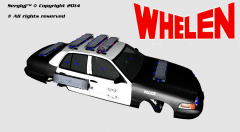 it looks horrible, you have failed with the lighting.. you need to add more lights, right now it just looks ridiculous :P
 -
I doubt anyone will convert these since you have to pay.. i really don't see anyone paying $350 for these models. EDIT: i didn't see the part where you paid for them. it would've been a lot easier and a lot cheaper for someone to scratch-model these. why would you pay so much money for models that probably won't work in GTA 4?
-
to re-buy it from steam and install it.. you'll have to uninstall your disc copy first. So, yes you'll need to uninstall it all first
-
i mean game wise, like how useful would a cop be in a zombie apocalypse? they're pretty much the first ones to die (except if they're like S.W.A.T). I might give this a go one day, it seems like fun.
-
honestly, it's no doubt a hardware problem.. especially with you saying how old some of the stuff is. upgrade or replace parts every 2-3 years to make sure it doesn't malfunction.
-
I don't know how LCPD:FR would even work alongside this.. But the zombie mod on it's own looks great.
-
As i explained in the PM, you have screwed up while modding, simply replace the files you modded with the backup files (that you should've created) or re-install the game. If you have trouble modding, then check YouTube or google for tutorials on how to use OpenIV or SparkIV (i prefer and recommend SparkIV, OpenIV should only be used to look at or add files to the game in my opinion)
-
Have you modded the game at all?
-
He means that people really can't help you since LCPD:FR isn't supported nor tested with third party mods (such as cars, skins, guns etc) and it's not supported with multiplayer. So developers and the Community Team can't really help because they don't support either of them. They only support with game crashes from a vanilla game (no mods, all original GTA 4 content)
-
Yup, you can do it that way. although if you have a slow internet download speed then i'd get a new disc because the GTA 4 game is 13gb
-
I would recommend the 770 because well.. it's better. but any of them should work.
-
There are a few pics in my gallery, however they probably won't be very clear from the suspects with tasers. 0.95 glitched every once and a while.. so sometimes when i get a shots fired call.. they suspects spawn with tasers, i always pulls out my taser to join in. after a while i get bored, so i pull out my M4 and "respectfully" shoot them... when i mean respectfully i mean shooting them in the head a few times
-
Well, it might not minimize the crash, but it will help in performance. upgrade your graphics card (a 550 TI is old, i used it now and i'll be upgrading it in a couple months), maybe upgrade your ram (you could do 2x 8gb sticks). you don't need to upgrade these.. but as i said, it'll help with performance, upgrade your HDD to a 1Trb, i don't know where you live, but where i am from they're cheap) and you could upgrade your CPU. but for priority, your Graphics card seriously needs updating.
-
You're running 0.95, which is no longer supported. Upgrade to 1.0 (latest update for that is 1.0c) download the manual installer and use this guide - https://support.securom.com/rockstarunlock/GTA_IV/index.php?c=offline The manual installer is highly recommended, but if you find it to difficult even after using the guide, feel free to use the automatic installer. Also, Steam games aren't always set to run as Admin (which you need to do run LCPD:FR), so exit out of Steam completely, right click on the desktop or start icon (if you have one), go to properties, then go to compatibility and tick the box that says Run this program as administrator. apply the changes, press ok then start steam up again and go into game.
-
https://support.securom.com/rockstarunlock/GTA_IV/index.php?c=offline
-
I just have a couple of questions here. 1. what is the "LCPD ANPR" files? 2. where are these mods located? because i see .asi and .dll mods together. which they shouldn't be.
-
hmm, you may have screwed up while installing something (it happens). remove LCPD:FR and follow this guide - '?do=embed' frameborder='0' data-embedContent>>
-
hmm. just reinstall your game, add only LCPD:FR and then see how long you can play. then just add one mod at a time (make backups) and see if it crashes/
-
Did you use the automatic or manual installer?

