Steele1925
Members
-
Joined
-
Last visited
Everything posted by Steele1925
-
Do you have the very latest version of ScriptHookV? http://www.dev-c.com/gtav/scripthookv/
-
Well I'm not sure if this is it, but here's a shot! @Gump always has good stuff.
-
 Well most people simply didn't care for it. So with the amount of work required to make it work with all of the Plugins, it just sadly wasn't worth it Edit: However, here's how I did it, just in case you'd like to give it a shot. Audacity is the program I use. Open the file you'd like to change in Audacity "AREA_ALTA_01" for example Click "Effect" Click "Change Pitch" Regardless of the two numbers shown, replace the first with "800" and the second with "700". That's it
- 311 comments
- 39 reviews
-
-

- 1
-
-
-
-
 For some reason, 7Zip will not allow me to extract the .oiv, it keeps telling me it failed. Anyone else having this issue? Or a possible solution to it?
- 2,349 comments
- 238 reviews
-
I've been begging people not to support anything Online with GTA since 2014. Sadly, it seems they cannot help themselves.
-
-
Lol I hear you. Just remember to always reinstall my audio over (after) any new plugin you download, including updates to plugins. Those will override mine
- 311 comments
- 39 reviews
-
So I just found the cause... It's VisualV for whatever reason. Found this out after reinstalling mods one by one. So for now I'll be removing that mod. Hope this helps anyone else who may have the same issue.
-
Ah, then with the standard, I don't believe those other plugins are in need of an update. But I'll go ahead and look into it for ya :)
- 311 comments
- 39 reviews
-
-
- 1
-
-
-
I regret to say that whatever it changed, it did not change the Traffic Light durations lol. There is a junctions.pso file in the same location, but I haven't the slightest idea on how to open that one. Tried extracting to .xml, did nothing.
-
Thanks bud. Yes, I am indeed using a Mods Folder. I'll give it a shot sometime within a day or two and I'll report what happens (or breaks) back here.
-
 Any mod that attempts to make my game more realistic gets a thumbs up from me. For quality purposes, this mod receives two. Great audio all around, will not be playing without it
- 30 comments
- 15 reviews
-
-
- 1
-
-
Hello all, Quick question, as I have no experience in this area of OpenIV. Couldn't I theoretically speed up the Traffic Lights by changing the values located in Update/Update/Common/Data/Levels/GTA5/Junction.xml ? For example, changing "fcycleduration value" from 30 to say... 10? Just wondering someone else's thoughts on this before I give it a shot. Thanks in any case.
-
-
You may already know this but... On the off chance you don't... You have to start the game by Double Clicking the "RagePluginHook" application. I've personally chosen to make a Desktop Shortcut for this to save myself the hassle of opening up my directory every time. With any luck, this may be the issue.
-
So I'm experiencing something odd with all vehicles (ELS Enabled) that have a spotlight on them. When I turn on the Emergency Lights, the Spotlight turns on with them, and occasionally flashes. When that happens, it's as if I'm driving with my Brights on lol. Seems highly unrealistic to me. I've honestly never seen that happen on the models I'm using until today. One of which I've used for many months now, though I suppose there's a slight chance I simply didn't notice. If that's the case, does anyone know of a setting (via the .xml or els.config) to turn that off? Or is this some sort of odd bug? Thank you for any help or info in this case, and have a great day!
-
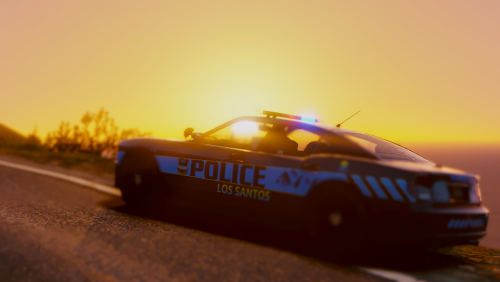 @NefariousBonne Hey just thought I'd mention that for one reason or another... I cannot Spawn in Sheriff3 or Sheriff4. Both simply say "Invalid Model". What I've done: Installed Vehicles.meta and Carvarations.meta to their respective locations. I've installed the models into Patchday14 (because I don't use R.D.E.) All other models of yours that I've installed are working as intended (Police 1 through 6, Park Ranger, and Sheriff 1 and 2). Just wondering if you have any ideas regarding where exactly I went wrong lol. I'm sure I missed something somewhere, but I'm at a loss. Thank you in any case, and besides those two models I'm LOVING this pack!
- 82 comments
- 30 reviews
-
@antiboy6 LOL as much as I'd love to have Officer Winslow in my game... There sadly wouldn't be enough variation, or situations for the audio to be used, which would lead to repetition. Repetition was a pretty big negative about this mod when I first launched it, so I've learned my lesson there. But if ever we start getting more Officer audio variation, then I'll absolutely start adding stuff like this in!!! Thanks for the feedback bud
- 311 comments
- 39 reviews
-
-
- 1
-
-
-
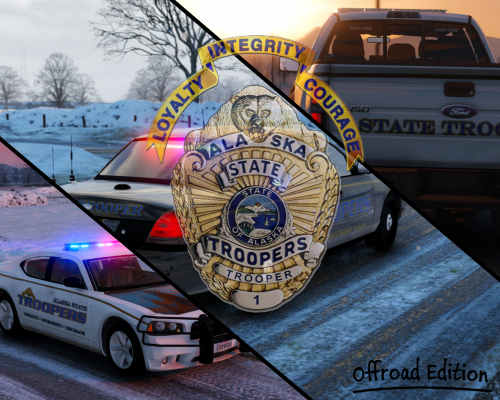 @S0berDrunk Here's a late comment lol... Any chance of an AST and a D.U.I. skin for JJ's new Tahoe?
- 11 comments
- 3 reviews
-
Thanks buddy. Using Paint.net is exactly what I needed.
-
Hello all, Quick question. With many skins that I have downloaded, they are essentially left colorless, so that the player may choose their own color in-game. I get that, but this leaves the AI spawning with randomly colored vehicles. So my question is... Is there a way that I can force all of the AI to use the same color for a skin? Am I able to color the skin myself (and if so how)? I'd appreciate any info on this topic. Thank you in any case, and have a wonderful day.